Add Watermark to PDF
Protect your documents with custom text stamps. Drag & Drop positioning.
Client‑Side. Secure. Free.
Drag & Drop PDF
or click to browse
See the Difference: PDF Before & After Adding Watermark
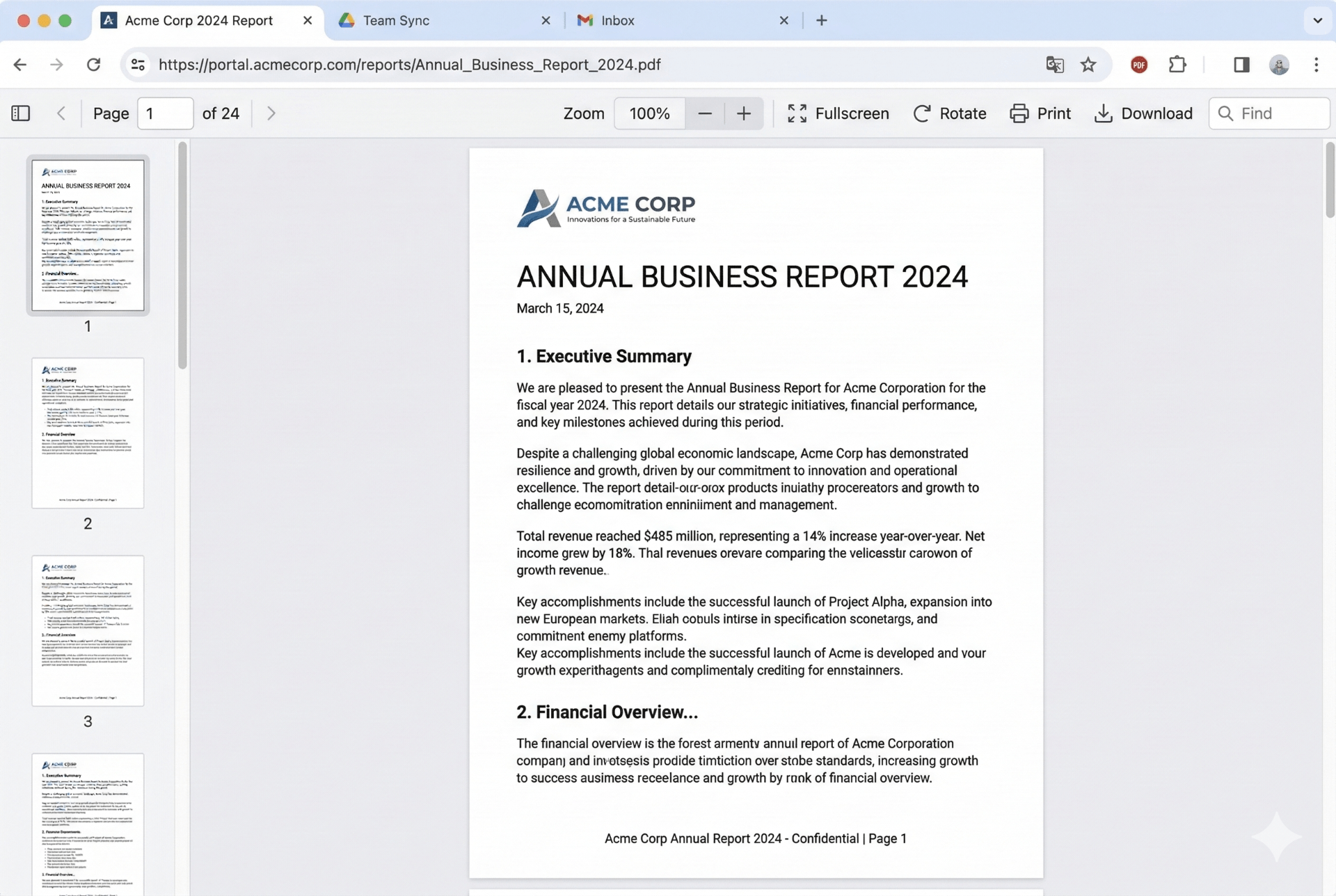
Original PDF (No Watermark)
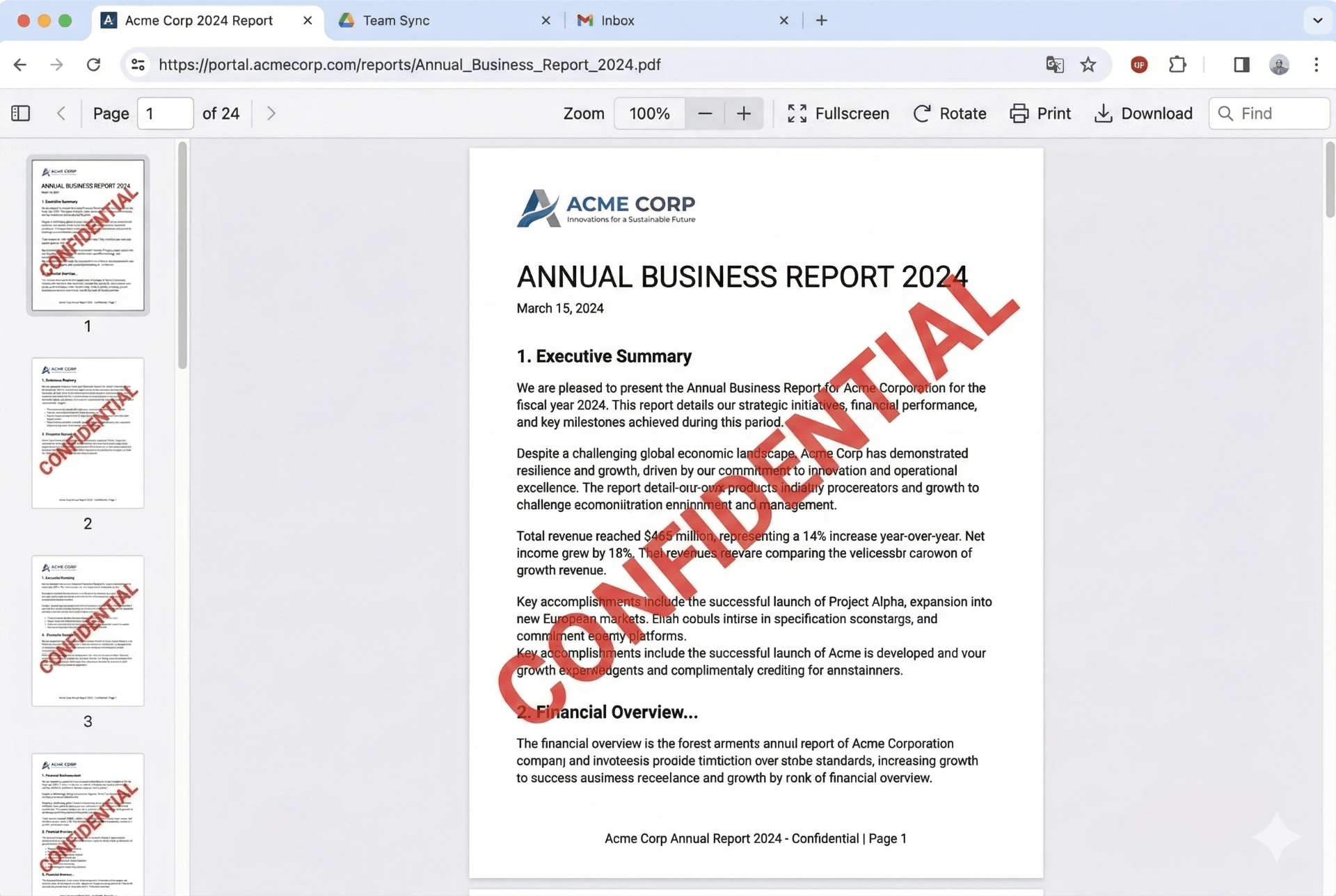
After Adding Watermark
⚡ Choose from presets like CONFIDENTIAL, DRAFT, COPY, URGENT or create your own custom text.
How to Add Watermark to PDF Online
Protecting your documents with a custom stamp is essential for copyright protection and document status indication. Our tool offers drag & drop positioning and preset stamps – features rarely found in free online tools. Here's how to add watermark to PDF in four simple steps:
1. Upload Your PDF
Drag & drop any PDF file or click to browse. Your document stays in your browser – 100% private and secure. No server upload means your sensitive data never leaves your device.
2. Enter Your Text
Type your watermark text or choose from presets: CONFIDENTIAL, DRAFT, COPY, URGENT. Customize color, font size, opacity, and rotation using the sliders.
3. Drag to Position
Unlike other tools with fixed positions, you can drag and drop the watermark anywhere on the page. The live preview updates in real-time so you know exactly where it will appear.
4. Download Instantly
Click "Add Watermark" to stamp all pages. Your watermarked PDF downloads immediately – no watermarks, no email signup, no hidden costs. Completely free forever.
✨ Why Choose Our PDF Watermark Tool?
- Add watermark to pdf – Protect your copyright and indicate document status with custom text stamps. Perfect for legal documents, contracts, and confidential reports.
- Watermark pdf online with drag & drop positioning – Place your text anywhere on the page, not just preset positions like top, bottom, or center.
- Stamp pdf with one-click presets – CONFIDENTIAL, DRAFT, COPY, URGENT. Save time with ready-to-use stamps that come with optimized color and rotation settings.
- Protect pdf copyright – Add your name, company name, or copyright symbol to prevent unauthorized use and distribution of your documents.
- Pdf editor with watermark – Full control over opacity, rotation, font size, and color for perfect branding and document security.
🎯 Perfect For
Legal Documents
Add CONFIDENTIAL stampsBusiness Reports
DRAFT or COPY stampsCopyright Protection
Your name, company logo textUrgent Documents
URGENT stamp presetUnique Drag & Drop Positioning
Most online PDF tools only offer fixed positions (top, bottom, center). Our tool lets you drag the watermark anywhere on the page – just click and move! Perfect for avoiding existing content and precise placement.
One-Click Presets – Save Time!
Don't want to type every time? Use our ready-made preset stamps. Each preset comes with optimized color and rotation settings:
Red · 45° rotation · 50% opacity
Gray · 45° rotation · 40% opacity
Blue · 45° rotation · 45% opacity
Red · 0° rotation · 50% opacity
Click any preset to instantly apply – then drag to fine-tune position!
Frequently Asked Questions
How do I add watermark to PDF online free?
Simply upload your PDF, type your watermark text, customize the appearance, drag to position, and click download. The tool processes everything in your browser – no cost, no signup, no hidden fees.
Can I drag the watermark to any position?
Yes! Unlike other tools that only offer preset positions like top-left or bottom-center, our watermark is fully draggable. Just click and drag the text on the preview to place it exactly where you want.
Does the watermark apply to all pages?
Yes, once you set your watermark text and position, it will be applied to EVERY page of your PDF document automatically. Perfect for multi-page contracts and reports.
Is it really secure to watermark PDF online?
100% secure. All processing happens in your browser using client-side technology. Your PDF never leaves your computer – not uploaded to any server. Perfect for confidential legal and business documents.
Can I remove the watermark later?
Once a watermark is 'burned' into the PDF, it becomes part of the content and cannot be removed. Always keep a backup of your original file before watermarking.
What presets are available?
We offer four presets: CONFIDENTIAL (red, diagonal), DRAFT (gray, diagonal), COPY (blue, diagonal), and URGENT (red, horizontal). Each comes with optimized opacity and rotation settings.
How We Compare to Other PDF Tools
✨ Our drag & drop positioning gives you precision that bigger competitors don't offer!