Free TIFF to JPG Converter
Convert multi-page TIFF to JPG online free with 300+ DPI sharpness, CMYK tone-mapping, and zero uploads.
or drop .tif, .tiff, or multi-page scans here to extract high-res JPGs
How to Convert Multi-Page TIFF to JPG Images
A lightning-fast 3-step visual workflow designed for high-resolution page extraction and true color fidelity.
Upload your TIFF file
Adjust quality & color options
Download single JPGs or ZIP
How Our TIFF to JPG Engine Works
Learn the step-by-step mechanism behind our private, high-fidelity rasterization and decompression pipeline.
Load & Decode TIFF Container
Upload multi-page TIFFs or heavy uncompressed scans. Our client-side WebAssembly parser analyzes Image File Directory (IFD) headers, LZW bitstreams, and ZIP compressions in local memory.
Multi-Page Frame Splitting
Unlike traditional single-page converters, our engine iterates through each embedded IFD frame sequentially, rendering every document sheet or scanned layer onto hardware-accelerated 2D canvases.
CMYK to sRGB Color Mapping
Complex prepress CMYK channels and high dynamic range medical scans are mapped into standard web sRGB coordinates with zero color clipping, dark shadows, or posterization.
JPEG Encoding & ZIP Archive
Each canvas is encoded into an optimized JPEG image using user-selected quality settings (60%–92%) and packaged into a neat ZIP archive for instant batch download.
Powerful Performance Features
Engineered for razor-sharp visual fidelity, multi-page document splitting, and airtight local privacy.
Multi-Page TIFF Splitting
Extract all embedded pages from scanned documents, medical records, and film strips into individual JPGs.
300+ DPI Print Sharpness
Renders small typography, architectural blueprints, and fine lines with original sensor sharpness.
100% Client-Side Privacy
Your confidential scans never leave your device. Zero remote uploads to any third-party server or cloud database.
True CMYK to sRGB Mapping
Automatic channel-matrix tone mapping eliminates distorted, inverted, or dark prepress colors.
Batch Export & ZIP Download
Convert dozens of files simultaneously and download all results cleanly packed in a single ZIP file.
Universal Device Compatibility
Output JPEG files open instantly on Windows, macOS, Android, iOS, and CMS platforms without plugins.
High-Resolution TIFF to Universal JPEG Conversion
An in-browser conversion engine engineered to transform heavy multi-page TIFF scans and CMYK prepress graphics into universally compatible, lightweight JPEG images without compression degradation.
Why Convert Large TIFF to JPG Without Losing Quality?
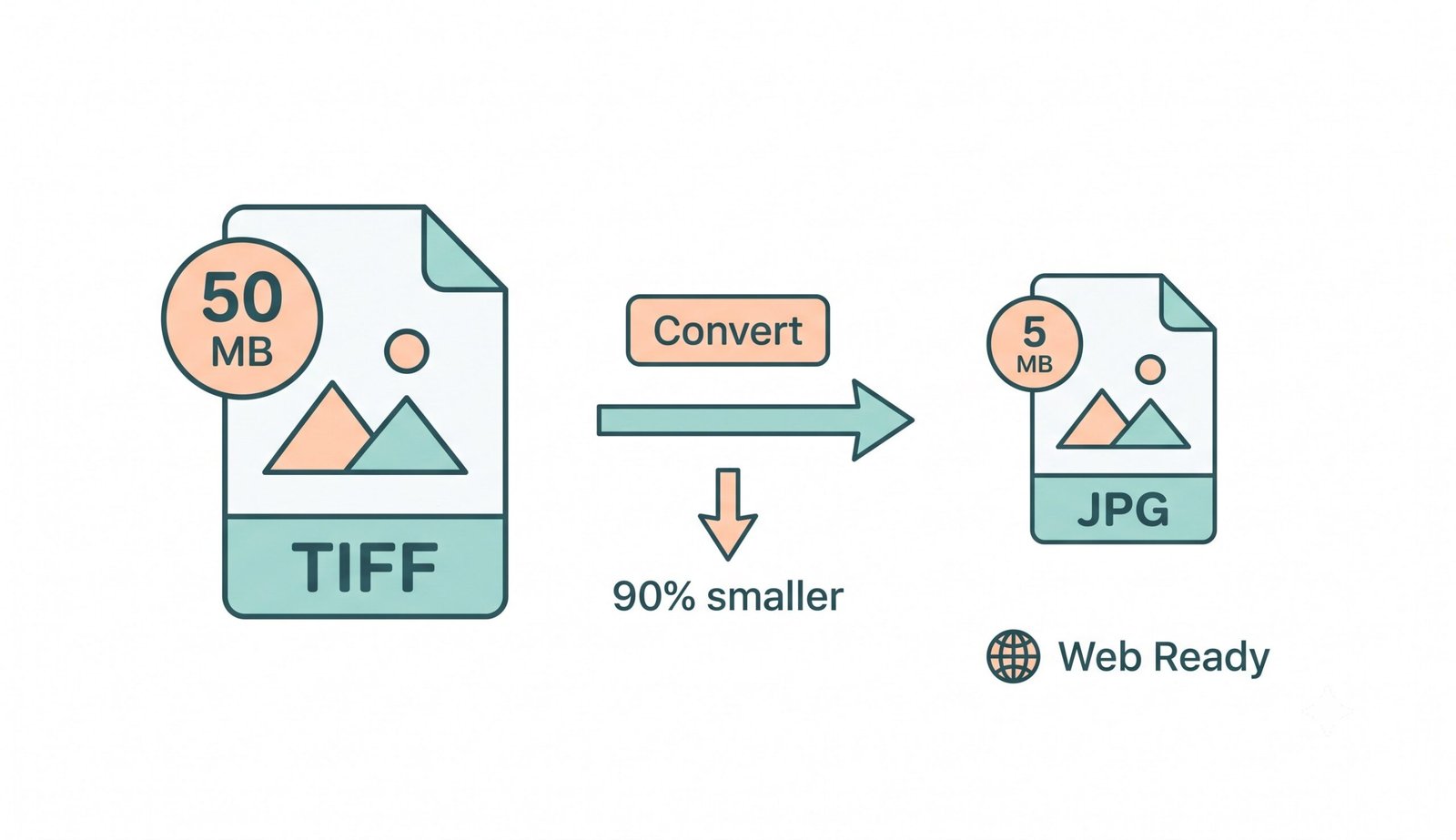
The Tagged Image File Format (TIFF) has long served as the industry standard for archiving uncompressed raster graphics in medical imaging, legal records, and fine art printing, as detailed in the official TIFF 6.0 specification. However, uncompressed TIFF files frequently exceed 50MB to 500MB, creating severe bottlenecks for web publishing and email transmission.
Using our tiff to jpg conveter transforms heavy document scans into universally compatible ISO/IEC 10918-1 JPEG standards. This reduces total file weight by up to 95% while keeping optical resolution, fine typography, and archival signatures completely crisp.
- Bypass email 25MB attachment limits by converting 100MB TIFF scans to 2MB JPGs.
- Eliminates browser rendering errors on mobile devices, WordPress, and web platforms.
- Extracts every page from multi-page document containers into separate high-res images.
Multi-Page IFD Directory Parsing & LZW Decompression
Multi-page TIFF documents contain multiple Image File Directories (IFD) linked in a sequential pointer chain. Standard image viewers only parse the primary header (IFD0), silently discarding subsequent sheets.
Our tiff to jpg conveter traverses the entire pointer chain, decoding raw, LZW, or PackBits data streams for each page into standalone, hardware-accelerated buffers using the MDN Canvas API standard for lossless JPEG rasterization.
- Extracts 100+ pages from architectural blueprints and historical microfilm archives.
- Multi-threaded WebAssembly decompression runs seamlessly with zero browser lag.
- Automatically numbers extracted JPEG pages (e.g. filename_page_1.jpg, page_2.jpg).
CMYK-to-sRGB Matrix & In-Browser Privacy Sandbox
Professional print TIFFs encode colors in subtractive CMYK ink layers. Traditional converters cause color inversion, rendering deep blacks as washed-out neon purples.
Our cmyk tiff to srgb jpg converter performs real-time linear color gamut mapping according to the W3C sRGB color standard directly in client RAM, neutralizing color distortion while keeping confidential financial records and medical scans 100% private.
| Feature | TIFF (.tif / .tiff) | JPG / JPEG (.jpg) |
|---|---|---|
| Compression Model | Lossless (LZW, ZIP, PackBits, Raw) | DCT (Discrete Cosine Transform) |
| Average File Size | 20 MB – 300 MB+ (Heavy) | 300 KB – 3 MB (90% Smaller) |
| Multi-Page Support | Yes (Multi-frame IFD) | No (Single raster frame per file) |
| Color Space Support | CMYK, CIELAB, RGB, 16/32-bit | sRGB, Adobe RGB, Grayscale |
| Web Compatibility | Requires desktop plugins | 100% Native on All Browsers |
Frequently Asked Questions
Everything you need to know about our private, client-side tiff to jpg conveter engine.
Our free tiff to jpg conveter is a client-side WebAssembly tool that decodes uncompressed, LZW, and ZIP-compressed TIFF raster frames directly inside your web browser. It transforms complex multi-channel graphic data into lightweight, universally compatible JPEG files in seconds without uploading your confidential files to remote servers.
Unlike basic converters that only process the first page, our multi-page engine parses every Image File Directory (IFD) tag in the file header. It renders each document sheet onto a separate hardware canvas and allows you to download them individually or as a single packaged ZIP archive.
JPG is a lossy compression format, but by using our "Very High (92%)" quality preset and keeping original dimensions, our engine preserves full optical sharpness, fine contract text, and stamp details while slashing file sizes by up to 90%.
Our engine automatically identifies CMYK color tags in the TIFF header and applies a specialized channel matrix to convert four-channel print inks into standard three-channel sRGB coordinates, completely eliminating dark, inverted, or discolored output.
Never. All TIFF decoding, channel transformations, and JPEG compression take place 100% locally on your computer or smartphone's CPU and RAM. Your files never leave your device, ensuring complete GDPR and HIPAA compliance.
Because all operations execute locally in your computer's RAM, there are no artificial server file size limitations. Large scans and multi-page archives of 200MB+ can be converted effortlessly.
Yes! The converter runs smoothly in mobile web browsers like Safari and Chrome, allowing you to convert heavy TIFF files and save lightweight JPGs straight to your device gallery without installing third-party apps.
Yes, you can upload multiple TIFF documents simultaneously. Once the local conversion finishes, click "Download All as ZIP" to save every extracted JPEG image in a single, neatly organized ZIP archive.