Custom & Free Hand Crop Image Tool Online
Welcome to the most precise free hand crop image tool on the web. Whether you want to cut out a specific object, crop irregular shape online, or create an iOS-style circle crop with transparent background, our smart AI image cropper gives you full control right in your browser.
or drop images here to free hand crop image or circle cut
How to Free Hand Crop Image & Cut Irregular Shapes
A lightning-fast 3-step visual workflow designed for high-resolution freehand vector clipping.
Upload your image file
Draw lasso or pick shape
Export transparent cutout
How Our Free Hand & AI Image Cropper Engine Works
Learn the step-by-step mechanism behind our private, hardware-accelerated clipping and facial fidelity pipeline.
Local RAM Buffer Ingestion
Upload high-res images directly into local device memory using FileReader API. Zero telemetry packets or photos are ever sent to remote web servers.
Magnetic Vector & Path Interpolation
Our magnetic lasso tool detects luminance boundaries and snaps your freehand mouse strokes to subject edges with smooth Catmull-Rom spline curves.
Pro-Portrait AI Color Calibration
When cropping portraits, our AI clarity filter applies subtle optical sharpening, Kelvin temperature warmth, and skin luminance correction to preserve DSLR-quality identity.
32-Bit Alpha Channel PNG Generation
HTML5 Canvas hardware acceleration clips the exact polygon boundary, writing pure 0% alpha values to outer pixels for universal transparency across apps.
Powerful Performance Features
Engineered for razor-sharp freehand cutouts, seamless iOS circle cropping, and airtight local privacy.
Precision Free-Hand Lasso
Draw custom polygon contours or continuous freehand strokes around any complex object or silhouette.
Magnetic Edge Snap
Smart path snapping locks onto contrast borders, preventing shaky mouse hand errors and jagged corners.
100% In-Browser Privacy
All image processing takes place exclusively in your local device RAM. No files ever leave your computer.
iOS Circle Profile Cropper
Replicates iOS contact avatar masks with customizable border stroke thickness and crisp drop shadows.
Pro-Portrait AI Clarity
Preserves facial sharpness, skin tone consistency, and DSLR-like optical color balance without pixelation.
Batch Queue Buffer
Load multiple photos into the bottom strip buffer and switch between shots to crop each image quickly.
Mastering Free Hand Crop Image & Custom Shape Extraction
An in-depth technical guide to vector clipping paths, magnetic lasso edge detection, Pro-Portrait AI preservation, and 32-bit alpha transparency.
Why Free Hand Crop Image Beats Standard Rectangular Cutters
Standard image editing tools force you to crop in rigid 1:1 or 16:9 rectangular boxes, leaving distracting background clutter around your subject. When you use our tool to free hand crop image files, you draw an unrestricted custom polygon path that tightly contours around the exact person, product, or logo you want to extract.
According to authoritative standards in Adobe's Comprehensive Image Cropping Guide, isolating subjects using bezier clipping paths significantly boosts visual engagement across graphic design and digital media. Our browser engine applies sub-pixel anti-aliasing to ensure no jagged stairs appear along your custom edges.
- Effortlessly crop irregular shape online to isolate signatures, products, stickers, and silhouettes.
- Built-in lasso crop tool online provides continuous freehand tracing or point-by-point polygon pinning.
- Zero background artifacts with automated 32-bit RGBA alpha channel generation.
Magnetic Edge Snapping & Pro-Portrait DSLR Quality
Drawing by hand with a mouse or touchscreen can sometimes feel shaky. Our built-in magnetic lasso algorithm actively scans edge gradient contrasts in real time, auto-snapping your line directly onto natural boundaries such as hair curves, clothing edges, and product silhouettes.
Furthermore, when you activate our Pro-Portrait AI mode, the clipping engine prioritizes facial geometry. Instead of blurring face details like inferior web croppers, it maintains optical sharpness, balanced white point temperature, and realistic skin tone depth—delivering an output that looks like it was captured on a high-end DSLR camera.
- Smart magnetic edge detection prevents erratic hand jitters and rough corners.
- Pro-Portrait AI preserves facial identity, contrast, and high-resolution textures.
- Convenient batch buffer allows you to crop image in custom shape online across multiple files.
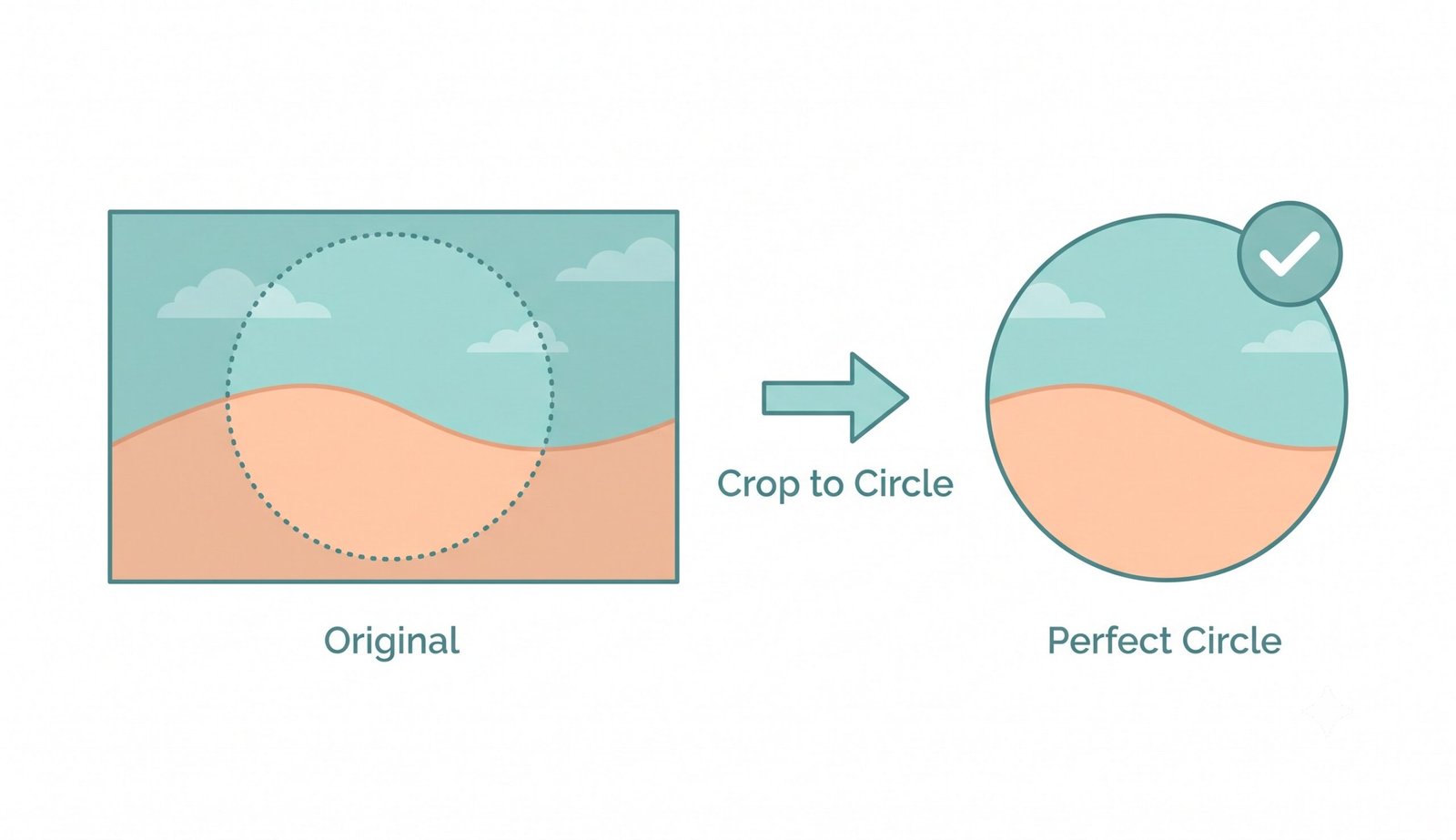
Creating Perfect iOS Circle Crop iPhone Avatars with Custom Borders
Many creators search for a circle crop iPhone solution to generate circular profile pictures for WhatsApp, Telegram, X, Discord, and LinkedIn. Our tool recreates the native iOS round cropping mask with added customization.
You can apply a customizable border around your circular cutout with adjustable stroke width and vibrant brand colors, or leave it borderless with pure transparent corners ready to embed into modern app layouts.
- Replicates the clean aesthetic of iOS contact photos and profile badges.
- Custom border width and color picker to match corporate branding or social themes.
- Instant export to 32-bit transparent PNG or solid backdrop JPG.
How to Free Hand Crop Image on Any Device
Select your operating system below for detailed step-by-step instructions.
Free Hand Crop Image on Windows 11 & 10 PC
Standard Windows Paint lacks magnetic lasso snapping and transparent circle cutout tools. Create irregular cutouts directly in your browser:
- Open Chrome, Edge, or Firefox and drag your image into the dropzone above.
- Select the Free-Hand or Mag-Snap mode and trace around your object using your mouse.
- Click "Crop Free Hand Image Now" and save your clean transparent PNG straight to your Downloads folder.
Free Hand Crop Image on macOS (Safari & Chrome)
Skip complicated Photoshop subscriptions and isolate custom shapes right on your Mac:
- Drag any picture from Finder into our browser workspace.
- Draw your custom lasso polygon or pick the iOS circle crop mode.
- Download your high-resolution cutout with lossless alpha transparency intact.
Create Circle Crop iPhone Avatars & Freehand Shapes
Easily crop circular profile icons directly on iOS without downloading heavy App Store apps:
- Open Safari, tap "Choose Image File", and select a photo from your iOS Photo Library.
- Use touch gestures to trace around your subject or position the 1:1 circle mask with a custom border.
- Tap "Download Cropped Image" and save directly to your iPhone Camera Roll or Files app.
Free Hand Crop Image on Android Devices
Transform photos into irregular cutouts and round profile stickers on Samsung, Pixel, and modern Android phones:
- Open Chrome on Android and upload your picture.
- Trace your custom freehand lasso or circle boundary around your subject.
- Tap Download to use your transparent PNG immediately in WhatsApp, Instagram, or Telegram.
Frequently Asked Questions
Everything you need to know about our free hand crop image engine, magnetic lasso, and circle avatar tools.
Our tool provides a magnetic lasso and smooth drawing features, allowing you to create a free hand crop image with precision, straight from your browser. Simply select your photo, choose the free-hand or magnetic lasso mode, trace around your subject, and export a clean transparent PNG.
Yes! If you love the seamless round profile pictures on iOS, our tool perfectly replicates the circle crop iPhone style, allowing you to add borders, shadows, and transparent backgrounds instantly without needing any third-party app.
Yes, it functions as an advanced AI image cropper that prioritizes facial consistency and high-quality DSLR-like output when you crop portraits or complex shapes. It preserves facial sharpness, skin tones, and Kelvin color balance.
Absolutely. Standard croppers only do squares, but our platform lets you crop irregular shape online so you can cut out exactly what you need without any background clutter or jagged edges.
We feature a built-in lasso crop tool online that acts like a magnetic selection, snapping to the edges of your subject so you can easily crop image in custom shape online.
Yes! When exporting in PNG or WebP format, all areas outside your free hand crop image or circular boundary are 100% transparent (alpha channel), making it effortless to paste onto websites, presentations, and graphic flyers.
No. 100% of the image rendering, lasso calculation, and Pro-Portrait AI enhancements execute locally in your browser RAM. Your photos never leave your device.