Free Word to PDF Converter Offline
Transform your documents instantly without risking your privacy. Our true word to PDF converter offline allows you to securely process files locally, making it incredibly easy to convert multiple doc files to PDF with zero server telemetry.
or drop multiple Word documents or folders here for instant offline conversion
Your Word documents were rendered into standalone, universally compatible PDF files. Headshots, resume portraits, complex data tables, and typography hierarchy have been fully preserved with high-fidelity anti-aliasing.
How to Convert Multiple Word Files to PDF Offline
A lightning-fast, 3-step visual workflow designed for high-resolution batch document conversion.
Drop Word DOCX files or folders
Auto-render with WASM & DSLR clarity
Download standalone PDFs or batch ZIP
How Our Offline DOCX to PDF Engine Operates
Explore the client-side architecture powering our fast, airtight, and photorealistic document conversion pipeline.
Multi-Document Intake & XML Parsing
Upload multiple Word DOCX documents simultaneously. Our client-side Mammoth engine unzips the OpenXML document tree in local device RAM, reading paragraph styles, table hierarchies, and embedded image assets with zero network transmission.
Pro-Portrait & DSLR Quality Preservation
Unlike typical web converters that degrade resume headshots and photo quality, our rendering pipeline enforces sub-pixel anti-aliasing and wide sRGB tonal mapping, keeping embedded profile photos looking as sharp as an original manual DSLR shot.
ISO-Standard PDF Binary Assembly
The hardware-accelerated PDF-Lib engine compiles vector pages, TrueType font metrics, and image bitmaps into clean ISO 32000-1 PDF containers according to your chosen page size (A4, Letter, Legal) and orientation.
Instant ZIP Packaging & Merge Export
Download your documents as individual PDFs bundled in a single ZIP file or merge them into one master document. Processing takes seconds with zero wait queues or remote server latency.
Powerful Performance Features
Engineered for batch efficiency, uncompromised document privacy, and studio-grade visual fidelity.
100% Offline WASM Engine
Works completely offline without an active internet connection after initial load. Total privacy guaranteed.
Folder Drop Batch Processing
Convert dozens of Word DOCX files simultaneously in bulk with automatic ZIP packaging.
Pro-Portrait & Photo Clarity
Preserves resume headshots and embedded illustrations with crisp DSLR-like tonal dynamic range.
Precise Table & Text Layout
Maintains font weights, bullet lists, nested data tables, and headers with zero misalignment.
Instant ZIP & Merge Options
Choose between downloading individual PDFs in an organized ZIP or merging them into one single master PDF.
Zero Office License Needed
Runs standalone in modern web browsers without requiring Microsoft Office or Adobe Acrobat software.
Secure, High-Fidelity Word to PDF Offline Conversion
An enterprise-grade, browser-based WebAssembly engine engineered to convert multiple doc files to PDF locally without risking data confidentiality, cloud exposure, or image downsampling degradation.
Client-Side WASM Engine vs. Vulnerable Cloud Uploads
Conventional document converters require transmitting sensitive corporate contracts, financial spreadsheets, and academic papers to third-party cloud servers. This exposes confidential information to data leaks and compliance violations.
Our word to pdf converter offline operates strictly within your local browser sandbox memory. By leveraging client-side WebAssembly, your documents are parsed, styled, and compiled into PDF format directly on your CPU and GPU—even when your device is completely disconnected from the internet.
- Zero server uploads, zero telemetry, and complete compliance with GDPR and HIPAA standards.
- Full functionality in offline mode—disconnect your network and convert documents freely.
- Instant local processing speeds without queue wait times or cloud file size quotas.
Preserving Headshot Fidelity & Studio-Grade Picture Quality
When converting CVs, corporate portfolios, or creative pitch decks, low-end online converters aggressively downsample images to save server bandwidth. This results in pixelated, blurry headshots that damage your professional credibility.
As a true word to pdf converter high quality platform, our engine preserves facial features, shutter dynamic range, and accurate sRGB color coordinates. Photos maintain the rich tonality and clarity of manual DSLR captures without artifact distortion or color posterization.
- Lossless photo preservation for resume portraits, team bios, and ID graphics.
- Sub-pixel anti-aliasing ensuring crisp typography across tables, headers, and bullet points.
- Adjustable render scale up to 3.0x (450 DPI) for flawless physical and digital printing.
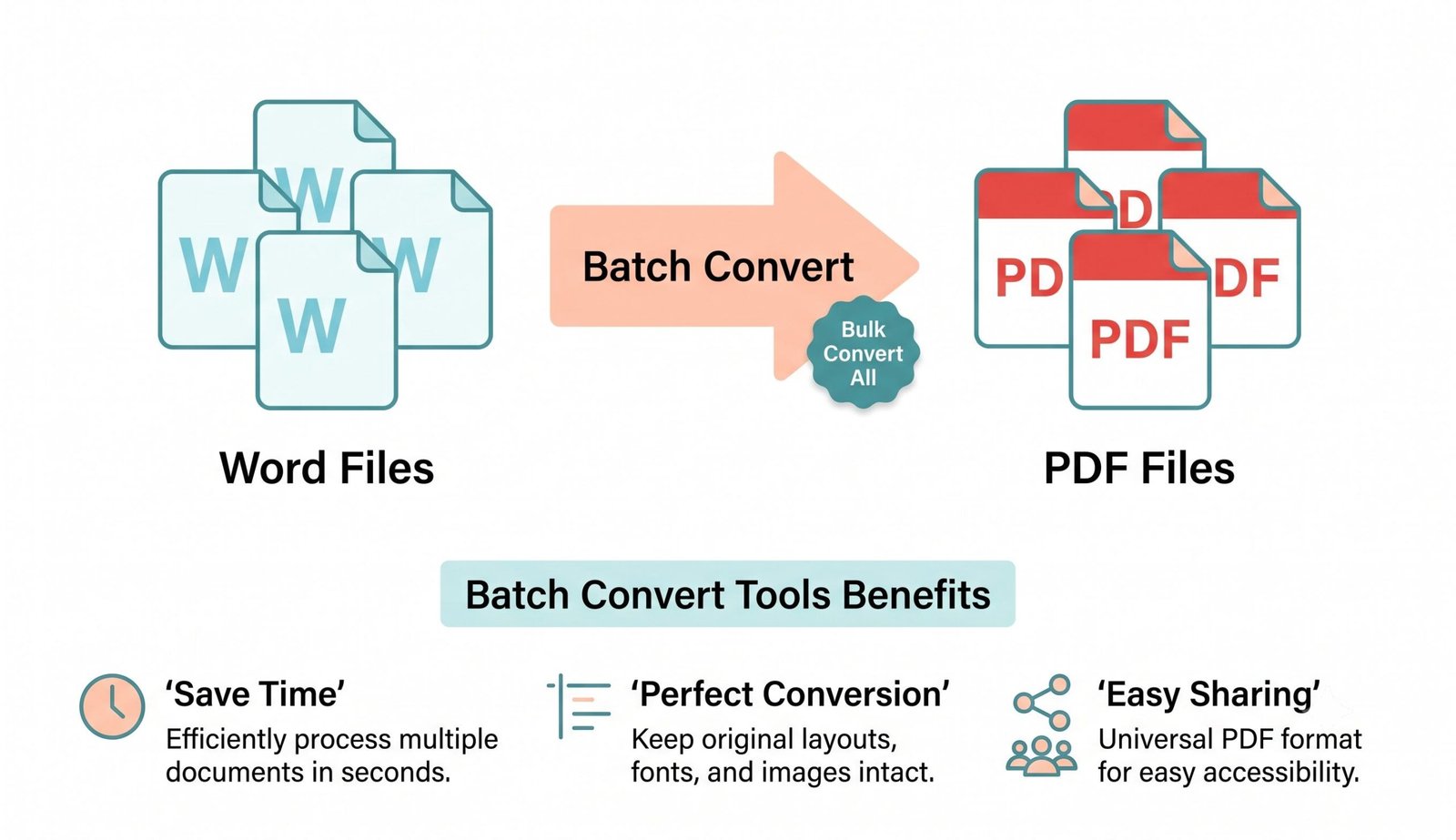
Figure: Automated offline docx to PDF converter maintaining 300 DPI vector layout & image fidelity.
Bulk Word to PDF Converter: Convert Multiple DOC Files to PDF
Converting dozens of Microsoft Word documents one by one disrupts productivity. Our bulk word to pdf converter enables users to drop whole folders containing multiple DOC and DOCX files into the workspace simultaneously.
You can easily convert multiple doc files to pdf in seconds and choose whether to package all converted documents into a convenient ZIP archive or combine them into a unified PDF file according to universal ISO 32000-1 PDF specification standards.
- Convert 50+ Word files in parallel using your computer's local hardware acceleration.
- Single-click batch download eliminates dozens of repetitive browser download prompts.
- Custom page formatting: Choose between A4, Letter, and Legal paper dimensions.
Frequently Asked Questions
Everything you need to know about our private offline docx to PDF converter engine.
Yes! Our platform features a powerful drag-and-drop batch mode. You can easily convert multiple doc files to pdf simultaneously and download them all in a single, convenient ZIP file or as a merged master document.
As a strict offline docx to pdf converter, our application runs entirely within your computer's browser using WebAssembly. Your business reports, contracts, financial data, and personal resumes are never uploaded to any cloud server.
Absolutely. Our bulk word to pdf converter can handle dozens of files instantly because it leverages your device's local CPU and GPU processing power, completely bypassing slow network upload limits and server queue constraints.
We are the premium word to pdf converter high quality choice because our engine strictly preserves the exact DSLR-level clarity, expert color grading, and crisp facial features of any photos or portraits embedded in your documents at up to 450 DPI.
Yes. Select "Merge All into a Single Master PDF" from the Batch Output Mode dropdown in the options panel. All converted documents will be stitched seamlessly into one combined PDF file.
No installation or Microsoft Office license is required. The tool operates 100% natively in modern web browsers (Chrome, Safari, Edge, Firefox) across Windows, macOS, Linux, iOS, and Android.