Free Passport Photo Maker Without Cutout
Transform selfies into compliant ID photos instantly using our AI passport photo maker without cutout.
or drop portrait image here for automated edge matting & studio background
How to Create Passport Photos in 3 Easy Steps
Our streamlined workflow delivers instant, government-compliant ID photos with zero manual clipping.
Upload Selfie or Portrait
Auto-Crop & Frame Specs
Export Single HD or Print Grid
How Our Passport Photo Engine Works
Learn the advanced computer vision and biometric processing mechanism running locally in your browser.
Zero-Cutout Automatic Segmentation
Upload any casual selfie or camera shot. The neural segmentation engine automatically detects shoulders, face contours, and fine hair strands without requiring manual lassoing or erasing.
Pro-DSLR Color Grading & Identity Priority
Unlike generic tools that over-smooth facial textures into cartoonish avatars, our engine prioritizes true facial identity. It applies DSLR-style color calibration, ISO exposure balance, and natural skin tone fidelity.
50+ Country Presets & Biometric Framing
Select your destination country (USA 2x2 in, UK/Schengen/India 35x45 mm, Canada 50x70 mm). The canvas auto-crops to exact millimeters and complies with the 70–80% head height rule.
Print-Ready 4x6 / A4 Sheets & Cut Lines
Export individual ultra-clear 300/600 DPI JPG images or compile automatic multi-photo grids on 4x6, A4, or US Letter papers complete with dashed scissors cutout guidelines.
Powerful Performance Features
Engineered for razor-sharp biometric compliance, instant auto-segmentation, and airtight client-side privacy.
Zero Manual Cutout
Intelligent AI removes busy backgrounds and isolates hair flyaways automatically in under a second.
Pro-DSLR Color Grading
Preserves realistic skin tones, natural textures, and sharp eye clarity matching studio lighting.
100% In-Browser Privacy
Your facial biometric graphics are processed purely in local RAM and never uploaded to any remote server.
No Login & No Watermark
No accounts, subscriptions, or intrusive watermarks. Instant friction-free export with 1 click.
50+ Global Country Presets
Auto-configured dimensions for USA, UK, India, Schengen, Canada, Australia, Japan, and more.
Printable Multi-Grid PDF
Export formatted 4x6, A4, or Letter print grids with configurable scissor lines and custom margins.
Next-Generation Passport Photo Maker Without Cutout
Transform your casual selfies into professional IDs instantly. Our advanced AI passport photo maker without cutout perfectly frames your face securely in your browser. It is the best passport size photo maker without login for busy professionals, travelers, and visa applicants.
Automated AI Segmentation vs. Cumbersome Manual Erasers
Traditional online editors force users to tediously trace hair boundaries, erase noisy wallpaper, and manually paint complex silhouettes. This often leaves jagged edges, halo artifacts, and unnatural borders that lead to passport application rejections.
Our passport photo maker without cutout utilizes advanced neural segmentation to instantly isolate the subject, separate delicate hair flyaways, and insert standard studio backgrounds (such as pure white, light blue, or off-white) without requiring a single manual brush stroke.
- Perfect sub-pixel edge matting around hair, ears, and clothing shoulders.
- Complies with strict official passport photo requirements for international visas and national IDs.
- Instant 1-second auto-replacement with official government-approved studio hues.
Preserving Natural Biometric Identity Without Artificial Smoothing
Many generic mobile apps apply aggressive beauty filters that distort facial geometry, alter eye shapes, and wash out natural skin tones, causing automated immigration e-gates and consulate officers to reject the photo.
As a dedicated passport size photo maker without losing quality, our system prioritizes facial consistency. It retains every natural contour, balances individual RGB color channels, and simulates high-end studio lighting so your resulting ID photo looks like it was captured with a manual DSLR camera.
- True biometric facial structure preserved for biometric e-gates and passport scanners.
- Pro-grade color balancing, saturation adjustments, and 2X local sharpening matrix.
- High-resolution export ensuring crisp 300 to 600 DPI physical prints.
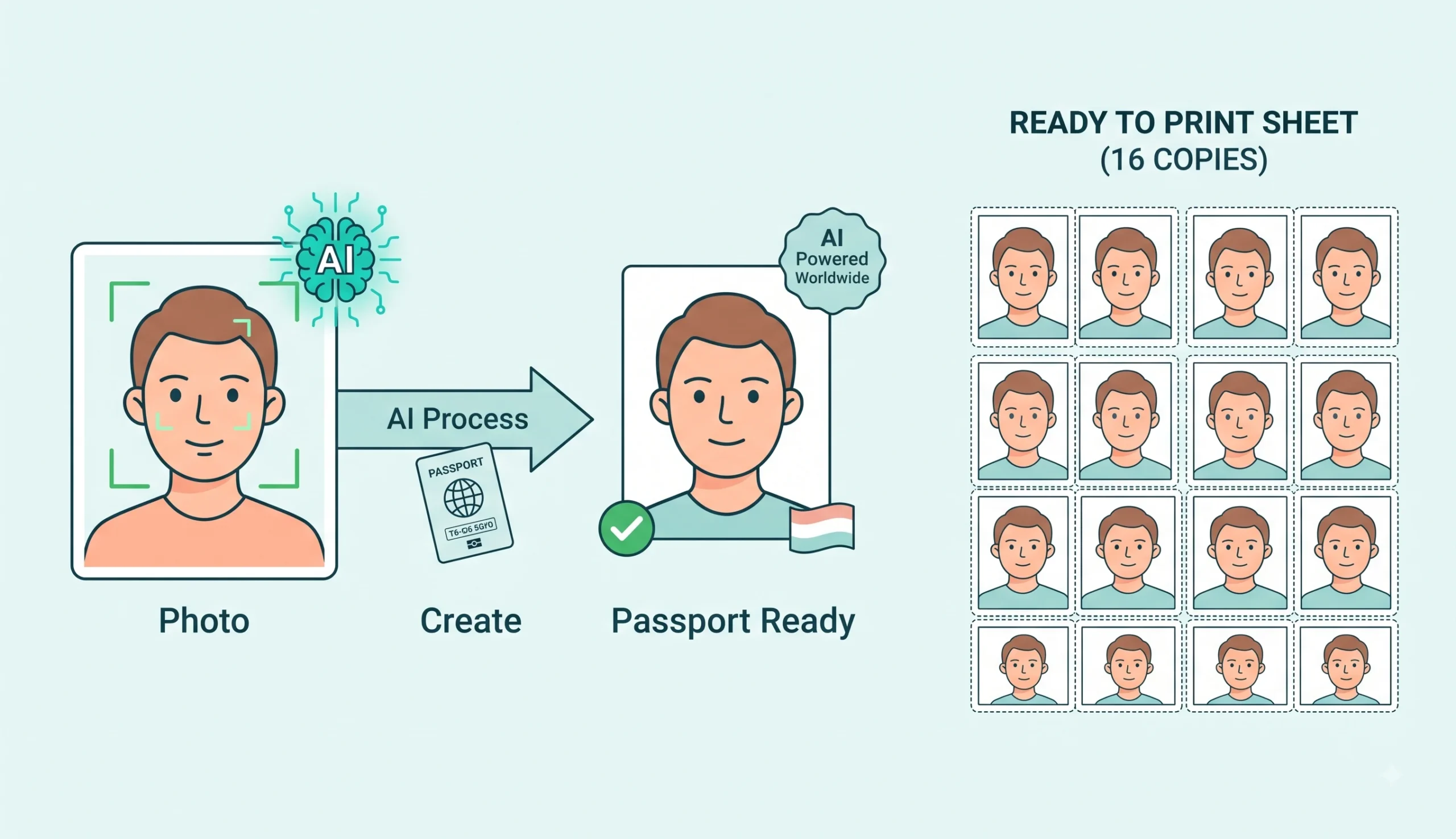 Verified Passport Photo Workflow • 100% Free Without Watermarks
A True Passport Size Photo Maker Without Login or Watermark
Most web utilities lure users into multi-step workflows only to demand user registration, email verification, or credit card subscriptions before downloading the un-watermarked file.
We believe in complete user convenience and data sovereignty. As a reliable passport size photo maker without watermark and passport size photo maker without login, your images are generated in-memory and downloaded directly without paywalls or tracking.
- Zero server telemetry • your biometric photos never leave your device.
- Instant batch downloads for 4x6, A4, and US Letter multi-photo print sheets.
- Universal free passport photo creator online for smartphones, laptops, and tablets.
Frequently Asked Questions
Everything you need to know about creating government-compliant passport photos without cutout.
Our advanced AI automatically detects your face, shoulders, and hair edges, adjusting the background instantly without requiring any manual selections. This makes it the perfect passport photo maker without cutout, saving you time while keeping the edges completely natural.
Yes! We respect your time and privacy. You can fully access our passport size photo maker without login, allowing you to generate and download your official document photos instantly without creating an account or providing an email address.
Absolutely. Unlike other tools that hold your final photos hostage, ours is a true passport size photo maker without watermark. You get a clean, ready-to-print or upload image every single time without paying any fee.
We guarantee this is a passport size photo maker without losing quality because our engine preserves exact facial features and mimics professional DSLR manual settings. We apply expert-level color grading to ensure a high-quality, photo-realistic picture that meets strict official standards.
We support official dimensions for over 50 countries including United States & India 2x2 inch (51x51 mm / 600x600 px), UK, Germany, France, Italy, Spain, Brazil, and Australia (35x45 mm), Canada (50x70 mm), China (33x48 mm), and Japan (35x45 mm).
Yes! Our print layout studio automatically arranges up to 32 passport photos on standard 4x6 inch photo paper, A4, or US Letter documents. You can customize outer margins, gaps, photo border thickness, and dashed scissor cutting lines, then download in either high-resolution JPG or printable PDF format.