Batch Image Compressor
Drop images here
JPG, PNG, WEBP – unlimited
Click any button to auto‑compress all images to target size
All processing local · GPU accelerated
Upload images to start
Reduce 10MB to 100KB Without Quality Loss
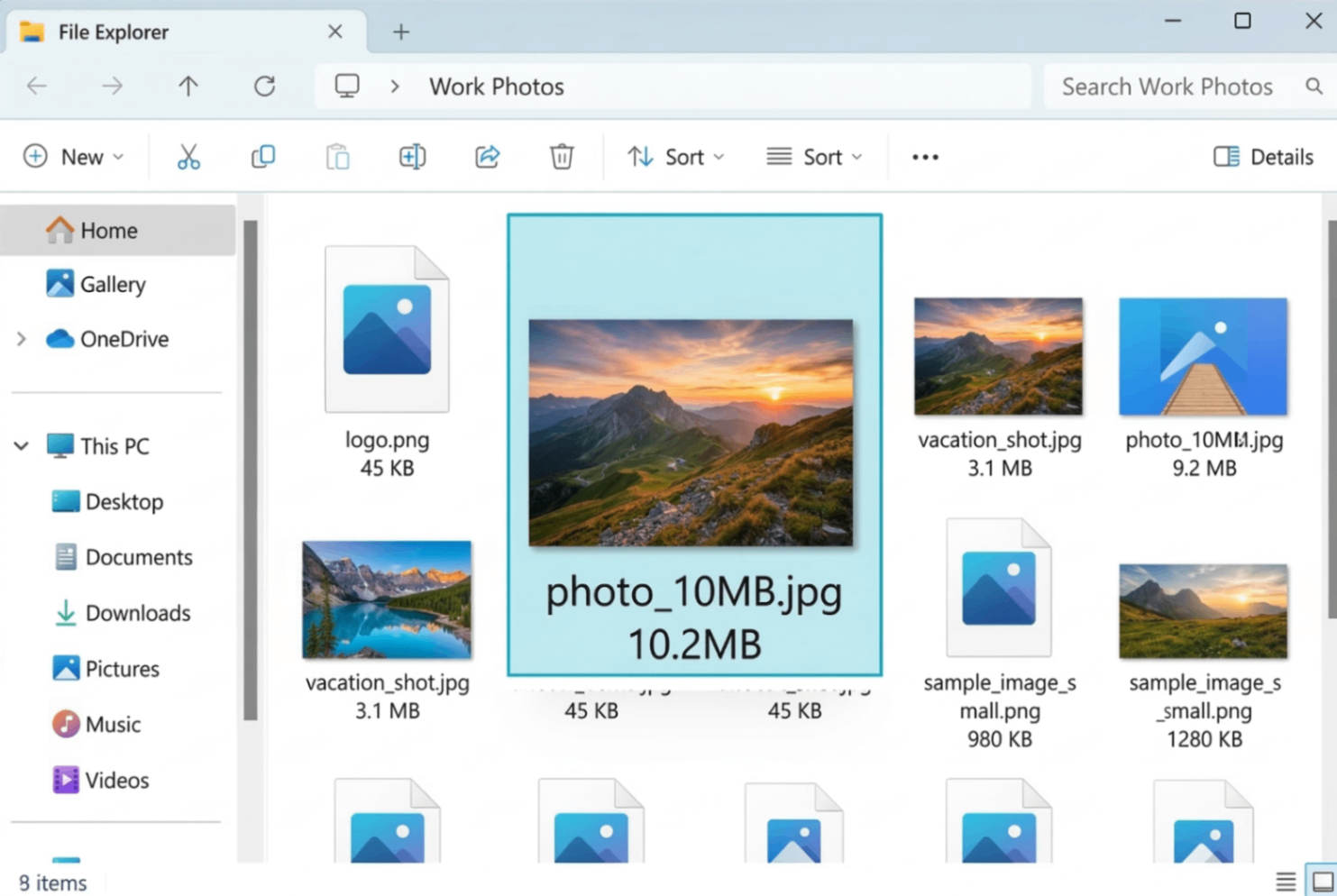
Original Image (10.2 MB)
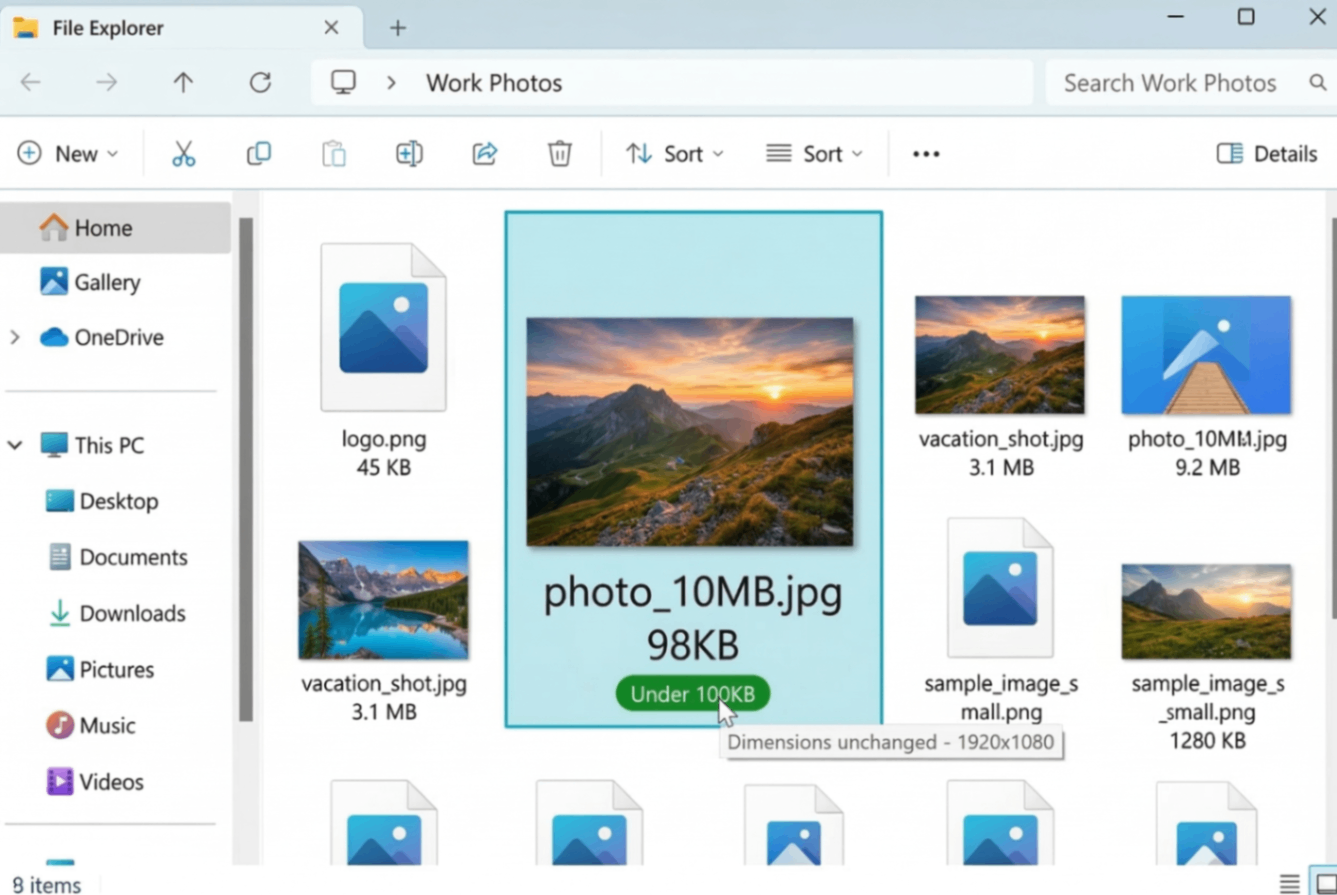
Compressed Image (98KB)
⚡ Same pixels, same visual quality – just 99% smaller. Perfect for UPSC, Pan Card, and web uploads.
Special Presets: UPSC, Pan Card & 100KB Target
Government applications often require images under 100KB with exact pixel dimensions. Our tool helps you meet these requirements easily.
📄 UPSC Application
Requirement: Photo under 100KB, dimensions 300x300 pixels. Upload your photo, uncheck auto-resize, and adjust slider until file size shows under 100KB.
🆔 Pan Card
Requirement: Image under 100KB, dimensions 200x230 pixels. Our tool preserves exact dimensions while reducing file size.
🎯 100KB Target
Our live file size display shows exact KB as you adjust. Slide until you reach 100KB – perfect for any form that requires small images.
How to Compress Image to 100KB Online Without Losing Quality
Whether you need to compress image for UPSC, compress image for Pan Card, or just compress image without losing quality for web use, our advanced tool gives you complete control.
1. Upload Image
Drag & drop any JPG, PNG, or WEBP. Multiple files supported – compress in batch mode.
2. Adjust Compression
Move slider right for smaller files. Live preview shows exact file size – target 100KB easily.
3. Preserve Pixels
Uncheck "Auto-Resize" to compress image without changing pixels – perfect for UPSC & Pan Card.
4. Download
Save your compressed image – same quality, much smaller size. Ready for uploads.
Why Choose Our Compressor?
- Compress image to 100KB online – Achieve exactly 100KB with our live size display. Perfect for forms and applications.
- Compress image without losing quality – Our algorithm removes invisible data while keeping visual fidelity. Photos look identical.
- Compress image without changing pixels – Uncheck "Auto-Resize" to keep exact dimensions. Critical for UPSC, Pan Card, and official documents.
- Compress image for UPSC – Our preset helps you meet UPSC's 100KB requirement with correct dimensions.
- Compress image for Pan Card – Achieve under 100KB while maintaining 200x230 pixel dimensions.
🎯 Perfect For
UPSC Forms
100KB, exact pixelsPan Card
Under 100KB, right sizeEmail Attachments
Shrink large photosWebsite Images
Faster loading pagesQuality First, Size Second
Unlike other tools that ruin quality, our compressor balances size and clarity. You won't see the difference, but your uploads will.
🎨 Compress Without Compromise
✅ Compress Image Without Losing Quality
Our "lossy" compression removes invisible data, not visible details. Photos look identical to the original, even at 90% compression. Read more about lossy compression at Wikipedia.
✅ Compress Image Without Changing Pixels
For official documents like UPSC and Pan Card, pixel dimensions must stay exact. Uncheck "Auto-Resize" – your image will keep its original width and height while file size drops.
Frequently Asked Questions
How to compress image to 100KB online for free?
Upload your image, move the compression slider to the right (80-90%), and ensure 'Auto-Resize' is enabled. The tool will show real-time size reduction – adjust until you reach 100KB. It's completely free, no signup.
Can I compress image without losing quality?
Yes! Our smart compression algorithm removes invisible data while preserving visual quality. For extreme reduction (95%+), slight quality loss may occur, but we balance size and clarity perfectly. For most uses, 80-90% compression looks identical.
How to compress image without changing pixels?
Uncheck 'Auto-Resize to HD' to keep original dimensions. Our tool will only compress the file data, not the pixel dimensions – perfect for UPSC and Pan Card applications that require specific pixel sizes like 300x300 or 200x230.
How to compress image for UPSC application?
UPSC requires images under 100KB with dimensions typically 300x300 pixels. Upload your photo, uncheck auto-resize (to preserve 300x300), and adjust compression slider until file size shows under 100KB. Our live display helps you hit the target.
How to compress image for Pan Card?
Pan Card applications need images under 100KB with exact dimensions (200x230 pixels). Use our tool, uncheck auto-resize to preserve dimensions, and adjust compression until size drops below 100KB. The tool shows both original and new file sizes.
Can I compress multiple images at once?
Yes! Our tool supports batch processing. Drag multiple files at once – each will be compressed and displayed with its own download button. You can also re-compress all with new settings.
How We Compare to Other Compressors
| Feature | InstantConvert | Other Free Tools |
|---|---|---|
| Compress to exact 100KB | ✅ Live size display | ❌ No size feedback |
| Preserve original pixels | ✅ Uncheck resize option | |
| UPSC/Pan Card presets | ✅ Manual control | ⚠️ No guidance |
| Batch processing | ✅ Yes, unlimited | ❌ One at a time |
| Client-side privacy | ✅ 100% | ❌ Server upload |
✨ Only InstantConvert gives you precise control over file size, pixels, and quality – all completely free.