Compress PDF File
Reduce file size drastically. Use "High Compression" for maximum reduction.
100% Client‑Side. No Server Uploads.
Drag & Drop PDF Here
or click to browse
(Better Quality) High Compression
(Smallest Size)
Smart Tip: Moving the slider to the Right (High) increases compression strength. This makes the file size much smaller but may slightly reduce image clarity.
Initializing...
More PDF Tools You'll Love
See the Difference: Before & After PDF Compression
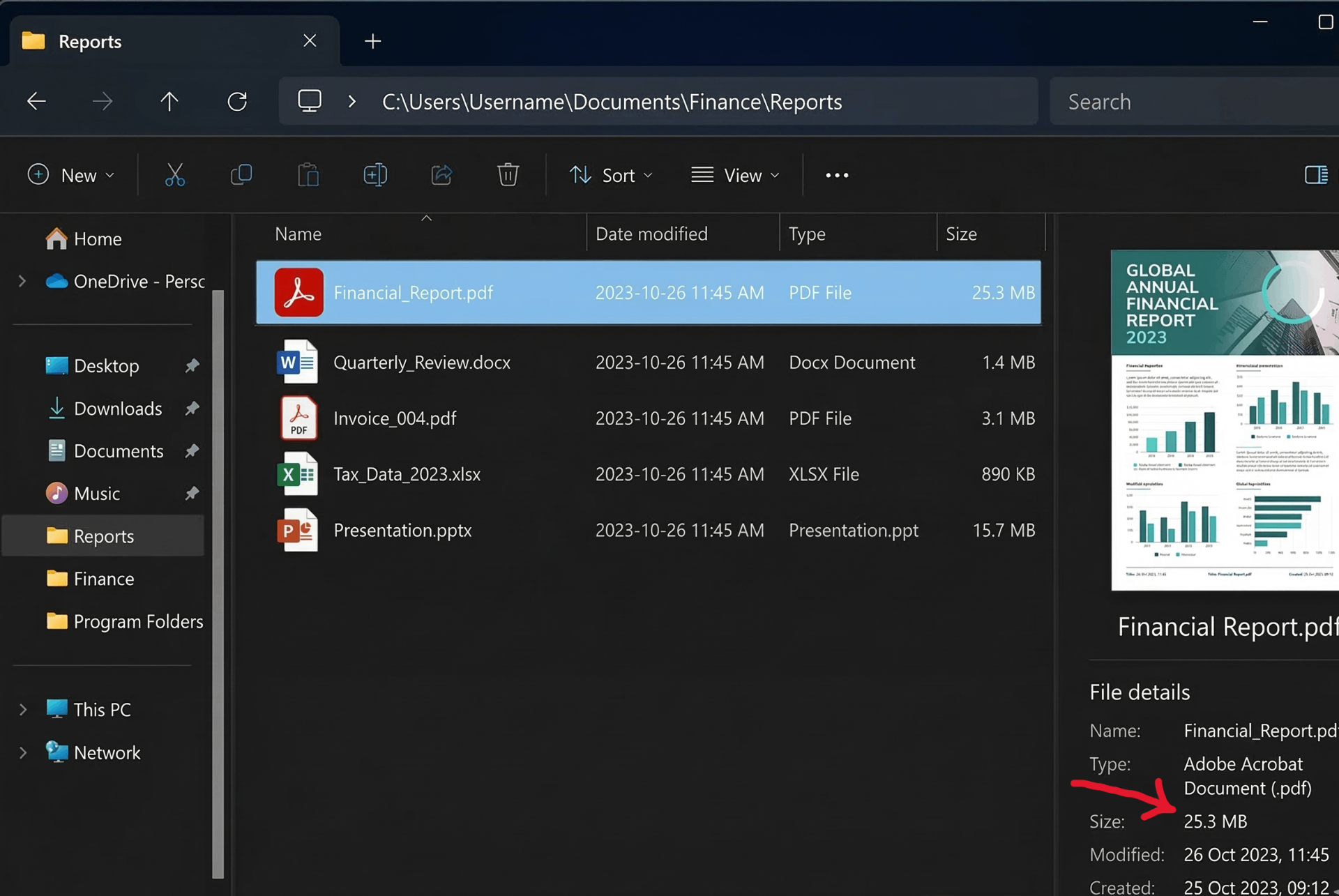
Original PDF (25MB)
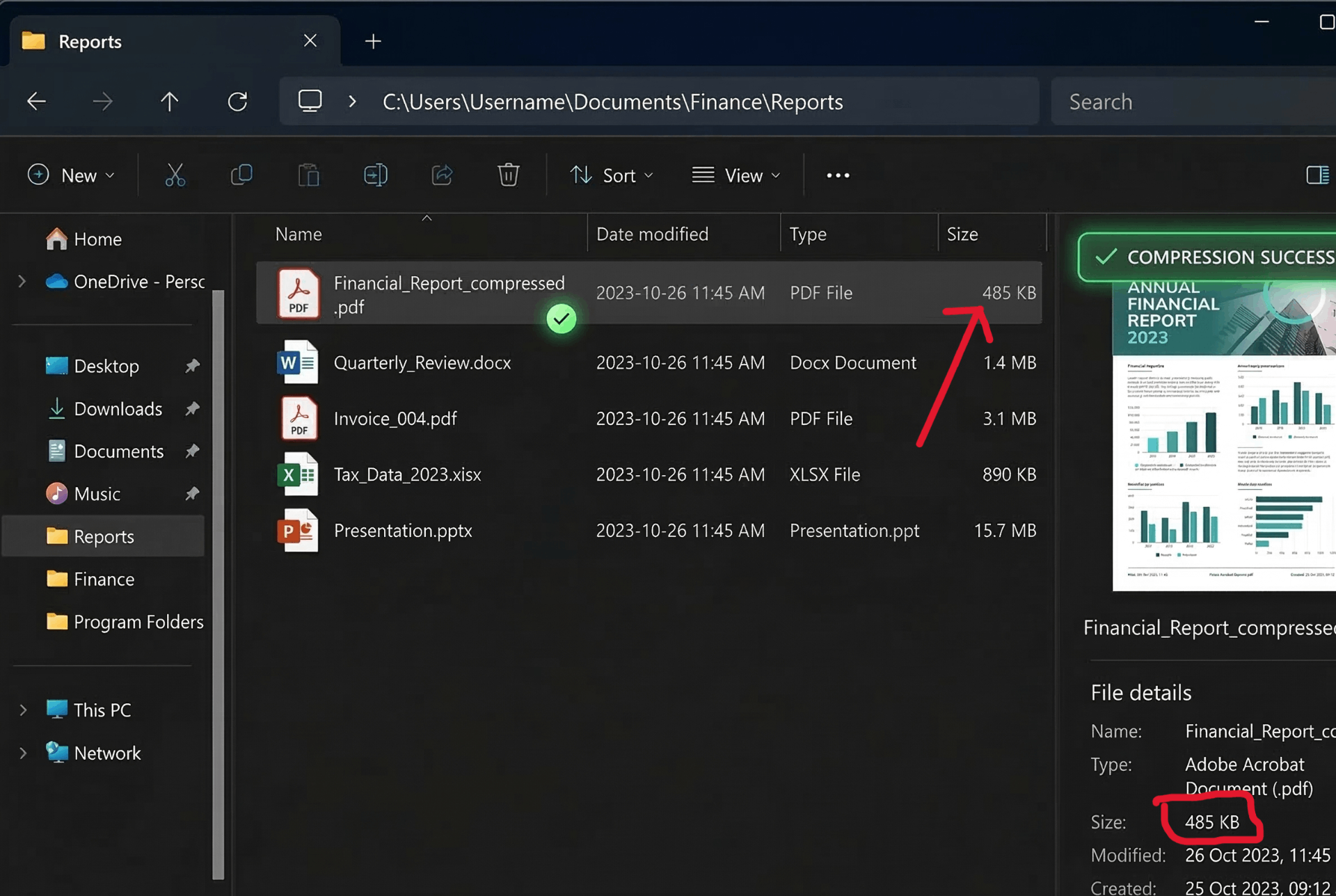
Compressed PDF (98KB)
⚡ Reduce file size by up to 90% – from 25MB to under 100KB!
How to Compress PDF to 100KB Free Without Losing Quality
Sending large PDFs via email or uploading them to websites can be frustrating. Our high compression PDF tool shrinks files dramatically while keeping them readable. Follow these steps:
1. Upload PDF
Drag & drop any PDF – no file size limit. Our client-side tool handles large files easily.
2. Adjust Compression
Move slider to High (80-90%) for maximum reduction – perfect for targeting 100KB or 50KB.
3. Compress
Click "Compress Now" – processing happens locally, no server upload, 100% private.
4. Check Stats
See exactly how much you saved – original vs new size, percentage reduced.
5. Download
Save your compressed PDF – as small as 50KB, 100KB, or whatever size you need. No watermark, no signup.
✨ Why Choose Our PDF Compressor?
- Compress PDF to 100KB free – Achieve tiny file sizes ideal for email attachments, uploads, and storage.
- Without losing quality – Our smart compression preserves text clarity and essential image details.
- Compress PDF to 50KB free – Need even smaller? Max compression often achieves 50KB for image-based PDFs.
- Compress large PDF free no limit – No file size restrictions. Compress 100MB, 500MB, or larger documents – always free.
- Offline capable – Once the page loads, you can disconnect from internet and still compress – true privacy.
🎯 Perfect For
Email Attachments
Fit PDFs under 25MB limitWebsite Uploads
Meet 2MB/5MB limitsStorage Saving
Archive more documentsInvoice Sharing
Quick client deliveryHigh Compression = Tiny Files
Set slider to 90% – watch a 50MB PDF shrink to 150KB. Perfect for "compress pdf to 100kb" needs.
🎯 Target Specific File Sizes
100KB Target
Use 80-90% compression. Works for most scanned documents and image-based PDFs.
50KB Target
Max compression (90%). Best for simple text PDFs or low-resolution scans.
No Limit
Compress any size – from 10MB to 500MB – always free, no restrictions.
Frequently Asked Questions
How to compress PDF to 100KB free without losing quality?
Use our High Compression mode (slider at 80-90%). It optimizes images and removes redundant data while preserving text clarity. For scanned documents, this typically achieves 100KB or less without noticeable quality loss.
Can I compress large PDF free no limit?
Yes! There is no file size limit. Compress PDFs up to 100MB, 200MB, or larger – all for free. Our client-side processing handles any size your browser can manage.
How to compress PDF to 50KB free?
Set the compression slider to maximum (90%) and ensure your PDF contains compressible content (images). Text-only PDFs may already be small. Our tool shows real-time size estimates.
Is offline compression possible?
Our tool works entirely in your browser – no server uploads. Once the page loads, you can disconnect from the internet and still compress files. It's effectively "offline" after the first visit.
Will my data be safe?
100% safe. All processing happens in your browser. Your file never leaves your computer – not uploaded to any server. Perfect for confidential documents.
How We Compare to Other Compressors
| Feature | InstantConvert | iLovePDF | Smallpdf |
|---|---|---|---|
| Compress to 100KB | ✅ Yes, with slider | ❌ No control | ❌ No control |
| No File Size Limit | ✅ Unlimited | ⚠️ 200MB limit | ⚠️ 100MB limit |
| Offline Capable | ✅ Yes | ❌ Server required | ❌ Server required |
| Client-Side Privacy | ✅ 100% | ❌ Uploads to server | ❌ Uploads to server |
✨ Only InstantConvert gives you precise control to hit 100KB/50KB targets – completely private.