HEIC to JPG/PNG converter
Drop HEIC photos
or click to select (unlimited)
All processing local · GPU accelerated
Conversion complete
Your files are ready.
From iPhone HEIC to Windows‑Friendly JPG in Seconds
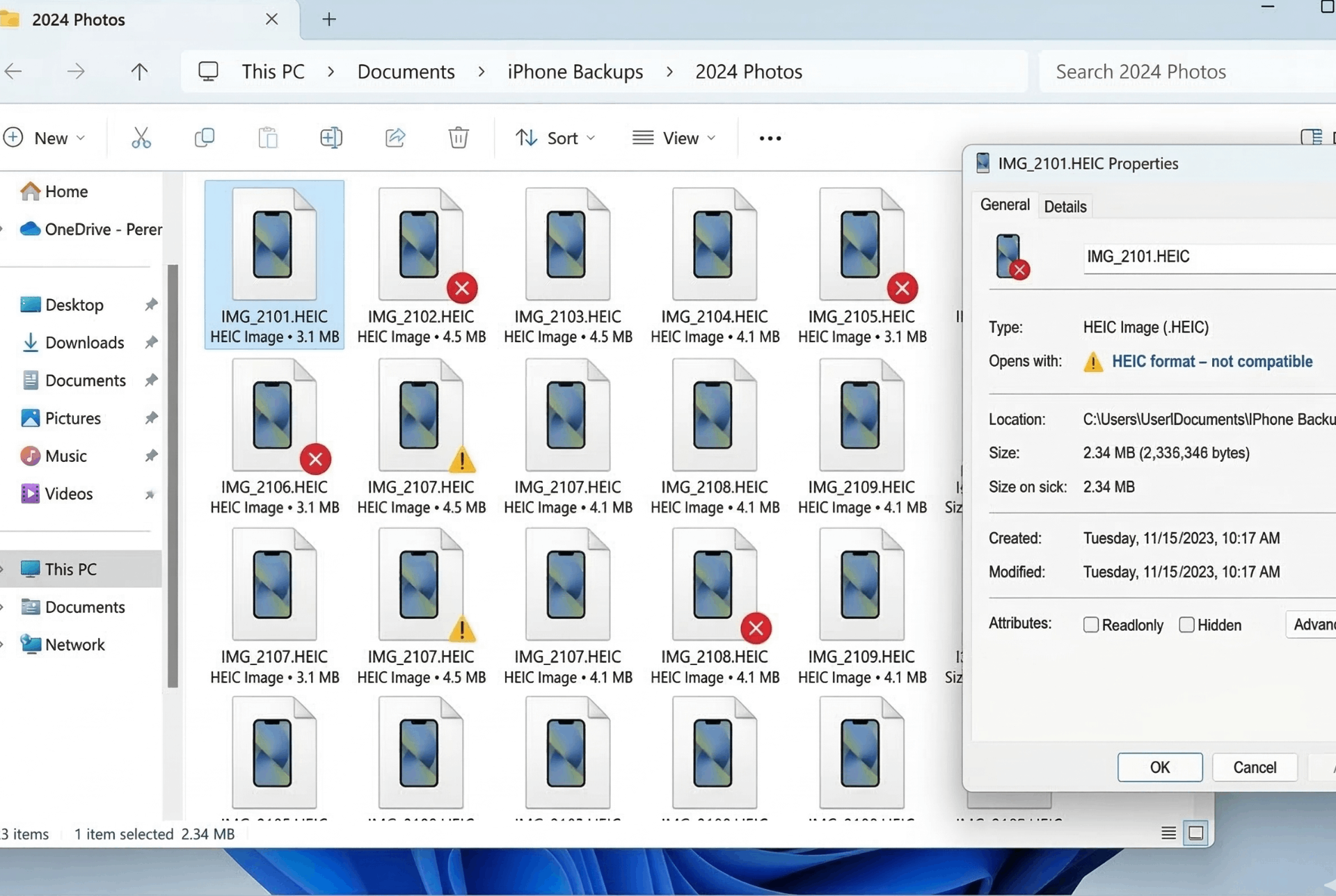
HEIC Files (Unreadable on Windows)
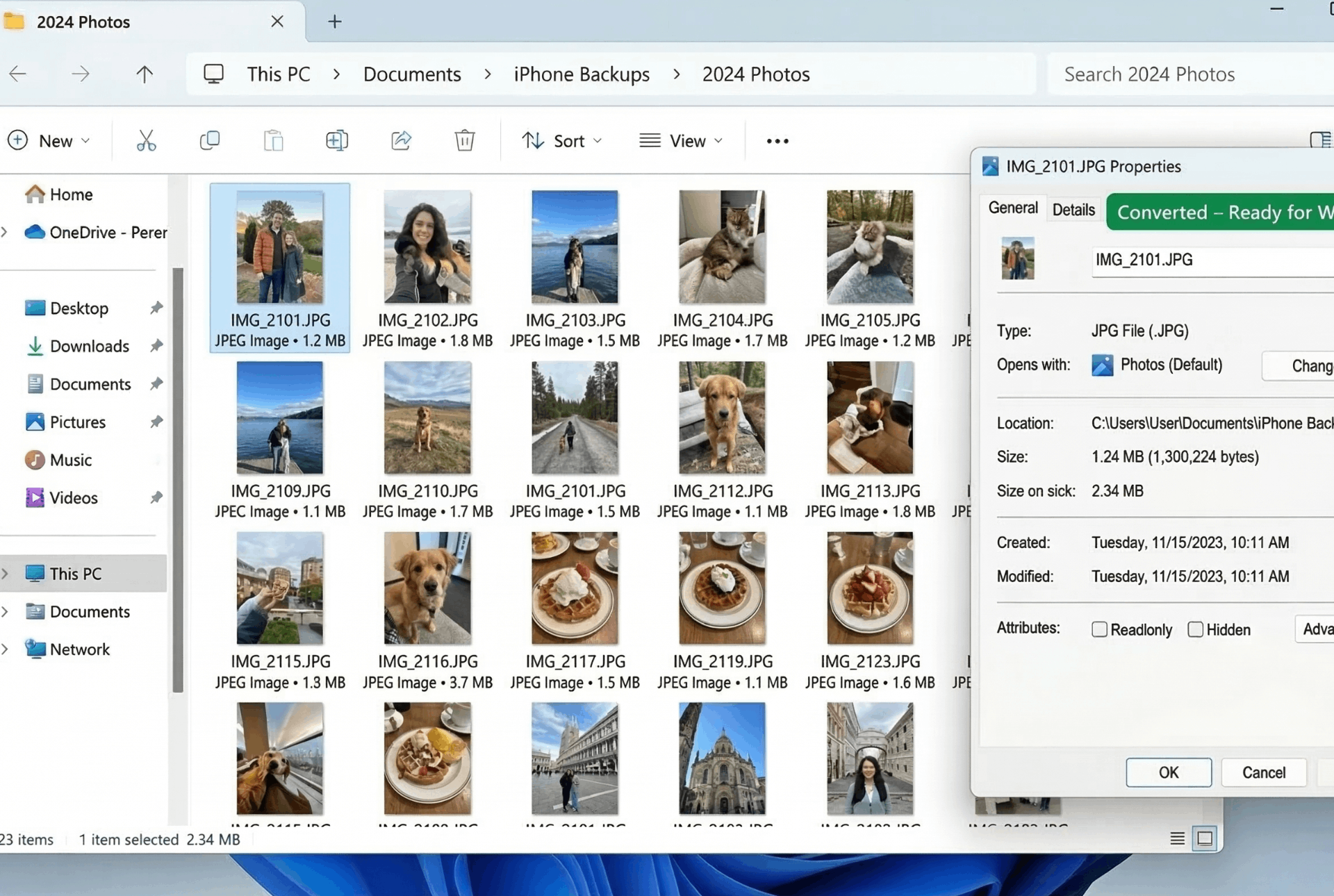
Converted JPGs (Windows Ready)
⚡ Bulk convert unlimited HEIC files – preserve metadata, keep original quality, and fix Windows compatibility.
How to Convert HEIC to JPG in Bulk (Free & Unlimited)
Apple's HEIC format saves space but causes headaches on Windows, Android, and older software. Use our iPhone photo to JPG converter to make your images universally compatible – all while keeping metadata intact.
1. Upload HEIC Files
Drag & drop one or multiple HEIC photos from your iPhone, iPad, or Mac. No file limit – convert as many as you want.
2. Choose Output
Select JPG (smaller, great for sharing) or PNG (lossless, for editing). Both formats preserve EXIF metadata like date, time, and GPS.
3. Convert
Click "Convert" – all files are processed in your browser. No upload, no waiting, 100% private.
4. Download
For a single file, download directly. For multiple, use "Download Individually" (to avoid Windows ZIP errors) or "Download as ZIP".
Why Choose Our Converter?
- HEIC to JPG converter bulk – Convert entire albums at once. No need to process one by one.
- HEIC to JPG converter online free unlimited – No daily limits, no file caps. Upload 100+ photos for free.
- HEIC to JPG converter for Windows – Works on Windows 11, 10, 8, 7. Plus, our direct download bypasses Windows' "ZIP extraction failed" error.
- HEIC to JPG converter with metadata – We preserve EXIF data: capture date, time, camera model, GPS location, and more.
- iPhone photo to JPG converter – Specifically optimized for HEIC files from iPhones, iPads, and Macs. Works with Live Photos too.
🎯 Perfect For
iPhone Users
Move photos to PC easilyWindows Users
View HEIC without installsPhotographers
Keep metadata intactBulk Archiving
Convert entire librariesNo Limits, No Signup, No Ads
Convert unlimited HEIC files – completely free. Your privacy is guaranteed because all processing happens in your browser.
HEIC to JPG Converter with Metadata
Worried about losing photo details like capture date, location, or camera settings? Our tool preserves EXIF metadata during conversion.
📅 Date & Time
Original capture date and time are retained – perfect for organizing your photo library.
📍 GPS Location
Geotags stay intact, so you can see where each photo was taken on maps.
📷 Camera Info
Make, model, aperture, ISO, and other camera settings are preserved for photographers.
🪟 HEIC to JPG Converter for Windows – No ZIP Errors
Many Windows users face "Extraction Failed" when downloading ZIP archives. Our tool offers a unique solution:
❌ ZIP Downloads
Windows often blocks ZIP files generated in browsers due to security policies.
✅ Direct Download
Use "Download Individually" – each file saves directly, bypassing Windows ZIP issues completely.
This makes our converter the best HEIC to JPG tool for Windows users.
Frequently Asked Questions
How to convert HEIC to JPG in bulk for free?
Upload multiple HEIC files at once, choose JPG format, and click Convert. All files are processed together – unlimited files, no signup.
Is there a free unlimited HEIC to JPG converter online?
Yes! Our tool has no file limits, no daily caps. Convert as many iPhone photos as you want, completely free. It's a true unlimited HEIC to JPG converter.
Does this HEIC to JPG converter work on Windows?
Absolutely. It's browser-based, so it works on Windows 11, 10, 8, 7. Plus, our direct download option bypasses Windows ZIP extraction errors, making it the perfect HEIC to JPG converter for Windows.
Does it preserve metadata like date, location, and camera info?
Yes, we preserve EXIF metadata during conversion. Your photos keep their original capture date, time, GPS location, and camera settings – a true HEIC to JPG converter with metadata.
Can I convert iPhone photos to JPG easily?
Yes! Our iPhone photo to JPG converter handles all HEIC images from iOS devices. Just upload and download – no extra steps.
Is it safe for private photos?
100% safe. All conversion happens locally in your browser. Your photos never leave your computer – no uploads, no servers.
How We Compare to Other HEIC Converters
| Feature | InstantConvert | Other Free Tools | Paid Software |
|---|---|---|---|
| Bulk conversion | ✅ Unlimited | ⚠️ Limited to 5-10 files | ✅ Yes |
| No file size/quantity limits | ✅ Unlimited | ❌ Daily caps | ✅ Unlimited (paid) |
| Windows ZIP error fix | ✅ Direct download | ❌ ZIP only | ✅ (varies) |
| Metadata preservation | ✅ Yes | ⚠️ Sometimes lost | ✅ Yes |
| Client-side privacy | ✅ 100% | ❌ Server upload | ⚠️ Depends |
✨ Only InstantConvert gives you unlimited bulk conversion + metadata + Windows fix – all free and private.