Image to Base64
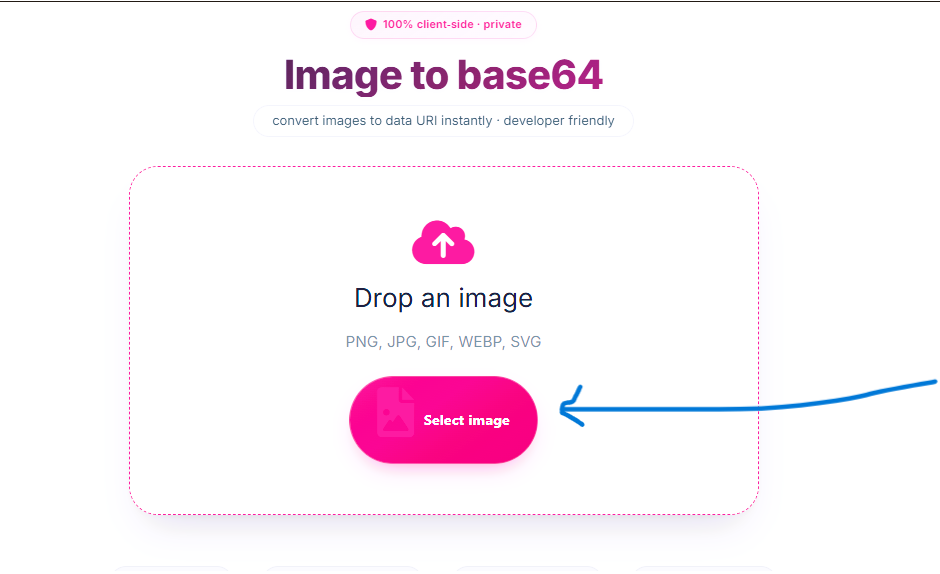
Drop an image
PNG, JPG, GIF, WEBP, SVG
All processing local · GPU accelerated
From Image File to Ready‑to‑Use Base64 Code
Original Image (logo.png)
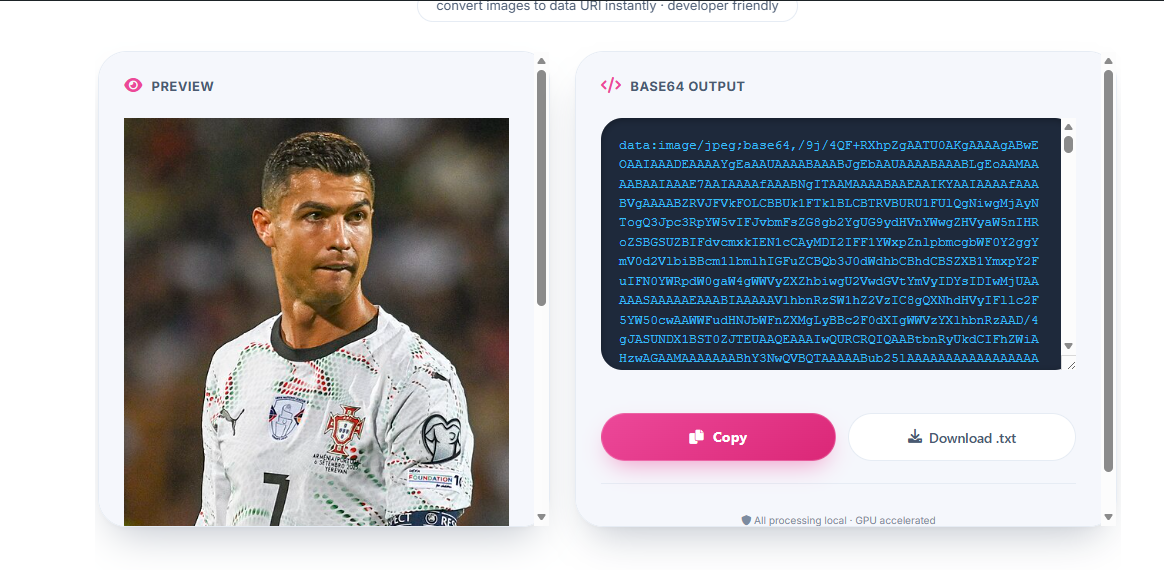
Base64 Data URI Ready for HTML/CSS
⚡ Convert any image to a Base64 encoded string in seconds – perfect for web developers.
How to Convert Image to Base64 Online – Step by Step
Need to change image to base64 online for embedding in HTML, CSS, or JavaScript? Our tool makes it effortless. Follow these simple steps:
1. Upload Your Image
Drag & drop any image (JPG, PNG, GIF, WEBP, SVG) or click to browse. The file stays in your browser – 100% private.
2. Instant Encoding
The tool immediately generates the Base64 data URI. You'll see the encoded string in the text area – ready to use.
3. Copy or Download
Click "Copy Code" to copy the full Base64 string to your clipboard, or download as a .txt file for later use.
4. Embed Anywhere
Paste the string into your <img src="..."> or CSS background-image: url(...); – it works like a normal image URL.
Why Choose Our Base64 Converter?
- Image to base64 online converter – Fast, private, and free. No uploads, no servers.
- Change image to base64 online – Supports JPG, PNG, GIF, WEBP, SVG. Get a data URI in one click.
- Convert image to base64 encoded string – The output is a fully formed data URI, ready for
<img>tags. - Convert image to base64 online tool – Perfect for developers, designers, and anyone embedding images in code.
- Photo base64 encode – Encode photos for email signatures, HTML newsletters, or CSS sprites.
🎯 Perfect For
Web Developers
Inline images in HTML/CSSEmail Designers
Embed images in newslettersApp Developers
Use data URIs in appsCSS Sprites
Inline small icons100% Client‑Side, No Upload
Your images never leave your device. Perfect for sensitive or private photos – encode with confidence.
🔧 What is a Base64 Encoded String?
A Base64 string represents binary image data as ASCII text. It's often used to embed images directly into HTML, CSS, or JavaScript without separate HTTP requests.
📄 HTML Usage
<img src="data:image/png;base64,iVBORw0KGgo...">
🎨 CSS Usage
background-image: url('data:image/png;base64,iVBOR...');
📦 File Size Increase
Base64 encoding increases size by ~33%. Best for small images (under 10KB). For larger images, consider using standard URLs.
Learn more on MDN Data URLs and Wikipedia Base64.
Frequently Asked Questions
How to convert image to base64 online converter free?
Simply upload your image – our tool instantly generates the Base64 string. No signup, no upload to server, completely free.
Can I change image to base64 online without losing quality?
Yes, Base64 encoding preserves the original image quality. The resulting string can be used directly in HTML/CSS with zero loss.
How to convert image to base64 encoded string for web use?
Upload your image, copy the generated data URI, and paste it into your <img> tag or CSS. It works exactly like a normal image URL.
Is there a reliable convert image to base64 online tool?
Yes, our tool is 100% client‑side, private, and supports all common image formats. Perfect for developers who need a trustworthy converter.
How to photo base64 encode for embedding in emails?
Upload your photo, copy the Base64 string, and paste it into an <img> tag in your email HTML. Many email clients support data URIs – just be mindful of size limits.
Why is the Base64 string so long?
Base64 encodes every 3 bytes into 4 characters. The length increases by about 33%. This is normal – use the "Download .txt" option if you need to store the code.
How We Compare to Other Base64 Tools
| Feature | InstantConvert | Other Free Tools |
|---|---|---|
| 100% client‑side (no upload) | ✅ Yes | ❌ Server upload |
| Supports SVG & all image formats | ✅ Yes | ⚠️ Often limited |
| Copy to clipboard + download .txt | ✅ Both | ⚠️ Only copy |
| Real‑time preview & file info | ✅ Yes | ❌ No |
| Privacy & security | ✅ Full | ❌ Risk of upload |
✨ Only InstantConvert gives you a truly private, developer‑friendly Base64 encoder – with no server uploads.