Bulk Image to ICO
Drop images here
PNG, JPG, WEBP (multiple)
0/0 converted
All processing local · GPU accelerated
No images yet
Bulk Convert Images to ICO – No Watermark, Unlimited & Free
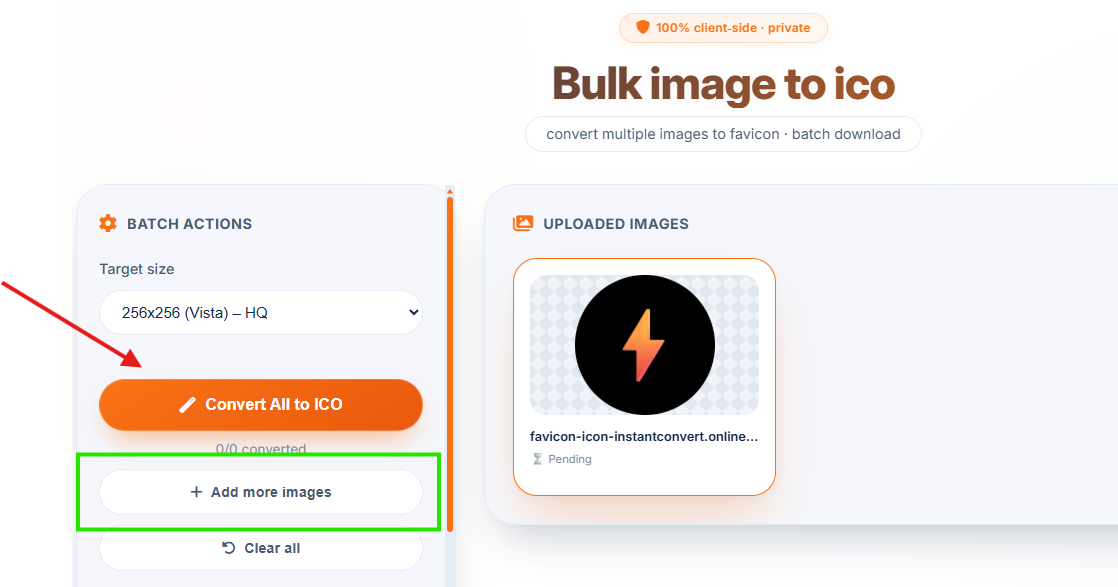
5+ Images Ready for Bulk Conversion
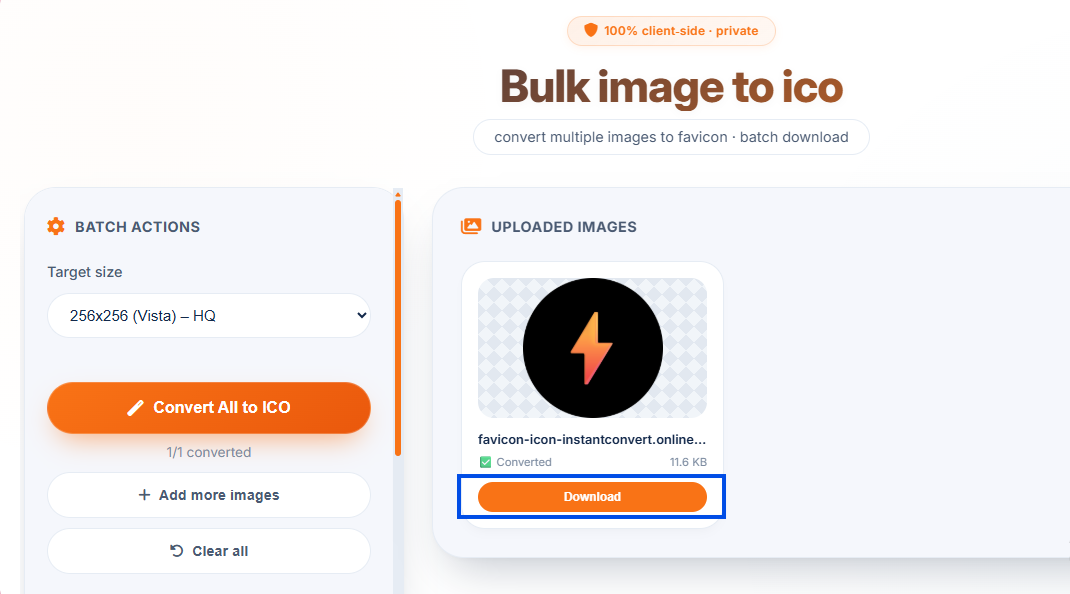
All Icons Created – No Watermark
⚡ Now with bulk conversion – upload 10, 20, or more images and convert them all at once. 100% free, no watermark, no software download.
NEW: Bulk Image to ICO Converter – Unlimited & No Watermark
Unlike other tools that limit you to one image at a time, our advanced bulk image to ICO converter lets you process multiple files simultaneously. No watermarks, no limits, no software download required.
📦 Batch Process
Convert 5, 10, or 50 images at once. Select all your files in one go – we handle the rest.
🚫 No Watermark
Your icons are completely clean – we never add any branding or watermarks. Perfect for professional use.
🔄 Unlimited & Free
No daily limits, no file caps. Convert as many images as you need, completely free forever.
📁 ZIP Download
After bulk conversion, download all icons individually or as a convenient ZIP archive.
How to Convert Image to Icon Online Free – Bulk Mode
Need to create multiple favicons? Want to convert PNG to ICO Windows 10 without installing software? Our bulk converter makes it effortless. Follow these steps:
1. Upload Multiple Images
Drag & drop several JPG, PNG, or WEBP files, or select them all at once. You'll see thumbnails of every image.
2. Choose Icon Size
Pick from 16x16 (small), 32x32 (standard), 48x48, 64x64, 128x128, or 256x256 (high-res). All sizes available.
3. Click "Convert All to ICO"
One click processes every uploaded image simultaneously. No waiting, no watermarks added.
4. Download All
Download icons individually or grab them all as a ZIP file – perfect for batch processing.
Why Choose Our ICO Converter?
- Image to ico bulk converter online free – Convert multiple images at once. Save hours of manual work.
- JPG to ICO image converter online free without watermark – We never add any watermark or branding. Your icons stay clean.
- Convert PNG to ICO Windows 10 – Works perfectly on Windows 10, 11, Mac, and Linux. No software needed.
- JPG to ICO converter software free download? No download required! It's 100% browser-based. Safer and more convenient.
- Convert image to icon online – Supports JPG, PNG, WEBP. Choose from 6 icon sizes (16x16 to 256x256).
🎯 Perfect For
Web Developers
Create favicons in bulkWindows 10 Users
Convert PNG to ICO for foldersDesigners
Generate icon setsBatch Projects
Convert entire folders100% Free, No Watermark, Unlimited
No hidden limits, no premium tiers. Convert as many images as you want – always free, always private.
🖥️ Convert PNG to ICO Windows 10 – No Software Download
Windows 10 and 11 don't include built-in ICO creation tools. Our browser-based converter fills the gap perfectly – no software installation needed.
✅ Works in Any Browser
Chrome, Edge, Firefox – all supported. Just open the website and start converting.
✅ No Admin Rights Needed
Perfect for office or school computers where you can't install software. Everything runs in your browser.
✅ Instant ICO Files
Download icons ready for Windows folder customization, favicons, or application icons.
Frequently Asked Questions
How to convert image to icon online free?
Upload your image, choose icon size, and click convert. Our tool creates a high-quality ICO file instantly – no signup, no watermark. Works for JPG, PNG, and WEBP.
Is there a jpg to ico image converter online free without watermark?
Yes! Our tool adds absolutely no watermark to your icons. Convert unlimited JPG, PNG, and WEBP files without any branding. Your icons remain completely clean.
Can I convert PNG to ICO on Windows 10?
Yes, our tool works perfectly on Windows 10 and 11. No software download needed – just use your browser to convert PNG to ICO instantly. The icons are ready to use on your desktop.
Do I need to download jpg to ico converter software?
No software download required! Our tool runs entirely in your browser. It's the safest and most convenient alternative to installing potentially unsafe software from the internet.
Can I convert multiple images to ICO at once?
Yes! Our bulk image to ICO converter lets you upload and convert multiple images simultaneously. Save time by processing an entire folder in one go. After conversion, download all icons as a ZIP.
Is there a limit on how many images I can convert?
No limits! Our tool is completely unlimited. Convert as many images as you want, as often as you want – always free, always without watermarks.
How We Compare to Other ICO Converters
| Feature | InstantConvert | Other Free Tools | Software Downloads |
|---|---|---|---|
| Bulk conversion (multiple images) | ✅ Yes, unlimited | ❌ Single only | ✅ Yes |
| No watermark | ✅ Always | ❌ Often add watermark | ✅ Yes (if paid) |
| No software download | ✅ 100% browser | ✅ Browser | ❌ Requires install |
| Windows 10 compatible | ✅ Yes | ✅ Yes | ✅ Yes |
| Unlimited free usage | ✅ Yes | ⚠️ Daily limits | ⚠️ Trial/Paid |
✨ Only InstantConvert gives you true bulk conversion + no watermark + unlimited usage – all without downloading anything.