Image to PDF with Smart AI
Drop images here
JPG, PNG (multiple)
All processing local · GPU accelerated
No images yet
From Large Images to Compact PDF – Under 500 KB
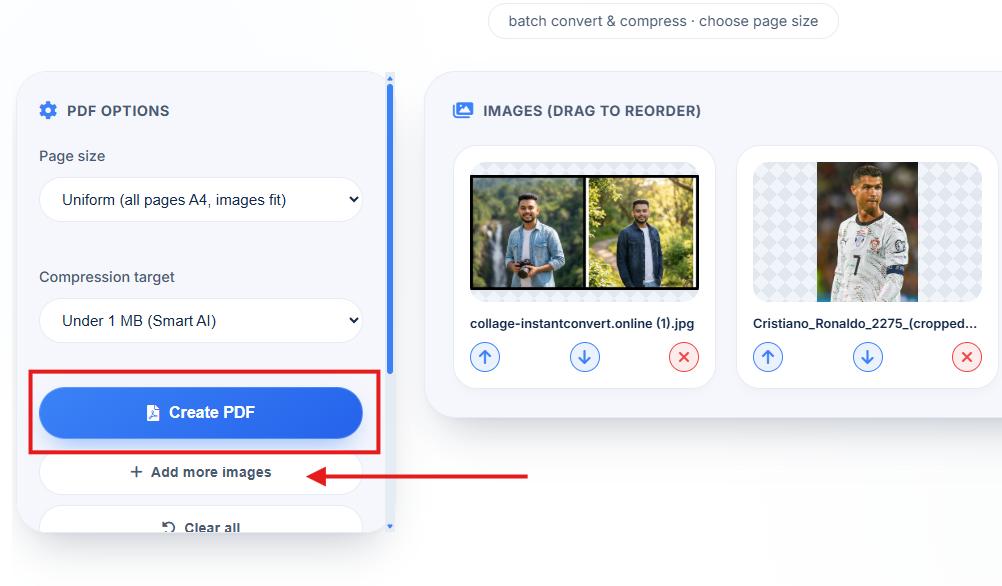
5 Images | Total: 30MB
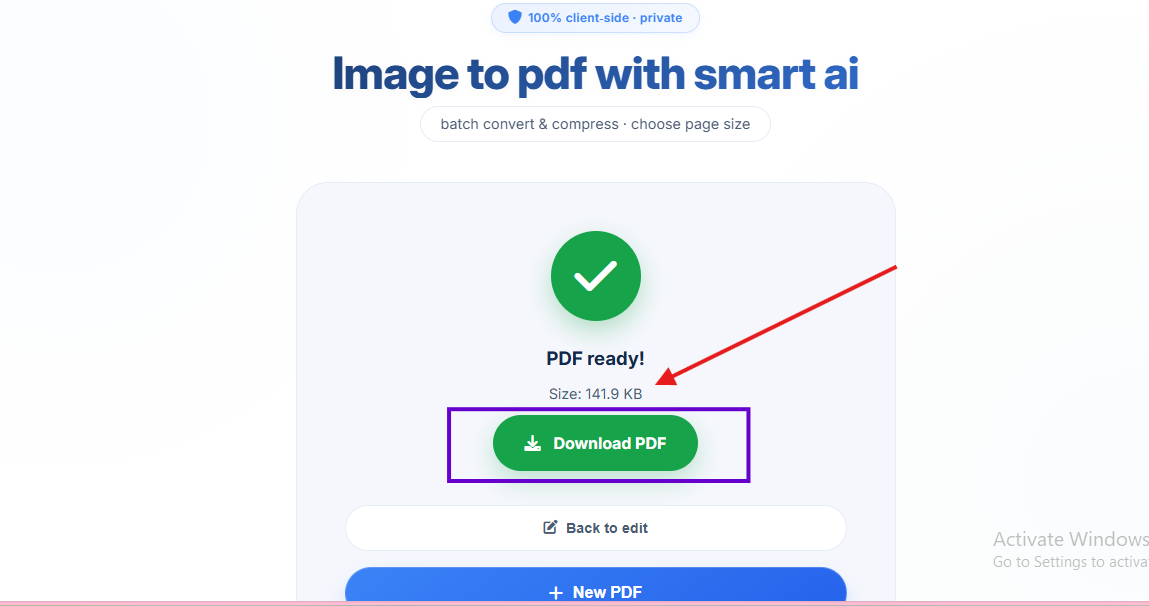
PDF File: 480KB (High Quality)
⚡ NEW: Built-in compression + batch processing + large file support – all in one tool. Target under 500 KB easily.
All-in-One: Image to PDF Converter and Compressor
Most tools only convert. Ours converts AND compresses in one step – saving you time and hassle.
📦 Batch Processing
Upload 10, 20, or 50 images at once. Convert an entire folder in seconds.
⚡ Instant Conversion
No waiting for uploads – everything happens in your browser. Instant results even for large files.
🎯 Target 500 KB
Our smart compression helps you achieve small file sizes (under 500 KB) while preserving high quality – perfect for email and forms.
📏 Large Files? No Problem
Because we're client-side, there's no upload limit. Convert 500MB+ files without worry.
How to Convert Image to PDF Under 500 KB Instantly
Need to send documents via email? Our image to pdf converter online free instant tool does it all – conversion + compression + batch. Follow these steps:
1. Upload Multiple Images
Drag & drop JPG/PNG files – upload 10, 20, or more at once. Batch processing supported.
2. Arrange Pages
Drag thumbnails to set the correct order. Perfect for multi-page documents.
3. Convert + Compress
Click "Convert to PDF" – our tool automatically compresses the output. Target under 500 KB with image to pdf in high quality.
4. Download
Save your optimized PDF – small file size, high quality, ready to share.
Why Choose Our Image to PDF Tool?
- Image to PDF converter 500 KB – Our built-in compression helps you hit small file sizes effortlessly, perfect for email attachments.
- Image to PDF converter and compressor – Two tools in one. Convert and compress without extra steps.
- Image to PDF converter online free instant – No waiting, no servers. Instant results in your browser.
- Image to PDF in high quality – Smart compression preserves clarity while reducing file size.
- Online PDF to JPG converter large files – While this tool converts images to PDF, our entire suite handles large files without upload limits. For reverse conversion, try our dedicated PDF to JPG tool.
🎯 Perfect For
Forms & Applications
Keep under 500 KBEmail Attachments
Small PDFs send fasterBatch Documents
Combine 20+ imagesHigh Quality Photos
Preserve clarity100% Client‑Side, No Upload
Your images never leave your device. Convert with confidence – even sensitive documents are safe.
🎚️ Smart Compression: Small File, High Quality
📊 Under 500 KB Target
Perfect for online forms, government applications, and email attachments. Our compressor optimizes without visible loss.
🖼️ High Quality Preserved
We use intelligent algorithms that prioritize image clarity while removing unnecessary data. Your photos stay sharp.
📦 No Extra Steps
Conversion and compression happen together. No need to run files through a separate compressor.
Frequently Asked Questions
How to convert image to PDF under 500 KB?
Upload your images, click convert – our built-in compressor automatically reduces file size. Large batches are optimized to stay under 500 KB without losing quality. It's the best image to pdf converter 500 kb online.
Is there an image to PDF converter and compressor in one tool?
Yes! Unlike other tools that only convert, our tool also compresses the final PDF. You get a small file size without needing a separate compressor. It's the ultimate image to pdf converter and compressor.
Can I convert image to PDF online free instantly?
Absolutely. Conversion happens in your browser – no waiting for uploads or server processing. Instant results, even for large files. That's why we're the top image to pdf converter online free instant tool.
Does it preserve high quality?
Yes! Our compression algorithm intelligently reduces file size while keeping image quality sharp. Perfect for image to pdf in high quality results.
Can it handle online PDF to JPG converter large files?
While this tool is for image to PDF, our entire suite is client-side, so it handles large files without upload limits. For PDF to JPG conversion of large files, check our dedicated PDF to JPG converter – it also supports large files and batch processing.
How many images can I convert at once?
As many as you need! Our batch processing supports 10, 20, 50+ images simultaneously. Upload an entire folder and we'll handle the rest.
How We Compare to Other Image to PDF Tools
| Feature | InstantConvert | Other Free Tools |
|---|---|---|
| Built-in compression (500 KB target) | ✅ Yes | ❌ Separate compressor needed |
| Batch processing | ✅ Unlimited images | ⚠️ Usually 1-5 max |
| Large file support | ✅ No limits (client-side) | ❌ Upload limits apply |
| Instant conversion | ✅ Yes, no waiting | ⚠️ Server delays |
| High quality output | ✅ Preserved | ⚠️ Often pixelated |
✨ Only InstantConvert gives you conversion + compression + batch + large file support – all in one private, free tool.