Bulk JPG to PNG with Smart AI
Drop JPG images here
JPG, JPEG (multiple)
0/0 converted
All processing local · GPU accelerated
No images yet
From JPG to PNG – Bulk, Signature Size, Custom Control
5 JPG Images | Total: 2.5MB
PNG Files: 48KB each (Signature Ready)
⚡ NEW: Bulk conversion + signature size (under 50KB) + custom size control – all in one free tool.
All-in-One: Bulk, Signature Size & Custom Control
Most converters handle one image at a time. Ours does everything – bulk processing, signature‑size optimization, and custom size targeting.
📦 Bulk Conversion
Upload 10, 20, or 50 JPG images at once. Convert an entire folder in seconds – perfect for batch projects.
✍️ Signature Size (Under 50KB)
One‑click preset automatically optimizes images for digital signatures – stays under 50KB while keeping text crisp.
🎯 Custom Size Control
Target any file size – 50KB, 100KB, or your own value. Our intelligent compressor delivers.
⬇️ No Download Needed
Forget "jpg to png converter free download" – our tool runs in your browser. No installation, no viruses, no hassle.
How to Convert JPG to PNG – Bulk, Signature & Custom Size
Need to prepare signatures for documents? Want to convert an entire album? Our jpg to png converter with size control makes it simple. Follow these steps:
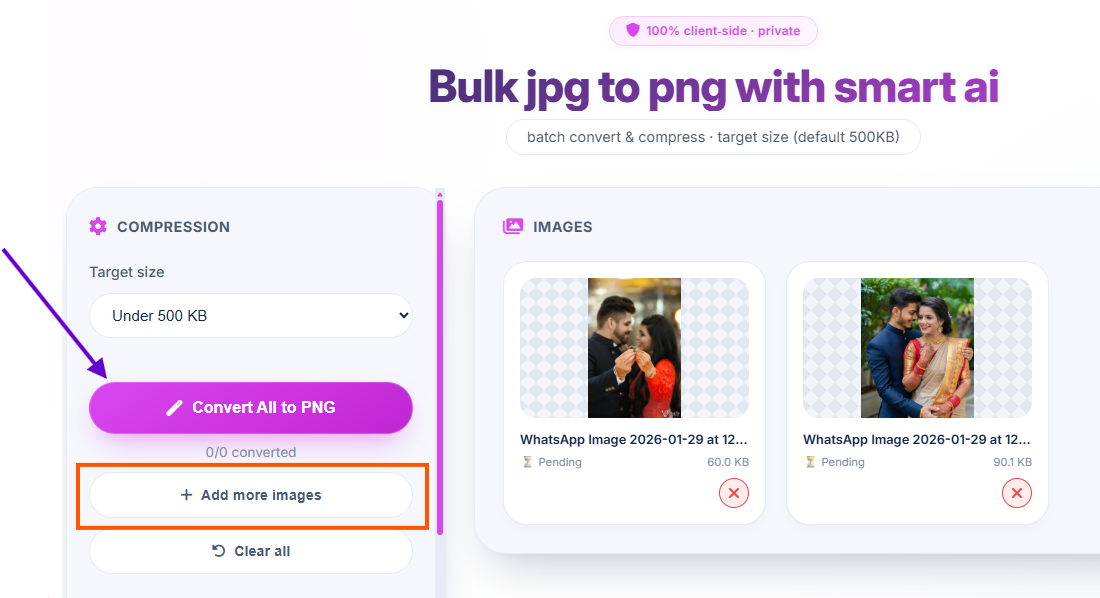
1. Upload Multiple Images
Drag & drop several JPG files – bulk upload supported. You'll see thumbnails of every image.
2. Choose Size Preset
Select "Signature (Under 50KB)" for documents, or set a custom target size like 100KB, 200KB, etc.
3. Convert All
Click "Convert All" – all images are processed simultaneously with your chosen size settings.
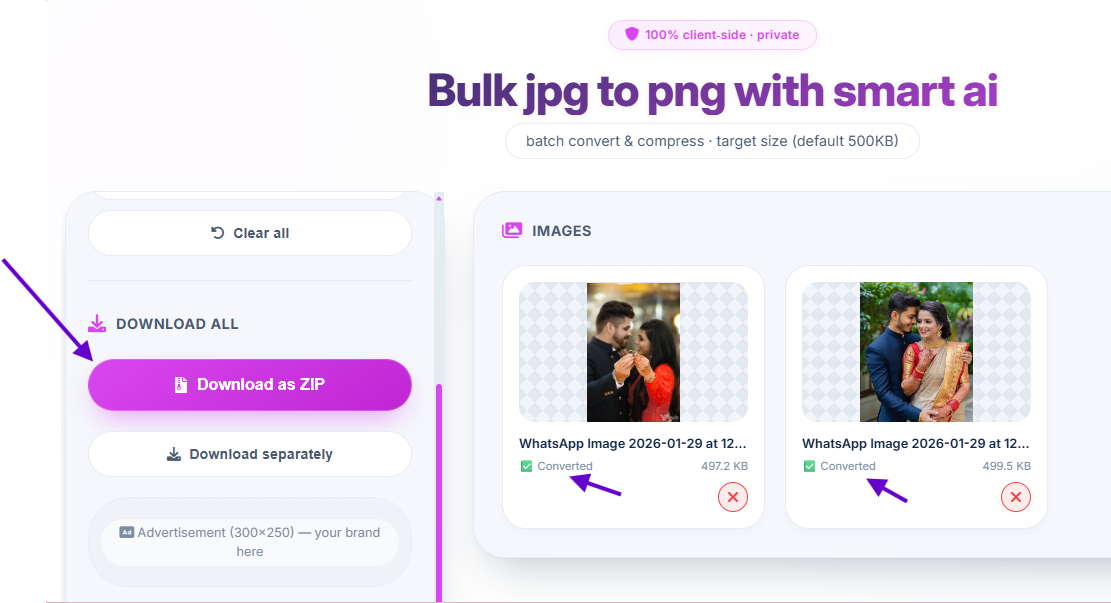
4. Download
Save each PNG individually or get them all as a ZIP archive – ready for signatures or sharing.
Why Choose Our JPG to PNG Converter?
- JPG to PNG converter free download? No download needed – it's 100% browser-based. Safer and instant.
- JPG to PNG converter for signature – Automatic under‑50KB optimization ensures your signature fits email and document requirements.
- JPG to PNG converter 50KB – Perfect for online forms, applications, and digital signatures. High quality, small size.
- JPG to PNG converter with size – Full custom size control. Target 50KB, 100KB, or any value you need.
- JPG to PNG converter in bulk – Convert 10, 20, or 50+ images at once. Save hours of manual work.
🎯 Perfect For
Digital Signatures
Under 50KB for formsBatch Processing
Convert entire foldersPrint Materials
Lossless PNG qualityEmail Attachments
Small file sizes100% Client‑Side, No Upload
Your images never leave your device. Perfect for sensitive signatures and private documents.
✍️ JPG to PNG Converter for Signature – Under 50KB Guaranteed
Digital signatures need to be small (often under 50KB) for email and online forms. Our signature preset handles this automatically.
📄 Document Ready
Signatures for contracts, applications, and forms – always under 50KB, always clear.
⚙️ Custom Size Any Time
Need exactly 100KB? Use the custom size slider. Perfect for websites with strict upload limits.
📊 Live Preview
See the file size in real-time as you adjust – hit your target exactly.
Frequently Asked Questions
Is there a jpg to png converter free download?
No download needed! Our tool runs entirely in your browser. It's safer, faster, and doesn't require any installation. Just open the website and start converting.
How to use jpg to png converter for signature?
Select the 'Signature' preset – it automatically optimizes your image to stay under 50KB while maintaining clarity. Perfect for digital signatures on contracts, forms, and documents.
Can I get jpg to png converter 50kb output?
Yes! Use our size control to target under 50KB. The tool automatically compresses while preserving quality – ideal for email signatures, online forms, and applications.
Is there a jpg to png converter with size control?
Absolutely. You can set custom target sizes (50KB, 100KB, 200KB, or any value) – the converter optimizes accordingly. Live preview shows the exact size as you adjust.
Can I convert multiple JPG to PNG at once?
Yes! Our jpg to png converter in bulk lets you upload and convert many images simultaneously. Upload 10, 20, or even 50 images – they all process together. Download individually or as a ZIP.
Will I lose quality converting JPG to PNG?
No, PNG is a lossless format. Your image will look exactly the same as the original, but with a transparent background option and perfect clarity for text.
How We Compare to Other JPG to PNG Tools
| Feature | InstantConvert | Other Free Tools |
|---|---|---|
| Bulk conversion (10+ images) | ✅ Yes, unlimited | ❌ Single only |
| Signature preset (under 50KB) | ✅ Yes | ❌ No |
| Custom size control | ✅ Yes | ⚠️ Limited |
| No download required | ✅ Browser-based | ⚠️ Often needs install |
| Client-side privacy | ✅ 100% | ❌ Server upload |
✨ Only InstantConvert gives you bulk + signature size + custom control – all private and free.