make pdf searchable
Drop scanned PDF
or click to browse
⚠️ OCR runs locally — large files take time
All processing local · GPU accelerated
Upload a scanned PDF to start OCR
From Image‑Based PDF to Fully Searchable Document
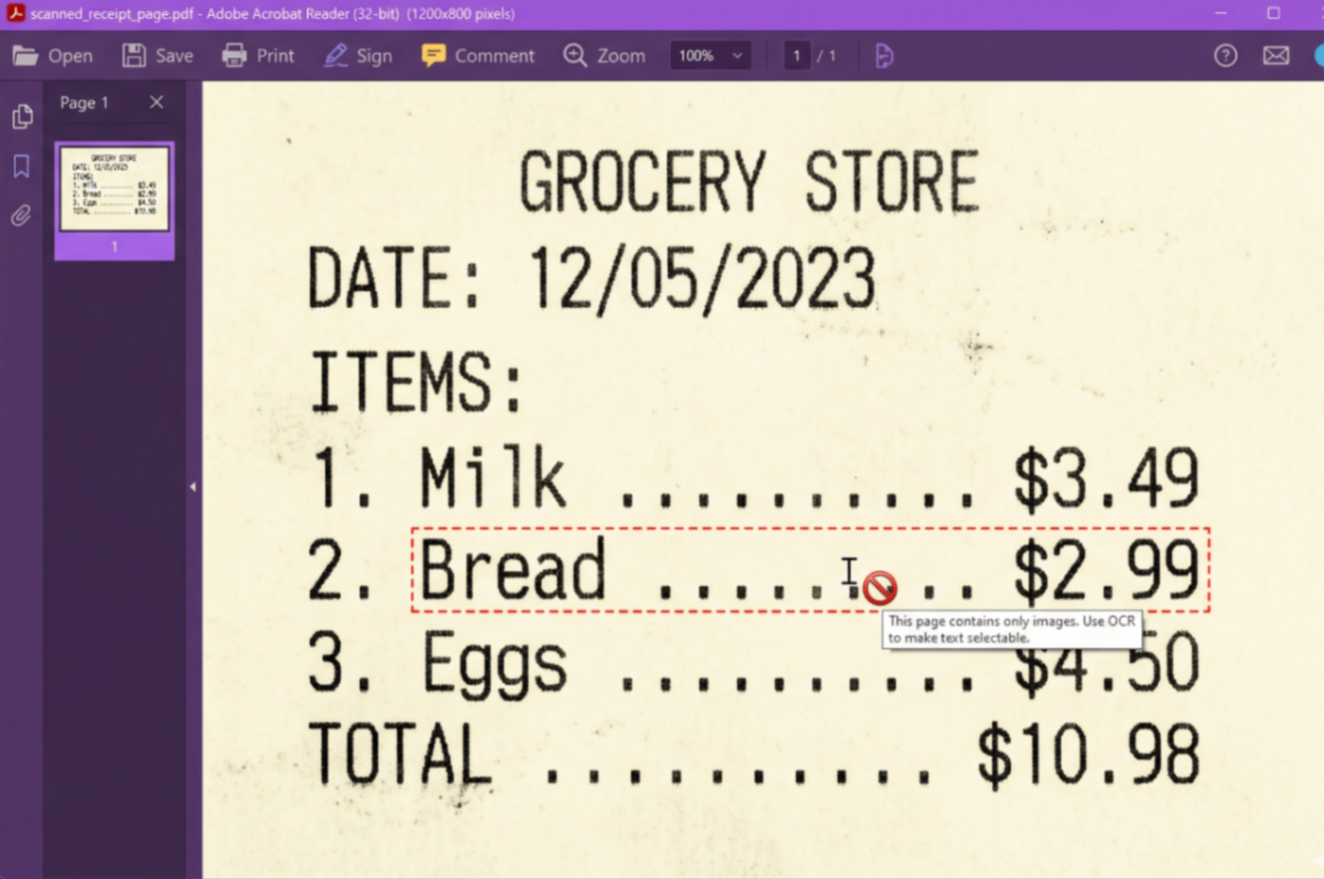
Scanned PDF (Text as Image)
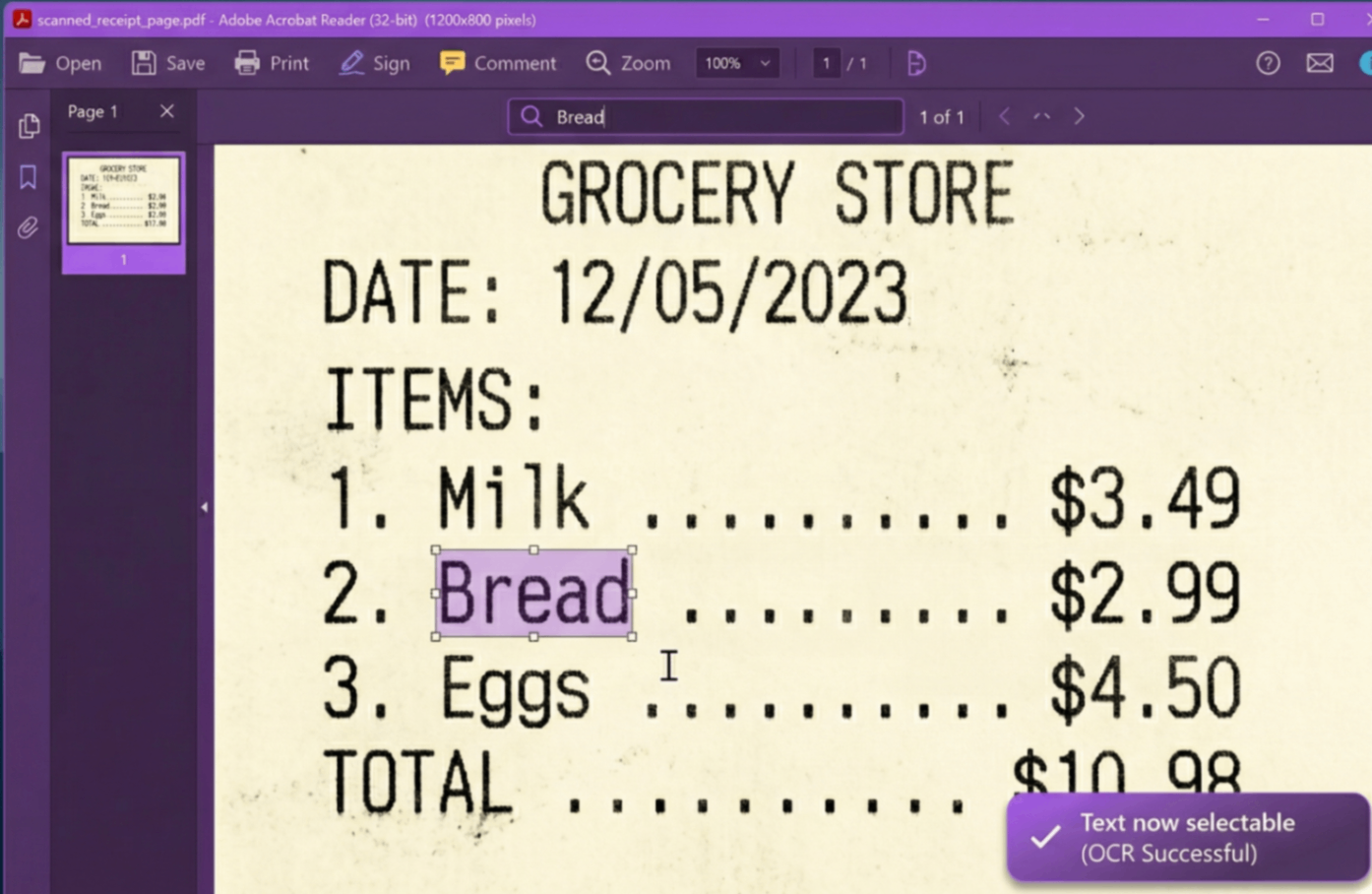
Searchable PDF (Text Selectable)
⚡ Make PDF searchable online free – no upload, no size limits, completely private.
PDF to Searchable PDF – No Limits, 100% Private
Unlike cloud‑based OCR services that impose file size caps and upload your documents to remote servers, our tool works entirely in your browser using the power of Tesseract.js. There is no file size limit – you can OCR 100MB, 200MB, or even larger PDFs, as long as your device has enough memory.
📁 No Upload Required
Your PDF never leaves your device. No server, no third‑party access.
🚫 No File Size Cap
Process hundreds of pages – our client‑side OCR scales with your hardware.
🌍 Translate OCR PDF Easily
After conversion, copy the recognized text and paste into Google Translate, DeepL, or any translation tool – perfect for multilingual documents.
How to Make PDF Searchable Online Free – Step by Step
Scanned documents, receipts, and old books often appear as images inside PDFs. Our make pdf searchable ocr tool turns them into fully searchable, copy‑paste‑friendly files.
1. Upload Scanned PDF
Select your file – there’s no size limit. Even large books or multi‑page documents work.
2. Automatic OCR
Our tool uses advanced optical character recognition (Tesseract.js) to extract text from each page directly in your browser.
3. Real‑time Progress
Follow the progress bar and live console log – you’ll know exactly when your document is ready.
4. Download Searchable PDF
Save your new PDF – now you can search (Ctrl+F), copy text, and even translate using external tools.
Why Use Our OCR Tool?
- Make PDF searchable OCR – Convert image‑based PDFs into fully text‑selectable documents with one click.
- PDF to searchable PDF no limit – No file size restrictions. OCR large books, contracts, and archives effortlessly.
- Translate OCR PDF – After recognition, copy the extracted text and paste into any translation tool to convert the content into another language.
- Make PDF searchable online free – No hidden costs, no signup, no watermarks. 100% free forever.
- 100% client‑side privacy – Your documents never leave your device. No upload, no tracking, no risk.
🎯 Perfect For
Students
Search textbooksLegal & Finance
OCR contracts, statementsTranslators
Extract text for translationArchivists
Digitize old documents100% Client‑Side, No Upload, No Limits
Your sensitive documents stay on your computer. Process unlimited pages without worrying about server caps.
🔍 How OCR Works in Your Browser
We use Tesseract.js – a powerful JavaScript library that runs the Tesseract OCR engine natively in the browser. This ensures your files never touch a server.
📄 Image Preprocessing
Each PDF page is rendered as an image at high resolution to maximize text recognition accuracy.
📚 Language Support
Currently English. Additional languages (Spanish, French, German, Hindi) coming soon – stay tuned.
⚙️ Real‑time Feedback
Watch the progress bar and console log – you’ll know exactly when each page is processed.
Frequently Asked Questions
How to make PDF searchable online free?
Upload your scanned PDF and click convert. Our tool uses optical character recognition (OCR) to add a text layer, making your document searchable. No signup, no limits.
Is there a PDF to searchable PDF tool with no size limit?
Yes! Because we process files entirely in your browser, there is no server-side size cap. You can OCR large PDFs (100MB, 200MB) – the only limit is your device's memory.
Can I translate OCR PDF text after recognition?
Absolutely. Once your PDF becomes searchable, you can copy the recognized text and paste it into any translation service like Google Translate – making it a powerful tool for multilingual documents.
How does client-side OCR keep my files private?
Unlike server-based tools, we never upload your PDF. All processing happens in your browser using Tesseract.js. Your sensitive documents never leave your device.
Does it support handwriting?
OCR works best with printed text. Handwriting recognition is experimental and may not be 100% accurate.
Why is it slower than other tools?
Because we value your privacy. Instead of using a super-computer server, we use your device's processor to read the text, ensuring no one else sees your file.
How We Compare to Other OCR Tools
| Feature | InstantConvert | Other Free OCR Tools |
|---|---|---|
| File size limit | ✅ No limit | ❌ Usually capped at 10-50MB |
| Client‑side (no upload) | ✅ 100% | ❌ Server upload required |
| Translate OCR PDF support | ✅ Copy text for translation | ⚠️ Limited or no copy |
| Real‑time progress log | ✅ Yes | ❌ No |
| Privacy | ✅ Full | ❌ Files stored on servers |
✨ Only InstantConvert gives you unlimited‑size OCR with complete privacy – no uploads, no limits, no signup.