Advanced PDF Merger
Select specific pages, reorder them freely, and merge into one document.
Drop PDF files here
or click to select
From Separate PDFs to One Unified Document
3 Separate PDFs
Single Merged PDF
⚡ Unlimited merging – combine any number of PDFs, select specific pages, or even put multiple pages on one sheet. All free, all client‑side.
Advanced Merge: Choose Pages, Rearrange, Combine on One Page
Unlike basic mergers, our tool gives you full control:
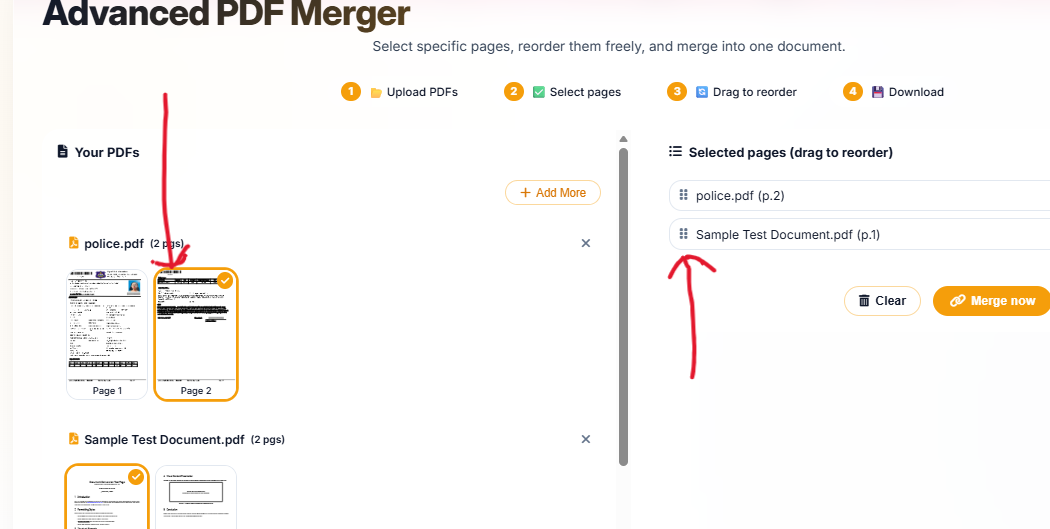
📄 Select Pages from Each PDF
Don't want the whole file? Pick only the pages you need – ideal for extracting a signature page or a specific section.
🔄 Rearrange Freely
Drag files or individual pages to change the order. Build your perfect document sequence.
📑 Merge Pages in One Page (N‑up)
Combine multiple PDF pages onto a single sheet – great for handouts, brochures, or saving paper.
∞ Unlimited, Free, No Signup
No hidden limits, no premium tiers. Combine as many PDFs as you want, completely free.
How to Merge PDF Online Unlimited Free – Step by Step
Whether you need to combine 3 PDF files into 1, merge PDF pages into one page, or simply join dozens of documents, our tool handles it all.
1. Upload PDFs
Drag & drop as many PDF files as you need – unlimited number, no file size caps.
2. Select Specific Pages
From each uploaded PDF, choose exactly which pages to include – perfect for extracting only the content you need.
3. Arrange & Choose Layout
Drag to reorder files/pages. Want to merge pdf pages in one page? Select N‑up layout (2‑up, 4‑up) to combine multiple pages onto a single sheet.
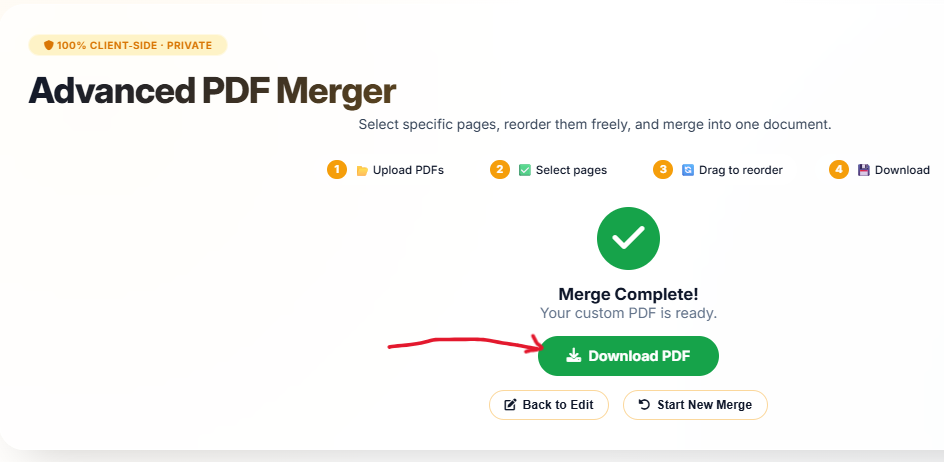
4. Merge & Download
Click "Merge PDFs" – your new PDF is generated instantly in your browser. Download it with one click.
Why Choose Our PDF Merger?
- Merge PDF online unlimited free – No limits on number of files or total size. Combine as much as you want.
- Merge PDF pages in one page – Use N‑up layout to combine multiple pages onto a single sheet – great for presentations or booklets.
- Multiple pages in one page pdf online – Perfect for reducing paper usage or creating handouts.
- Combine 3 PDF files into 1 – Or 2, or 10, or 50. Choose exactly which pages from each file to include.
- Combine more pdf in one – Our advanced interface lets you preview, select, and arrange pages before finalizing.
🎯 Perfect For
Legal Documents
Combine contracts, exhibitseBooks
Merge chaptersEducation
Combine worksheetsPrinting
N‑up booklets100% Client‑Side, No Upload
Your PDFs never leave your device – merge with complete privacy. No signup, no watermarks.
📄 Merge PDF Pages into One Page (N‑up)
Save paper and create compact handouts by arranging multiple PDF pages on a single sheet. Choose from 2‑up, 4‑up, or custom layouts.
📑 2‑up (Side by Side)
Place two pages horizontally on one sheet – perfect for reading two pages at once or for creating landscape‑style handouts.
📚 4‑up (Grid)
Arrange four pages on a single sheet – ideal for mini‑booklets, revision notes, or compact printing.
⚙️ Custom Layout
Define your own rows and columns to combine pages exactly how you want.
Frequently Asked Questions
How to merge PDF online unlimited free?
Upload as many PDFs as you want, choose which pages to include, and click merge. No file caps, no signup – completely free.
Can I merge PDF pages into one page?
Yes! Our advanced merger lets you combine multiple pages onto a single sheet (2‑up, 4‑up, etc.) – perfect for handouts or booklets.
How do I combine 3 PDF files into 1?
Upload all three, optionally select pages from each, arrange them in any order, and merge. The result is a single PDF containing all selected pages.
Is there a limit to how many PDFs I can combine?
No limit! You can combine 2, 3, 10, or even 100 PDFs. Our tool works entirely in your browser – the only limit is your device's memory.
Can I select only specific pages from a PDF?
Absolutely. For each uploaded PDF, you can choose which pages to include – perfect for extracting only the relevant parts.
How We Compare to Other PDF Mergers
| Feature | InstantConvert | Other Free Tools |
|---|---|---|
| Unlimited file count | ✅ Yes | ❌ Usually limited to 2-5 |
| Select specific pages | ✅ Yes | ❌ Whole file only |
| Merge pages into one sheet (N‑up) | ✅ Yes | ❌ No |
| Drag to reorder | ✅ Yes | ⚠️ Basic |
| Client‑side privacy | ✅ 100% | ❌ Server upload |
✨ Only InstantConvert gives you unlimited merging, page selection, and N‑up layouts – all 100% private.