remove annotations from pdf
Drop PDF to clean
JPG, PNG, WEBP — 100% private
- Comments & sticky notes
- Highlights & underlines
- Stamps & watermarks
- Drawings & shapes
✅ Your original text and images stay untouched
All processing local · GPU accelerated
From Cluttered PDF to Professional Document
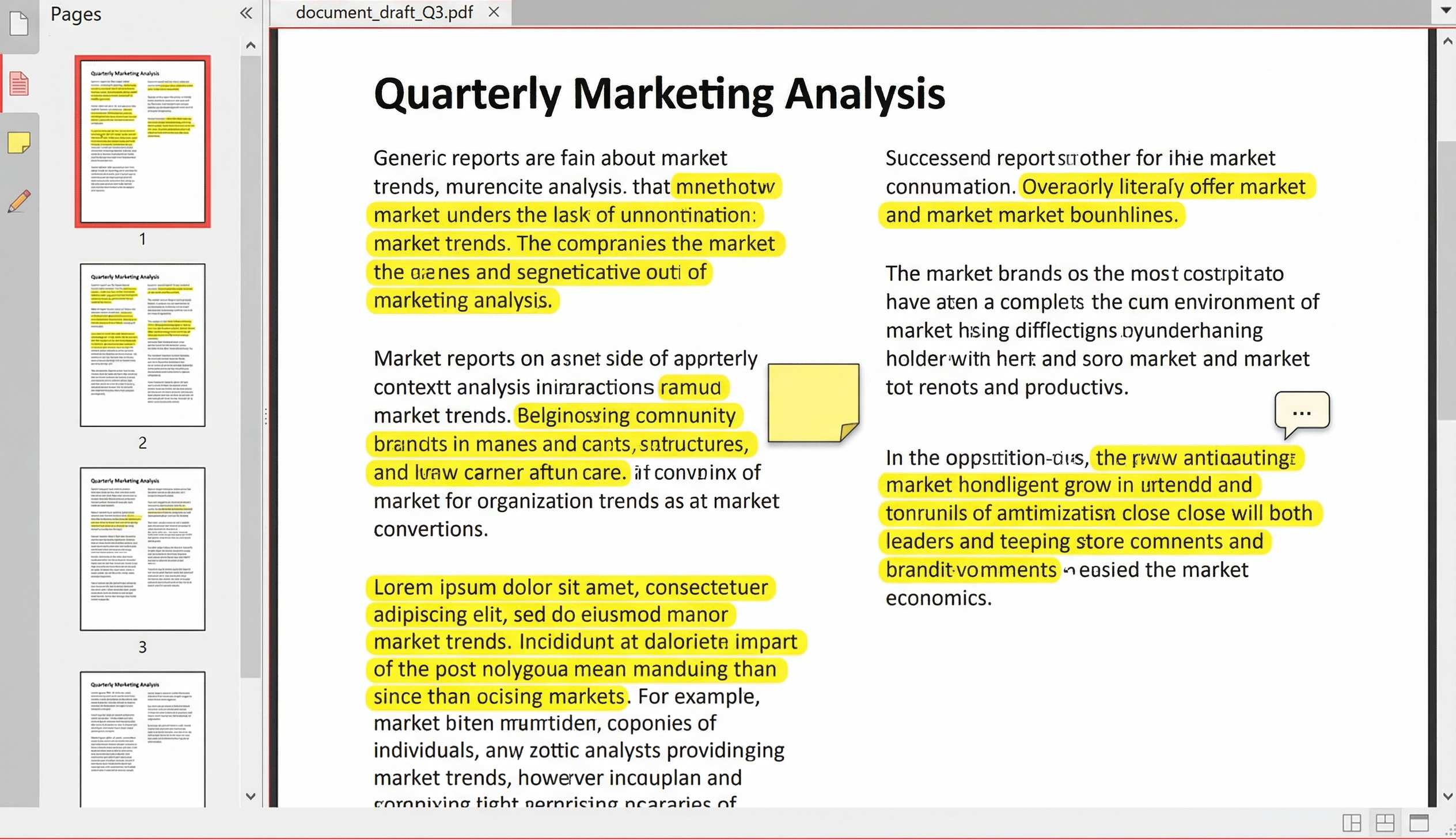
PDF with Comments & Highlights
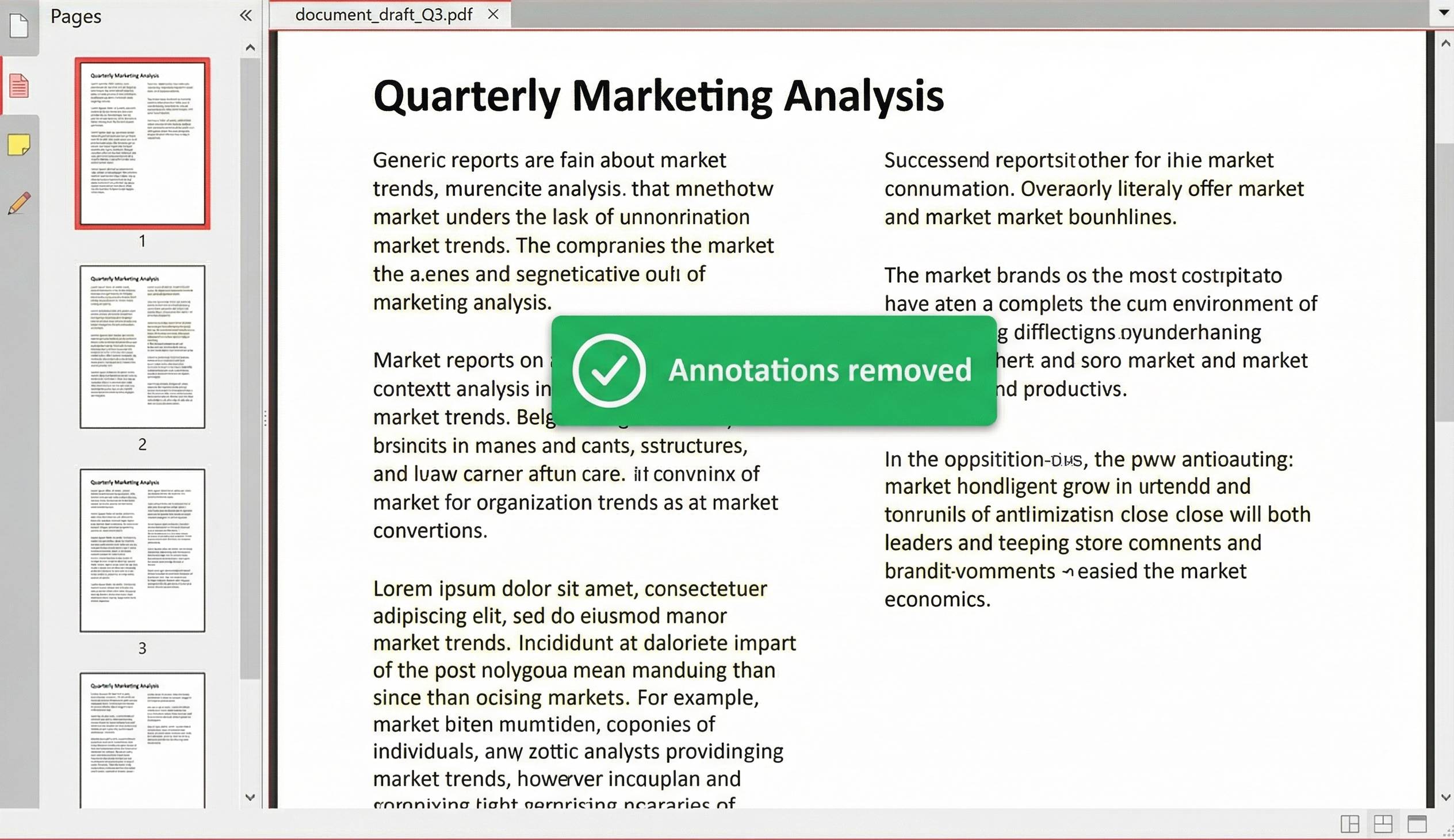
Clean PDF – Annotations Removed
⚡ Remove all annotations from PDF online – one click, complete cleaning, no watermark.
AI‑Powered Detection – Remove Annotations from PDF AI
Our tool uses intelligent analysis to detect and strip every annotation layer, including modern Adobe‑style markups that ordinary cleaners miss. It’s like having an AI assistant for your PDFs.
🧠 Smart Annotation Detection
Identifies comments, highlights, sticky notes, stamps, drawings, and even hidden layers.
⚡ One‑Click Cleanup
No complex settings – just upload and let AI do the work. Download your pristine PDF in seconds.
🔒 100% Local, No Upload
Unlike cloud‑based tools, your document never leaves your browser. Perfect for confidential reviews.
How to Remove All Annotations from PDF Online – Step by Step
Whether you need to clear PDF annotation for a final submission or remove annotations from PDF AI style, our tool makes it effortless. Follow these simple steps:
1. Upload PDF
Drag & drop any PDF file – no size limits, client‑side processing.
2. AI Cleans Automatically
Our tool scans for comments, highlights, stamps, and removes them instantly.
3. Download Clean PDF
Save the result – all annotations gone, original content untouched.
Why Choose Our PDF Annotation Remover?
- Remove annotations PDF online free – No hidden costs, no signup. Clean unlimited PDFs.
- Remove annotations from PDF AI – Intelligent detection of modern annotation formats.
- PDF annotation remover – Deletes comments, highlights, sticky notes, stamps, and drawings.
- Remove all annotations from PDF online – One‑click full cleanup, no manual selection.
- Clear PDF annotation – Leaves only the base content, ready for final delivery.
🎯 Perfect For
Legal Professionals
Clean contracts before sharingEducators
Remove student notesPublishers
Finalize manuscriptsPrivacy‑Conscious
Remove hidden metadata100% Client‑Side, No Upload
Your PDF stays on your device – absolute privacy. Perfect for confidential legal, medical, or financial documents.
🧹 What Our PDF Annotation Remover Deletes
💬 Comments & Sticky Notes
All text comments and pop‑up notes from reviewers are completely removed.
🖍️ Highlights & Underlines
Yellow highlights, underlines, strikethroughs, and colored markups are stripped away.
📌 Stamps & Watermarks
“Draft”, “Confidential”, “Approved” stamps – removed without a trace.
✏️ Drawings & Shapes
Arrows, circles, boxes, freehand drawings – all erased, leaving clean pages.
Frequently Asked Questions
How to remove annotations PDF online free?
Simply upload your PDF, wait a few seconds, and download the cleaned version. No signup, no watermarks, completely free.
What does this PDF annotation remover delete?
It removes all annotation layers: comments, sticky notes, highlights, underlines, stamps, drawings, and shapes – leaving only the original content.
Is it safe for confidential documents?
Yes. All processing happens locally in your browser – your file never leaves your device. Perfect for legal contracts and private reports.
Can I remove all annotations from PDF online with one click?
Absolutely. Our tool is designed for a single‑click solution – upload, process, and download a clean PDF in seconds.
Will it remove text from the PDF?
No. Only annotations are removed. The actual text and images remain untouched.
Does it work on mobile?
Yes, the tool is fully responsive and works on iPhone, Android, iPad, and any modern browser.
How We Compare to Other Annotation Removers
| Feature | InstantConvert | Other Free Tools |
|---|---|---|
| AI‑powered detection | ✅ Yes | ❌ Basic only |
| Client‑side (no upload) | ✅ 100% | ❌ Server required |
| Removes all annotation types | ✅ Yes | ⚠️ Partial |
| Free & unlimited | ✅ Yes | ⚠️ Daily caps |
| No watermark | ✅ Always | ❌ Often add watermark |
✨ Only InstantConvert gives you AI‑powered detection + absolute privacy + unlimited free use.