Insert Page Numbers in PDF Online Free
or drop PDF files here to insert custom page numbers with live canvas drag-and-drop
or drag & drop PDF documents here for instant client-side numbering
Processing PDF Document...
Please wait, rendering vector geometry and calculating coordinate offsets...
How to Insert Page Numbers in PDF Online in 3 Simple Steps
A lightning-fast visual workflow designed to paginate PDF online free with pixel-perfect precision.
Upload or Drop Your PDF
Drag & Customize Position
Insert & Save PDF
How Our PDF Page Numbering Engine Works
Learn the step-by-step mechanism behind our private, high-fidelity vector stamping pipeline.
Client-Side Vector Parsing
Our WebAssembly PDF.js engine reads the raw binary byte stream of your document into isolated device memory, extracting physical MediaBox, CropBox, and page rotation matrices.
Interactive Drag & Coordinate Mapping
When you drag the page number on the preview canvas, coordinates are translated in real-time from screen pixel space into PostScript point coordinates (1/72 inch standard) with 60 FPS fluidity.
Alternating Mirror & Cover Skip Engine
The pagination pipeline handles dynamic conditions: skipping cover pages, setting initial count offsets, and dynamically flipping coordinates for even pages to support double-sided duplex book printing.
Lossless PDF-Lib Vector Compilation
Using PDF-Lib, genuine vector text operators are embedded into the PDF content stream with standard typefaces (Helvetica, Times Roman, Courier). Images and existing text are untouched.
Powerful Performance Features
Engineered for razor-sharp typography, flexible custom positioning, and complete client-side data privacy.
100% In-Memory Privacy
When you insert page numbers in pdf files here, zero bytes are transmitted to remote servers. All computation runs locally.
Drag & Drop Precision
Drag the page number directly on the live canvas or choose standard header/footer presets to match your document design.
Mirrored Book Layouts
Prepare double-sided booklet prints or dissertations with automated alternating margin shifts for even and odd pages.
Exclude Cover Pages
Keep your title page or executive summary unnumbered with the one-click 'Skip First Page' toggle while indexing chapters accurately.
Sub-Second Execution
Powered by PDF-Lib WebAssembly compilation, add page numbers to PDF documents of hundreds of pages in just 2 to 3 seconds.
No Acrobat Required
Add page numbers to pdf without Acrobat or costly subscriptions. Runs directly in Chrome, Safari, Edge, and mobile browsers.
Professional Document Pagination: Insert Page Numbers in PDF Files
An enterprise-grade, in-browser PDF numbering engine engineered to stamp crisp vector page numbers, Roman numerals, and alternating duplex book margins according to official publishing standards without third-party cloud data exposure.
Standardized PostScript Vector Stamping vs. Layout Preservation
When working with academic theses, legal briefs, medical charts, and financial balance sheets, having systematic numbering is critical for document citation and regulatory compliance. When you insert page numbers in pdf documents using our tool, vector glyphs are compiled directly into the PDF content stream according to the ISO 32000-1 PDF standard specification [1].
Unlike ordinary converters that flatten your document into low-resolution raster images, our engine retains all underlying vector artwork, embedded TrueType fonts, form fields, and hyperlinks with zero distortion.
- Drag the number anywhere on the canvas to prevent collisions with existing logos or footers.
- Support for Arabic digits, Roman numerals (i, ii, iii / I, II, III), and Page X of Y notation.
- Lossless retention of original vector curves, photographic elements, and digital signatures.
Alternating Book Margins: Eliminating Inner Gutter Disappearance
When creating bound manuals, research dissertations, or commercial booklets, static page numbering creates serious issues: numbers positioned on inner page edges get lost inside the binding coil or spine glue.
Our Alternating Book Layout engine solves this automatically. Odd physical sheets stamp numbers on the outer right margin, while even sheets dynamically mirror to the outer left margin. This produces a bookstore-grade finish ready for double-sided duplex printing or Amazon KDP publishing.
- Automatically calculates mirrored horizontal offsets for even and odd pages.
- Prevents numbers from vanishing into spiral wire, thermal glue, or saddle-stitch staples.
- Combine with cover exclusion to paginate specific body chapters cleanly.
Local Browser Memory Sandbox: Zero Remote Data Exposure
Standard web converters transmit your sensitive contracts, financial statements, and medical forms across public cloud infrastructure. Our tool executes 100% inside an isolated WebAssembly memory sandbox directly on your computer or mobile device.
- Zero server telemetry, zero temporary cloud files, and zero data logging.
- Works offline once the initial browser cache is loaded.
- Safe for enterprise NDA filings, legal briefs, tax filings, and proprietary source data.
Visual Step-by-Step Workflow Guide
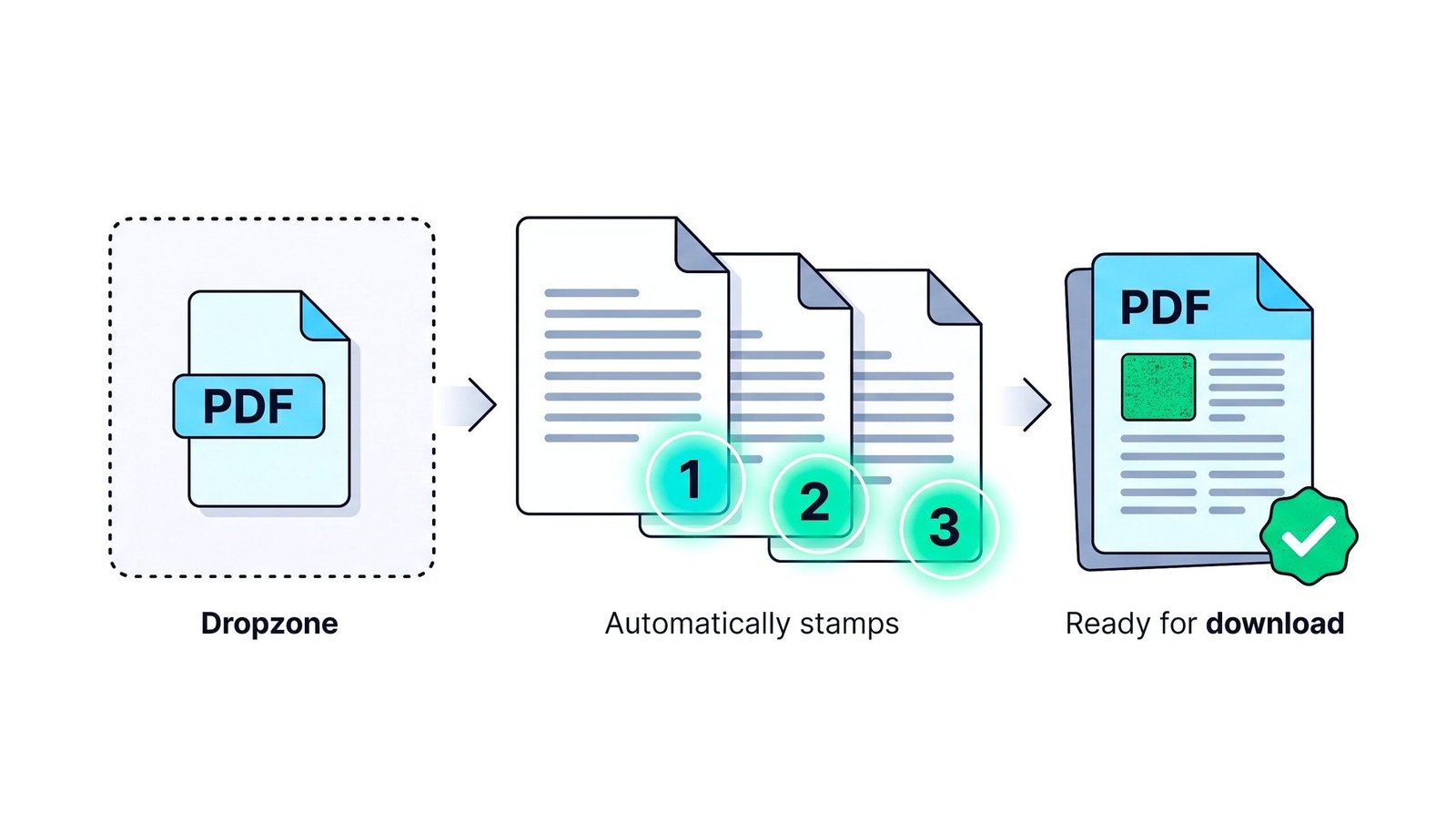
How to Number Pages of a PDF Online on Any Device
Straightforward, software-free instructions for Windows, macOS, Linux, and Mobile.
Insert Page Numbers in PDF on Windows 11 / 10
No need to install Adobe Acrobat or paid software. Open this web tool in Chrome, Edge, or Firefox:
- Select or drop your PDF document into the upload zone above.
- Choose your preferred position or drag the page number freely across the live canvas.
- Select your font family, size, color, and enable alternating margins if printing double-sided.
- Click "Insert Page Numbers & Download" to save your finalized document.
Add Page Numbers to PDF on Apple macOS
Works natively in Safari, Chrome, and Arc browser on MacBook and iMac:
- Load your document using the drag-and-drop zone.
- Preview page numbering alignment in real time on the visual canvas.
- Customize typography (Helvetica, Times New Roman, Courier) and specify cover page exclusion.
- Click "Insert Page Numbers & Download" to export instantly.
Paginate PDF Online Free on Linux (Ubuntu, Fedora, Arch)
No terminal commands or PDFtk binaries required. Works smoothly in modern Linux web browsers:
- Load your PDF document into the browser workspace.
- Customize text patterns (e.g.,
Page {page} of {total}) and configure offsets. - Click the action button to compile vector font streams locally in your browser RAM.
Number Pages of a PDF Online on iPhone, iPad & Android
Easily paginate files directly on your smartphone or tablet on the go:
- Tap the upload zone and select a PDF from your Files app or Google Drive.
- Touch and drag the page number on the preview screen to your preferred location.
- Tap "Insert Page Numbers & Download" to save the numbered PDF to your device.
Frequently Asked Questions
Everything you need to know about our private, client-side tool to insert page numbers in pdf files.
Simply drag and drop your PDF document into our upload zone above, select your desired alignment position (or drag anywhere on the live canvas), customize your numbering format (Arabic digits, Roman numerals, or Page X of Y), and click "Insert Page Numbers & Download". The entire process runs locally inside your browser in under 3 seconds.
You can add page numbers to PDF without Acrobat by using this 100% free web utility. It leverages modern WebAssembly compilation and PDF-Lib vector streams directly in your browser, eliminating the need for expensive desktop licenses or subscription software.
Yes! Select "Custom Position" and drag the page number directly on the live preview canvas using your mouse or touch screen. You can also fine-tune coordinates with the horizontal (X) and vertical (Y) percentage sliders.
Yes! Toggle the "Skip First Page (Exclude Cover)" switch to leave your cover page or executive summary unnumbered. You can also specify any custom starting page index and starting count value.
Enable the "Alternating Book Layout (Mirrored)" option. Odd pages will stamp page numbers on the outer right margin, while even pages dynamically mirror to the outer left margin. This prevents page numbers from getting hidden inside the binding gutter during double-sided duplex printing.
Yes, 100% secure. Unlike traditional cloud converters, our tool runs entirely inside your browser's local memory sandbox. Your document is never uploaded to any remote server or cloud database, guaranteeing complete privacy and GDPR/HIPAA compliance.
No. The underlying PDF vector stream, embedded photos, high-resolution graphics, and text formatting are 100% preserved. Only the newly stamped page numbers are drawn with your chosen font, color, and size parameters.