Free Online Tool to Batch Rename Files Securely
Organize messy folders in seconds with smart pattern variables, EXIF metadata tags, and zero quality loss.
or drop images & folders here to batch rename files with live preview
| Preview | Original Filename | ✨ NEW OUTPUT FILENAME (EDITABLE) ✍️ | Specs & Size | EXIF Status | Action |
|---|---|---|---|---|---|
| No images uploaded yet. Drag & drop photos above or click "Try Sample Images". | |||||
How to Batch Rename Files Online in 3 Simple Steps
A lightning-fast, privacy-first workflow designed to structure thousands of files in seconds.
Upload Images or Entire Folder
Configure Pattern & EXIF Tags
Download Renamed ZIP Losslessly
How Our Batch Renaming Utility & Pattern Engine Works
Learn how our in-browser metadata parser structures filenames with zero cloud latency.
In-Memory Header & EXIF Parsing
When you select files or folders, the browser reads binary headers locally. Camera model, aperture, shutter speed, ISO, and original timestamp metadata are extracted into memory instantly.
Dynamic Tokenization & Regex Replacement
Our template lexer replaces smart tags like {date}, {num}, and {cameramodel} in real time. Custom padding, case conversions, and regex find-and-replace rules apply on the fly.
Collision Resolution & Deduplication Check
The engine cross-checks all planned filenames against a hash map. If duplicate names occur, incremental safety counters (_1, _2) are appended to guarantee zero accidental overwrites.
Zero-Touch ZIP Compilation
Original binary blobs are packaged directly into a standard ZIP archive with updated filename entries. Pixel data and color profiles are untouched—preserving 100% DSLR quality.
Powerful Performance Features of Our Advanced Renamer Online
Built for professional photographers, digital asset managers, and web creators seeking absolute speed and precision.
100% Client-Side Privacy
Files never leave your device. All renaming and compression occur entirely within local browser memory.
Zero-Touch Encoding
Ensures 100% bit-exact preservation of facial textures, dynamic range, and color grading without lossy re-encoding.
EXIF Camera Extraction
Seamlessly embed camera model, ISO, focal length, aperture, and capture timestamps directly into filenames.
Audit Log CSV Export
Export a complete mapping sheet linking original names to new filenames with byte-sizes for documentation.
Live Interactive Preview
Inspect and manually override any filename directly in the table with real-time collision detection alerts.
Multi-Format Batch Support
Supports JPG, PNG, WEBP, GIF, BMP, TIFF, and SVG files in a single unified renaming queue.
Smart Variables, Zero-Touch Quality & Local Processing Architecture
Organizing messy folders is now effortless. Our fast, client-side tool allows you to batch rename files directly in your browser without any slow uploads, bandwidth consumption, or data leakage.
Smart Variable Tokenization & Regex Replacement
When organizing thousands of raw photo assets or design files, static prefixing is insufficient. Our advanced renamer online parses dynamic template strings using an in-memory tokenization lexer, allowing you to seamlessly integrate timestamps, sequential counters, and EXIF parameters.
Whether you need to bulk rename images for an e-commerce catalog (e.g., SKU_Product_{num}) or catalog wedding sessions by shooting date (Wedding_{date}_{cameramodel}), our system computes new filenames instantly.
- Custom sequential numbering with adjustable start index, increment step, and digit padding.
- Automated EXIF parsing for camera make, ISO rating, shutter duration, and optical focal length.
- Built-in regex find-and-replace to strip unwanted characters, spaces, and duplicate strings.
Zero-Touch Encoding: Preserving 100% DSLR Dynamic Range
Many generic renaming utilities accidentally re-encode image streams through canvas buffers, destroying fine facial details, skin pore clarity, color grading curves, and Kelvin white balances.
Our batch renaming utility executes zero-touch binary pass-through via HTML5 File and Blob APIs. Only the container descriptor string is updated—leaving 100% of your camera's high dynamic range, optical bokeh, and color profiles bit-for-bit pristine.
- Facial identity and fine portrait textures remain exactly as captured by your lens.
- Zero generation loss, chroma subsampling artifacts, or edge halo compression.
- Compatible with high-bitrate photographs, RAW derivatives, and professional graphics.
Local Browser Sandbox & Memory-Safe Execution
Uploading gigabytes of personal photographs or sensitive client deliverables to third-party web servers introduces severe privacy hazards, bandwidth costs, and server wait times.
You can safely batch rename photos online with our browser-native system. All calculations execute directly on your CPU and GPU threads. Review international standard filename conventions to ensure cross-platform compatibility across Windows, macOS, and Linux servers [1].
- Zero server packet uploads: completely isolated from network telemetry.
- Instant batch ZIP generation using multi-threaded client-side compression.
- Safe for enterprise NDA shoots, confidential legal discovery, and medical imagery.
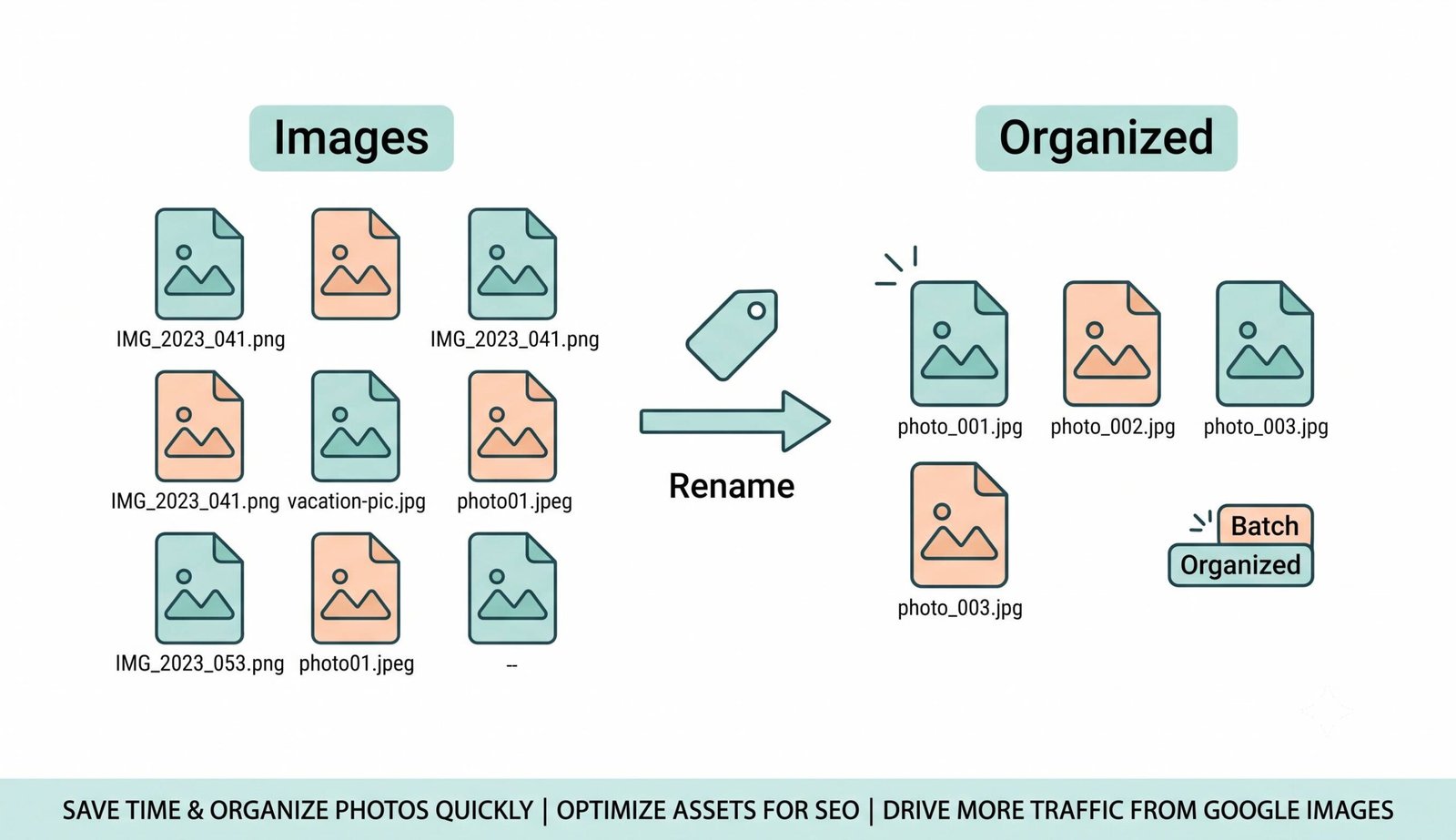
Frequently Asked Questions
Everything you need to know about our free, private client-side batch file renaming tool.
Our client-side application is the fastest way to bulk rename images. Because files never leave your device, you can instantly rename thousands of large high-resolution photos in milliseconds without uploading megabytes over slow internet connections.
Not at all. As a professional batch renaming utility, it strictly modifies the file names without touching the visual binary data. Your DSLR-level optical clarity, expert color grading, dynamic range, and fine facial features remain 100% bit-for-bit identical.
Yes! Our advanced renamer online allows you to use smart variables ({num}, {date}, {cameramodel}, {resolution}), customizable prefixes, suffixes, and custom sequential numbering (with configurable start index, step, and zero-padding) to perfectly structure your files.
Absolutely. You can safely batch rename photos online on our platform because all processing happens entirely within your web browser. No photos are transmitted to external servers, guaranteeing total GDPR compliance and confidential data security.
Yes! Click the "Select Folder" button or drag and drop an entire folder hierarchy directly into the application queue. The tool will parse and sort all supported image formats automatically.
Our real-time collision detection system automatically identifies naming duplicates and appends safe incremental numbers (e.g., _1, _2) so no files are accidentally overwritten or lost inside the downloaded ZIP package.
This tool is 100% free with no watermarks, account sign-ups, or subscriptions required. You can process batches of up to 50 files per session to maintain peak browser performance and run unlimited batches consecutively.