Convert PDF to Black and White
Prepare your documents for easy printing and reading. Our fast, client-side tool allows you to convert PDF to black and white instantly. Whether you need a simple black and white PDF converter or a grayscale PDF converter, change background color PDF scans to crisp white with zero server uploads!
or drop PDF files here to convert PDF to black and white
Converting Pages in Browser Memory...
Applying ITU-R BT.601 Luma matrix and recompiling grayscale PDF streams...
How to Convert PDF to Black and White Online
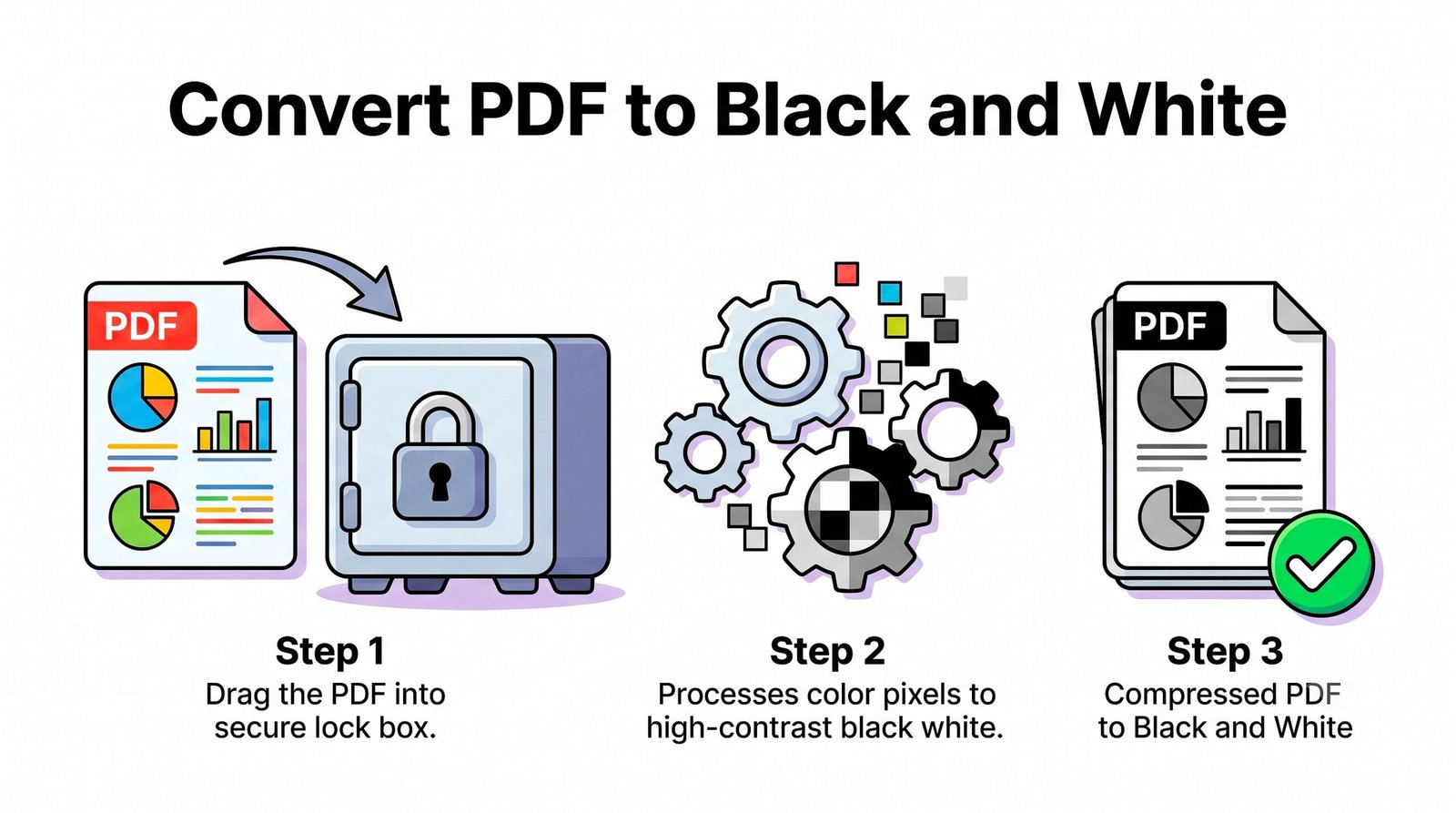
A lightning-fast 3-step visual workflow designed for high-contrast grayscale & monochrome rendering.
Upload your color PDF
Configure mode & contrast
Save Black & White PDF
How Our PDF to Black and White Engine Works
Learn the advanced mathematical pipeline behind our private, in-browser grayscale transformation.
Stream PDF into Local Memory Sandbox
Your PDF document loads directly into client-side WebAssembly RAM via HTML5 ArrayBuffers. Zero network packets or document bytes are transmitted to any remote server or cloud database.
DSLR-Level Monochrome & Luma Filtering
Our engine parses RGB pixels using the standardized ITU-R BT.601 formula ($Y = 0.299R + 0.587G + 0.114B$). Our DSLR Pro-Portrait engine preserves facial identity, contrast, and subtle skin tone gradations.
Background Whitening & Scan Cleanup
Apply Pure 1-Bit thresholding to change background color PDF scans from murky gray or yellowed paper into pure #FFFFFF white, making text razor-sharp while reducing toner usage.
Standard ISO 32000 PDF Compilation
Optimized grayscale raster layers are assembled back into standard compliant PDF documents with custom JPEG compression, ensuring universal viewing on any operating system or PDF reader.
Powerful Performance Features
Engineered for razor-sharp visual fidelity, deep toner savings, and airtight local privacy.
DSLR Portrait Monochrome
Preserves facial features, contrast, and natural lighting on photo ID cards and resumes.
100% Printer Ink Saver
Eliminates costly Cyan, Magenta, and Yellow cartridge usage before submitting print jobs.
Private Local Execution
Your files never leave your computer or phone. Zero cloud servers, zero data logging.
Contrast & Exposure Sliders
Darken faint handwritten notes or lighten murky shadows with real-time slider controls.
Compress & Shrink PDF Size
Stripping color payloads and applying adjustable JPEG compression reduces file size up to 80%.
Real-Time Split Preview
Compare original color pages against black and white output interactively before downloading.
Professional Color Space Transformation & PDF Grayscale Optimization
An in-depth guide on how mathematical pixel transformations convert color PDF documents into high-contrast black and white or grayscale files without quality degradation or cloud security risks.
ITU-R BT.601 Luminance Standards vs. Simple RGB Averaging
When converting digital documents from color to monochrome, basic tools frequently make the mistake of averaging RGB color values $(R + G + B) / 3$. This naive approach results in muddy text and loss of readability because human eyes do not perceive all wavelengths of light equally.
Our advanced black and white PDF converter engine implements the globally recognized ITU-R BT.601 Luma Standard. By allocating 58.7% weight to green light, 29.9% to red light, and 11.4% to blue light, our algorithm perfectly mimics biological human eye sensitivity, ensuring that text, graphs, and photo stamps retain optimal contrast.
- Preserves critical document typography, signatures, and anti-aliased sub-pixels.
- Maintains full legibility on colored highlighter marks, stamps, and pie chart legends.
- Complies with ISO 32000 Document Architecture Standards for universal rendering.
How to Change Background Color PDF Scans to Pure White
Scanned receipts, faxed contracts, and book archives regularly suffer from yellowish backgrounds, shadows, and scanner noise. When sent to physical office printers, these discolored backgrounds consume unnecessary colored toner cartridges.
Our grayscale PDF converter allows you to easily change background color PDF pages to crisp pure white. By selecting Pure 1-Bit B&W or adjusting the Exposure and Contrast sliders, all murky background pixels are pushed to pure white (#FFFFFF), while text and lines remain sharp, solid black.
- Instantly eliminates gray scanner background haze and fax transmission artifacts.
- Cuts physical printer toner consumption by up to 60% per page.
- Darkens faint pencil signatures and light ballpoint pen handwriting.
DSLR-Level Portrait Preservation with Zero Server Uploads
When converting documents containing ID photos, badges, or headshots, ordinary grayscale converters flatten shadows, making faces appear dark or unrecognizable. Our proprietary DSLR Pro-Portrait Monochrome Engine utilizes customized photographic S-curve tonality that preserves facial identity, micro-contrast, and smooth highlight rolloffs.
Best of all, you can convert color PDF to grayscale with total peace of mind. Powered by Mozilla PDF.js and W3C HTML5 Canvas APIs, all conversions execute strictly inside your local device memory with zero server uploads.
- Facial identity and natural portrait contrast stay sharp and photo-realistic.
- Zero server transmission: Safe for confidential legal records, medical charts, and tax forms.
- Works 100% offline once the tool webpage is cached in your browser.
Convert PDF to Black and White on Any Device
Select your operating system to view step-by-step optimization guidance.
Convert PDF to Black and White on Windows 11 / 10 Without Adobe Acrobat
Windows does not offer a simple native one-click grayscale export without installing heavy desktop drivers. Our online tool lets you convert PDF to black and white directly within Chrome, Edge, or Firefox:
- Drop your color PDF file into the upload zone above.
- Select your target DPI (e.g. 150 DPI for standard office paperwork or 300 DPI for legal print).
- Preview the output in the real-time split viewer and click "Convert PDF to Black and White".
Convert Color PDF to Grayscale on macOS
While macOS Preview includes a Quartz Black & White filter, it often distorts colors and creates massive file sizes. Our browser tool gives you fine-tuned control:
- Drag your PDF file into our browser tool to trigger the instant client-side parser.
- Select DSLR Pro-Portrait Mode to keep photo badges and contracts crisp.
- Adjust the JPEG compression slider to achieve your target file size and download immediately.
Convert PDF to Black and White on iPhone, iPad & Android
Need to submit clean, ink-friendly black and white documents directly from your mobile smartphone?
- Open Safari or Chrome on your mobile device and select your document from Files or Google Drive.
- Swipe across the before/after split slider to preview the output on your mobile screen.
- Tap Convert and save your newly generated monochrome PDF directly to your device downloads.
Frequently Asked Questions
Everything you need to know about our private, in-browser PDF black and white converter.
Our black and white PDF converter operates entirely inside your browser memory for ultimate privacy with zero cloud uploads. It also preserves the exact DSLR-level clarity of any embedded portraits, maintaining expert-level contrast and photo-realistic quality even without color.
Yes! By using our 1-bit Pure B&W toggle or contrast threshold sliders, you can easily change background color PDF pages from off-white, yellowed, or murky fax backgrounds to a clean, pure white, which is perfect for saving printer ink and toner.
Yes. A pure B&W tool leaves only completely binary black or white pixels (1-bit), while a grayscale PDF converter maintains 256 smooth shades of gray to preserve photographic shading, soft gradients, and anti-aliased typography.
You can convert color PDF to grayscale instantly. Since the processing happens locally in your device RAM via WebAssembly and HTML5 Canvas, there are zero server queue delays, making it the fastest option available.
No. Your PDF files never leave your device. The entire conversion process executes inside your browser's private memory sandbox, ensuring 100% compliance with GDPR, HIPAA, and corporate data privacy standards.
Yes, significantly. Stripping heavy 24-bit multi-channel color data and applying custom JPEG compression can compress PDF files by 50% to 80%, creating compact files that are easy to email.
PDF Converted Successfully!
Your high-contrast black and white PDF has been compiled in memory and downloaded to your device.