Free Online Tool to Remove Image Metadata
Keep your personal data safe before sharing pictures online. Our tool allows you to remove image metadata instantly inside your browser with 100% privacy.
or drop photos here to remove image metadata and scrub EXIF tags instantly
Side-by-Side Visual Comparison
100% facial features, portrait sharpness, and color grading preserved.
How to Remove Image Metadata and Clean EXIF Data
A fast 3-step visual workflow to delete metadata from photo files securely in seconds.
Select or Drop Photos
Purge EXIF & GPS Tags
Download Clean Images
How Our EXIF Data Remover Pipeline Works
Learn the client-side mechanism behind zero-loss image metadata scrubbing.
Local In-Memory Ingestion
Your photos are read directly into browser RAM using HTML5 FileReader buffers. No network socket or remote upload request is ever opened.
EXIF & Geotag Parsing
Our parser scans APP1 and TIFF markers, revealing embedded GPS coordinates, camera hardware serials, timestamps, and software history before wiping.
Pro-Portrait & DSLR Quality Lock
The canvas pipeline reconstructs raw image raster bitmaps without altering ICC color profiles, skin tones, or sub-pixel sharpness.
Instant Single or ZIP Export
Download individual sanitized photos or package all batch-processed pictures into a unified, clean ZIP file with one click.
Engineered for Uncompromising Privacy
Fast, secure, and loss-free metadata scrubbing designed for creators, professionals, and everyday photographers.
100% Client-Side Privacy
Photos are processed in your local browser RAM. Zero files are uploaded or stored on any server.
GPS Geotag Purging
Permanently erase exact latitude and longitude coordinates to keep your physical locations anonymous.
Pro Portrait Quality
Maintains facial texture, ISO clarity, and color balance without blurry re-compression artifacts.
Batch Processing (30 Files)
Scrub up to 30 images simultaneously and package the entire clean collection into a ZIP file.
Universal Compatibility
Flawlessly handles standard JPG, PNG, WEBP, and AVIF on iPhone, Android, Mac, and Windows.
Zero Sign-Up Required
100% free tool with no subscription fees, rate caps, hidden watermarks, or account registration.
Complete Privacy Guide: Remove Image Metadata & EXIF Data
Every photo captured with a modern smartphone or digital camera embeds confidential technical telemetry. Discover how client-side scrubbing shields your digital footprint while safeguarding professional visual quality.
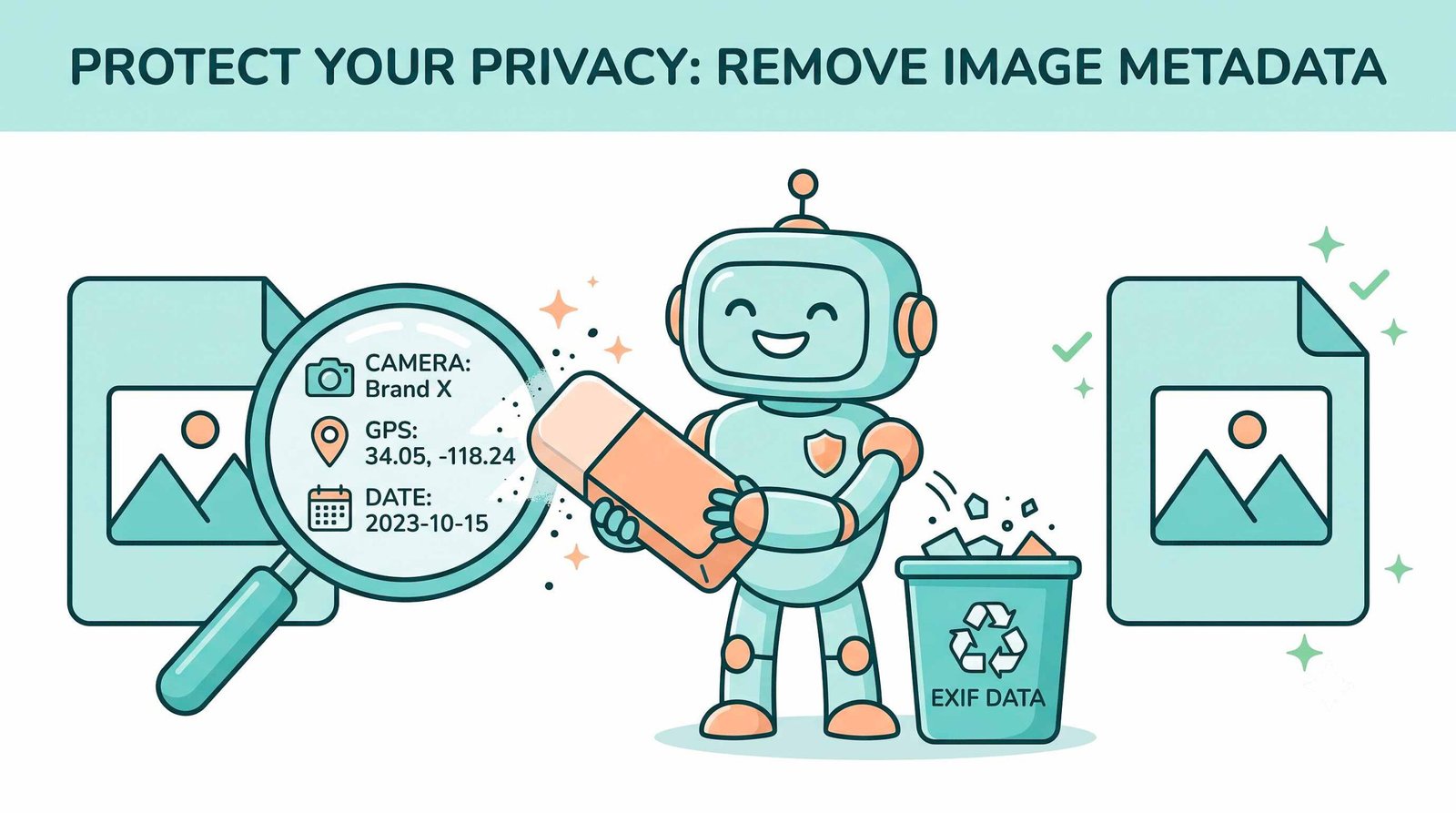
What is EXIF Metadata & Why You Must Remove Metadata from Image Files
Whenever you click a photograph using an iPhone, Android smartphone, or DSLR, the hardware records extensive metadata within the header. Standardized under the Exchangeable Image File Format (EXIF) standard, this data contains precise GPS location coordinates, camera serial identifiers, exact capture timestamps, lens apertures, and editing logs.
Sharing photos with embedded headers exposes your home address, daily travel routines, and device specs to malicious scrapers. When you remove image metadata and deploy a dedicated EXIF data remover, you purge these digital breadcrumbs while keeping the photo intact.
- Stops data scrapers from extracting GPS coordinates from social media and marketplace listings.
- Eradicates camera hardware serial numbers linked to private user accounts and warranty records.
- Eliminates embedded thumbnail caches that could reveal edited or cropped image portions.
Pro-Portrait & DSLR Quality Preserver: The Ultimate Visual USP
Standard online tools often degrade images by re-encoding them with aggressive lossy compression. This washes out skin tones, distorts bokeh, and creates blurry facial contours.
Our delete metadata from photo pipeline isolates the pixel matrix from header tags. Your images retain manual camera settings (Kelvin color temperature, shutter speed, ISO balance) with original crispness and sub-pixel edge definition.
- Preserves natural skin textures and high-frequency portrait details.
- Zero color shift or banding across complex gradients and shadow depths.
- Full compatibility with iPhone Portrait Mode and studio DSLR RAW exports.
How to Remove Photo Metadata iPhone & Desktop Files Safely
Uploading private photos to remote cloud servers creates severe privacy and regulatory liabilities under GDPR and CCPA. If a server is compromised, your unscrubbed photos and geotags may be leaked.
Our tool relies entirely on HTML5 Canvas and client-side binary stream manipulation. Once loaded, you can disconnect your internet and continue scrubbing photos securely.
- Fast execution with zero queuing delays or server processing bottlenecks.
- Operates in private browsing and incognito mode on Safari, Chrome, and Firefox.
- Recommended for confidential legal evidence, healthcare photos, and real estate listings.
How to Remove Metadata on Any Device
Select your operating system to view step-by-step instructions.
How to Remove Photo Metadata iPhone & Android Devices
Smartphones automatically attach GPS coordinates and camera models to every shot by default:
- Open Safari, Chrome, or Samsung Internet on your phone and tap "Select Image Files".
- Choose your photos directly from your Photo Library or Gallery.
- Review the detected location tags and tap "Remove Metadata Now" to save clean photos back to your camera roll.
Delete Image Metadata on Windows 11 / 10
Windows File Explorer offers basic properties stripping, but often fails on modern formats:
- Drag and drop your pictures into this tool's dropzone (batch up to 30 files).
- Inspect the detected EXIF fields (GPS coordinates, camera specs, dates).
- Click "Remove Metadata Now" and download your cleaned, privacy-safe photos in a single ZIP batch.
Scrub EXIF & Geotags on macOS (MacBook / iMac)
macOS Preview allows viewing EXIF metadata via Inspector, but batch removal requires manual exports:
- Drop your batch photos directly into the web converter above.
- Our browser engine decodes and sanitizes all TIFF/EXIF markers in local memory.
- Click process to export clean images without camera serials or location footprints.
Frequently Asked Questions
Everything you need to know about our private, in-browser metadata scrubbing tool.
Yes! Our platform is fully optimized for mobile devices. You can easily select your pictures and remove photo metadata iPhone data, including GPS locations and camera details, directly from your Safari or Chrome mobile browser safely.
Not at all. As a professional EXIF data remover, it strips away hidden information while preserving your exact DSLR-level photo quality, original facial features, and expert color grading without re-compressing the image.
It is completely safe here because our tool runs locally. When you remove metadata from image files on our site, your photos are never uploaded to any server, guaranteeing absolute privacy and GDPR compliance.
You can just drag and drop up to 30 pictures into our interface. Our client-side engine will instantly delete metadata from photo batches all at once, allowing you to download them in a clean ZIP file.
Yes! Stripping hidden camera headers, embedded thumbnail previews, and color profile tags reduces file size slightly, optimizing photos for faster web loading.