Free Voice Cleaner Online
or drop audio files here to clean voice online and eliminate background hiss in real-time
How to Clean Voice Online and Remove Audio Noise
A lightning-fast 3-step visual workflow designed to eliminate background noise from audio instantly.
Upload Voice Recording
Tune DSP with Live Preview
Export Studio Master Track
How Our Voice Cleaning & Noise Reduction Engine Works
Learn the acoustic mechanism behind our private, multi-band digital signal processing (DSP) pipeline.
Zero-Latency In-Memory Decoding
Upload MP3, WAV, M4A, or FLAC recordings. Our engine streams raw PCM floating-point channels directly into browser memory sandbox with zero remote server upload time.
Multi-Band Spectral Noise Isolation
Smart frequency notch filters isolate 50/60Hz ground hums, while high-pass and low-pass filters eliminate wind rumbles and high-frequency tape hiss without muffling vocal presence.
Formant Clarity & Equalization
Our parametric speech boost highlights 3kHz intelligibility formants while our 5-band graphic equalizer tailors bass warmth and high-end air for broadcast-ready podcast quality.
DSLR Album Art & ID3 Preservation
Export clean studio audio in MP3, WAV, or OGG containers. All embedded ID3 metadata tags, album covers, and high-resolution portrait art remain 100% intact.
Powerful Audio Cleanup Features
Engineered for crystal-clear vocal reproduction, real-time preview tuning, and uncompromising local privacy.
Speech Clarity Formants
Sharpens 3kHz vocal presence curves so conversations sound loud, crisp, and articulate.
Multi-Band Noise Gate
Isolates and subtracts AC humming, microphone hiss, fan rumble, and street noise seamlessly.
100% Client-Side Privacy
Your voice recordings stay strictly on your device. Zero remote server uploads or cloud logging.
Live Interactive Preview
Listen to real-time audio playback while adjusting filters before rendering the master track.
DSLR Album Art Retained
Preserves high-resolution cover photos, portraits, and ID3 metadata tags during export.
Zero Software Installation
Runs entirely in Chrome, Safari, Firefox, Edge, Android, and iOS without extra apps.
Secure & Free Voice Cleaner Online
Transform your noisy recordings into studio-quality tracks instantly. Our completely free voice cleaner online works securely within your browser, offering the best audio noise reduction online without uploading your private files to remote servers.
Multi-Band DSP Isolation vs. Destructive Low-Pass Filters
Conventional online tools often ruin vocal recordings by applying crude low-pass filters that muffle your voice and introduce strange underwater phasing artifacts.
Our free voice cleaner online leverages intelligent multi-band spectral gating. It specifically isolates continuous background hums, fan whirrs, and room reverberation while keeping essential 300Hz to 3.4kHz human vocal formants crystal clear.
- Effortlessly clean voice online for podcasts, voiceovers, and YouTube narrations.
- Retains natural speech harmonics without making your tone sound robotic or hollow.
- Real-time A/B bypass comparisons to verify audio quality before rendering.
Targeted Notch Filtering to Remove Hiss & Electrical Hum
Electrical ground loops and cheap laptop chargers frequently cause persistent 50Hz or 60Hz hums, while unshielded condenser microphones add noticeable high-frequency hiss.
With our smart multi-band toggles, you can easily remove hiss from audio and eliminate low-frequency fan noise without damaging voice depth. Explore more on fundamental audio noise reduction techniques.
- Directly remove background noise from audio without clipping vocal consonants.
- 5-Band Equalizer for quick voice clarity, music balance, and podcast warmth tuning.
- Supports batch conversion with real-time waveform visualizers on all devices.
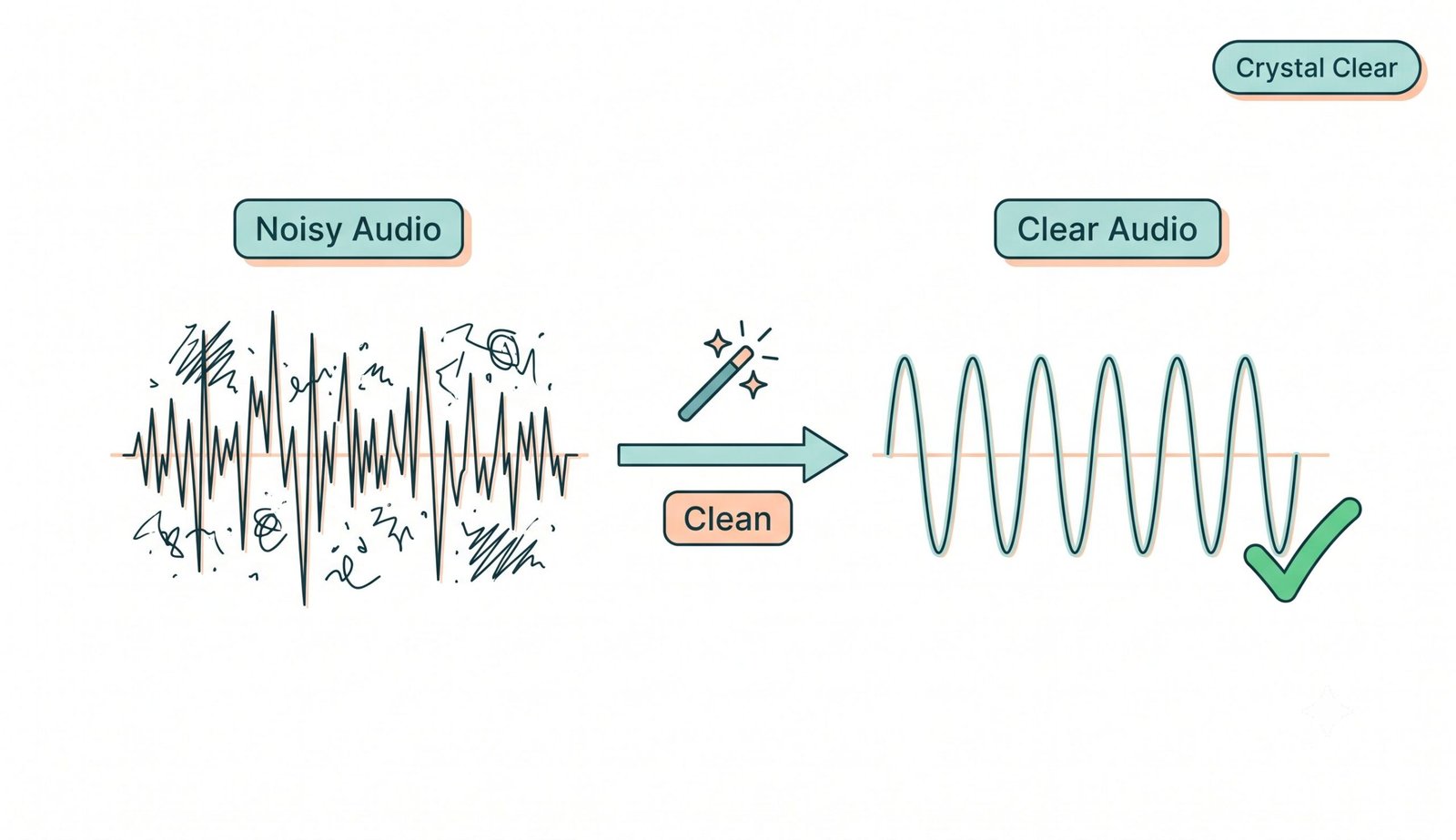
Figure 1: Spectral noise subtraction removing background hiss while preserving central vocal frequencies.
100% Client-Side Sandbox & Pro DSLR Album Art Preservation
Unlike cloud services that store your private audio on remote servers, our audio noise reduction online engine executes entirely in-memory on your device's CPU.
Additionally, our master export engine strictly preserves embedded ID3 tags, artist metadata, and high-resolution DSLR portrait album art with zero compression loss.
- Confidential business calls, patient interviews, and private voice memos stay 100% private.
- Full offline capability after initial browser page load.
- Export directly in 320kbps MP3, lossless WAV, or high-efficiency OGG formats.
🎙️ Podcasting & Voiceovers
Remove room reflections, computer fan hums, and mouth clicks to achieve a broadcast-ready voice sound instantly.
🎥 YouTube & Video Creators
Eliminate wind rumble, HVAC hiss, and traffic noise from field recordings and vlog audio clips.
📚 E-Learning & Online Lectures
Make low-quality Zoom or lecture hall recordings crystal clear so students can study without ear fatigue.
Frequently Asked Questions
Everything you need to know about our free voice cleaner online and audio noise reduction engine.
The absolute fastest way is using our offline-capable web platform. You can securely remove background noise from audio directly on your device with real-time DSP filtering, ensuring zero upload time and maximum privacy for your recordings.
Yes! Our smart multi-band noise gating system allows you to specifically target high frequencies, making it incredibly easy to remove hiss from audio without making your vocal track sound muffled or robotic.
Not at all. When you perform audio noise reduction online with us, our advanced exporter strictly preserves the exact DSLR-level clarity, expert color grading, and facial features of any album covers or ID3 artwork attached to your file.
It is the premier choice to clean voice online because it utilizes powerful client-side processing, instantly transforming noisy mobile recordings into professional, studio-grade tracks entirely for free.
Yes, 100%. All processing runs locally inside your browser using JavaScript and the Web Audio API. Your files are never uploaded to any remote server or stored anywhere online.
You can upload MP3, WAV, M4A, AAC, FLAC, OGG, and WebM files up to 200MB. You can export your clean audio as high-bitrate MP3, uncompressed lossless WAV, or OGG format.