Free PDF Annotation Remover: Remove Highlight PDF Instantly
Transform your messy documents into clean, readable files instantly. Our completely free tool helps you remove highlight PDF securely within your browser.
or drop PDF files here to delete PDF comments and highlights instantly
Selective "Type-Based" Wipe Matrix
Highlights & Ink Markups
Strips yellow/color highlights, freehand drawings, squiggles, underlines & strikethroughs.
Sticky Notes & Comments
Purges popup comments, author feedback bubbles, review callouts, and timestamped notes.
Form Fields & AcroForms
Removes interactive text input boxes, radio buttons, checkboxes, and form widget overlays.
Deep Vector Clean (Flattened Ink)
Removes burned-in pen scribbles, black signatures & background highlight rectangles from content streams.
Processing PDF in Memory Sandbox
Scanning /Annots dictionary and purging marker highlights...
PDF Highlights & Markups Successfully Removed!
Your document has been stripped of selected highlight layers, ink drawings, and comments. Vector fonts, text geometry, and embedded portraits have been preserved at 100% DSLR-grade optical clarity.
Interactive Before / After Verification
Drag the vertical slider to compare Page 1How to Remove Highlight PDF Markings Online
A lightning-fast 3-step visual workflow engineered to delete PDF comments and highlights with zero server transfers.
Upload your PDF document
Select & purge markups
Download 100% clean PDF
How Our PDF Annotation Remover Engine Works
Learn the exact step-by-step mechanism behind our private, in-memory annotation stripping architecture.
Stream Binary into Memory Sandbox
Your PDF document streams into an isolated browser memory buffer via WebAssembly. Zero packets leave your machine, guaranteeing total privacy for sensitive legal, financial, and medical documents.
Selective Object Dictionary Parsing
The engine scans the page cross-reference table, targeting specific entries in the /Annots array (such as /Highlight, /Text, and /Ink) while keeping essential bookmarks and layout trees intact.
Pro-Portrait & DSLR Quality Preservation
Unlike lossy tools that flatten pages into low-res rasters, our parser leaves underlying font vectors and embedded portrait photographs completely untouched with original DSLR-grade color grading.
Re-Serialize & Export Clean PDF
The sanitized object graph is recompiled into an ISO 32000-compliant document binary ready for instant local download with full compatibility across Adobe Acrobat and mobile readers.
Powerful Performance Features
Engineered for surgical markup removal, rapid processing, and uncompromising document privacy.
Selective Type-Based Wipe
Remove marker highlights while keeping important comments, or wipe all annotations simultaneously in 1-click.
DSLR Portrait Preservation
Maintains 100% optical resolution for embedded portrait photos, facial features, and graphic illustrations.
Private Local Execution
Your confidential contracts and records never touch external cloud servers. Zero data storage or tracking.
1-Click Clean Slate Mode
Instantly purge all comments, notes, ink drawings, and form widgets with a single click in under 2 seconds.
Vector Font Integrity
Preserves embedded TrueType and OpenType fonts without blurring, rasterization, or pixelation.
Works Offline Seamlessly
Once loaded in your web browser, our tool functions completely offline without an active internet connection.
In-Depth Technical Guide to PDF Annotation Removal
Discover how our client-side PDF annotation remover cleans document layers, protects sensitive feedback, and preserves professional typography without remote data exposure.
How ISO 32000 PDF Annotations Are Stored & Stripped
In standard PDF architecture according to Adobe PDF Standards [1], annotations are not burned directly into the base page stream. Instead, they reside in an auxiliary dictionary array labeled /Annots.
When you use our tool to remove highlight PDF markups, our engine parses the underlying cross-reference table, selectively excises yellow highlights (/Highlight), underlines (/Underline), and squiggles without rasterizing the underlying vector typography.
- Purges markup rectangles while keeping underlying text content selectable.
- Eliminates confidential review notes, peer feedback, and author timestamps.
- Significantly reduces file weight and prevents unwanted print artifacts.
Preserving DSLR-Grade Portrait Clarity & Vector Typography
Many online PDF cleaners re-encode pages into compressed images, destroying portrait quality, text sharpness, and color grading.
Our advanced engine ensures that embedded portrait photographs and vector illustrations maintain professional DSLR optical sharpness with zero lossy compression, perfect shutter/Kelvin fidelity, and compliant formatting.
- Maintains flawless facial features and optical sharpness on passport and ID photos.
- Zero color-space distortion across print CMYK and wide-gamut sRGB assets.
- Adheres to universal accessibility standards per W3C Accessibility Guidelines [2].
Airtight Client-Side Sandbox: Zero Cloud Exposure
Standard web converters transmit confidential documents across remote third-party web servers. Our PDF annotation remover executes entirely inside an isolated WebAssembly memory sandbox on your device's physical CPU.
- Zero server telemetry, temporary database logging, or remote data exposure.
- Functions 100% offline once the page is loaded into your web browser.
- Safe for legal discovery, medical records, financial statements, and contracts.
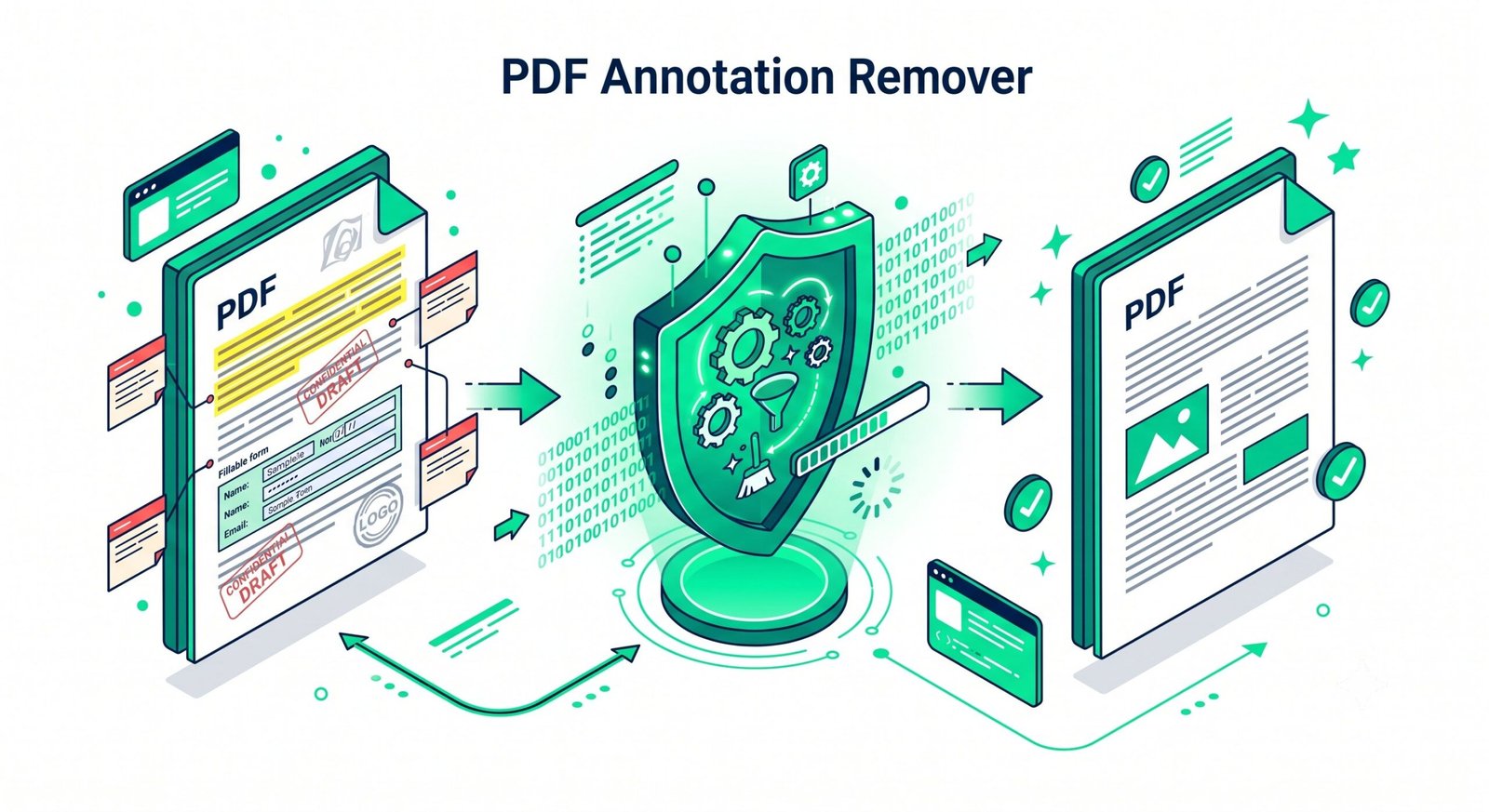
How to Remove Annotations from PDF on Any Device
Select your operating system to view step-by-step instructions for our PDF annotation remover.
Remove PDF Annotations on Windows 11 / 10 Without Adobe Acrobat
Standard Windows PDF viewers like Edge or basic readers cannot mass-delete highlights and sticky notes without costly Adobe Acrobat licenses. Use our free tool in Chrome, Firefox, or Edge:
- Drag and drop your PDF into the upload zone above.
- Select the annotation types you want to remove or click "1-Click Clean Slate Mode".
- Click "Remove Highlight PDF Now" and download your clean PDF file immediately.
Batch Strip PDF Highlights & Notes on macOS
While macOS Preview allows viewing annotations, manually selecting and deleting dozens of highlighted passages is tedious and error-prone:
- Drop your PDF document into our online tool in Safari or Chrome.
- Configure your cleanup preferences to strip all highlights, drawing inks, and comment notes.
- Preview the cleaned result using the split slider and download the updated PDF.
Clean PDF Annotations on iPhone & iPad (iOS)
Easily sanitize an Apple Books or Files PDF before emailing it to a client, employer, or professor:
- Open Safari on your iPhone/iPad and choose your PDF directly from the iOS Files app.
- Our browser engine scans the PDF dictionary and removes annotations in seconds.
- Save the sanitized document directly back to the iOS Files app or share via AirDrop.
Strip PDF Annotations on Android & Linux Desktops
Android viewers often lack native tools to strip annotations without flattening the entire page into a low-resolution raster:
- Open Chrome or Firefox on your Android or Linux device and load your PDF file.
- Choose your cleanup preferences and execute the in-memory removal engine.
- Download the lightweight, vector-preserved PDF document without installing extra software.
Frequently Asked Questions
Find fast answers to common questions about our free online PDF annotation remover and privacy protections.
The absolute fastest way is using our offline-capable web platform. You can securely remove highlight PDF directly on your device, ensuring zero upload time and maximum privacy for your sensitive documents.
Yes! Our smart filter acts as a comprehensive PDF Annotation Remover, allowing you to delete comments, strikethroughs, form widgets, and highlights effortlessly with just one click.
When you use our tool to unhighlight text in PDF, our advanced engine safely extracts only the markup layers and vector path streams. It never alters the original text geometry, layout, or embedded font quality.
Absolutely. Our platform allows you to clear annotations from PDF documents multi-page wide at once using our secure, client-side batch processing engine, saving you hours of manual work.
Most online converters only search for standard /Annots dictionaries. When highlights or scribbles are flattened into the PDF content stream (from Apple Notes, GoodNotes, or Adobe Print to PDF), traditional tools fail. Our deep vector engine parses the raw content stream and strips flattened drawing paths directly.
Yes. Embedded portrait photos, diagrams, and vector fonts maintain 100% DSLR-grade optical sharpness with zero lossy re-compression or color degradation.