Convert Photo to ASCII Art
The best image to ascii converter online — drop images to turn picture into ascii text with smart edge preservation.
or drop JPG, PNG, WEBP, GIF, SVG photos here to generate ASCII art
All formats are prepared in real-time client memory. Individual and batch ZIP downloads available below.
How to Convert Photo to ASCII Art in 3 Steps
A high-fidelity client-side pipeline that turns standard images into rich retro monospace typography.
Drop or Select Images
Configure Glyphs & Density
Copy or Download Assets
How Our Image to ASCII Conversion Engine Works
Understand the math, pixel luminance quantization, and edge convolution powering our browser engine.
Aspect-Correct Grid Resampling
Monospace characters are taller than they are wide (typically a 0.55 aspect ratio). Our engine automatically scales target pixel matrices to prevent vertical distortion or squishing.
Sobel Edge Gradient Detection
Unlike basic converters that only map brightness, our engine applies a 2D spatial convolution kernel to trace high-contrast facial contours, clothing creases, and architectural lines.
Luminance & Chroma Quantization
Weighted perceived luminance (0.299R + 0.587G + 0.114B) indexes each pixel directly into custom glyph density tables, retaining native 24-bit sRGB color codes for full-color displays.
Multi-Format Compilation & ZIP Export
ASCII models are compiled simultaneously into downloadable .txt files, high-res .png canvas renders, colored .html embeds, and scalable .svg vectors with single or batch ZIP delivery.
Engineered for Precision, Contrast & Privacy
Why developers, retro enthusiasts, and digital designers choose our client-side ASCII generator.
100% Browser Privacy
Photos are rendered locally on your GPU/CPU via HTML5 Canvas. Zero bytes sent to remote clouds.
Smart Edge Tracing
Highlights intricate facial contours and fine line graphics instead of washing out dark regions.
True RGB Color Presets
Switch seamlessly between Cyberpunk Pink, Classic Matrix Green, Amber CRT, and Full 24-Bit Color.
Multi-Canvas Batch Queue
Process dozens of images simultaneously and view them side-by-side without lost state.
Custom Glyphs & Blocks
Type your own custom character ramps, Unicode blocks (░▒▓█), or mathematical symbols.
Separate TXT & ZIP Exports
Download standalone text files for each image or export all results in one organized ZIP package.
The Ultimate Studio to Convert Photo to ASCII Art
Transform standard photographic portraits, screenshots, diagrams, and digital graphics into captivating retro monospace text art. Engineered with client-side HTML5 Canvas technology for instant processing, zero cloud exposure, and maximum visual clarity.
How Our Algorithm Maps Pixels to Monospace Typographic Glyphs
When you use an ascii art generator from image, the standard approach simply averages pixel brightness across small rectangular blocks. However, standard brightness mapping frequently turns delicate features like eyes, nose bridges, and text outlines into blurry smears.
Our best image to ascii converter incorporates dual-stage Sobel edge convolution. By calculating spatial gradient vectors across pixel neighborhoods, the engine dynamically interweaves directional slash and hyphen glyphs (/, \, |, -, _) along structural boundaries while applying dense character ramps (@, #, %, *, :, .) across uniform fills.
- Automatically scales vertical pixel pitch at 0.55 to preserve true photographic proportions.
- Supports Unicode block shade elements (
░,▒,▓,█) for continuous tonal depth. - Provides quick one-click image to ascii text copy paste for instant sharing in Discord and Reddit.
How to Turn Picture into ASCII Text for Terminal, Web & Socials
Whether you are creating a terminal splash screen for a CLI tool, decorating a GitHub profile README, posting retro art on Reddit, or generating ASCII banner headers for email newsletters, text-based visual art bridges retro computing with modern web development.
Discover more about the origins of early computer graphics by reading the ASCII Art history on Wikipedia or explore how the HTML5 Canvas API enables high-speed in-memory pixel manipulation without backend computation.
- Export directly as colored HTML blocks with inline CSS font styling for websites.
- Generate vector SVG files with crisp scalable monospace text nodes.
- Download batch ZIP files holding organized standalone .txt files for every queued image.
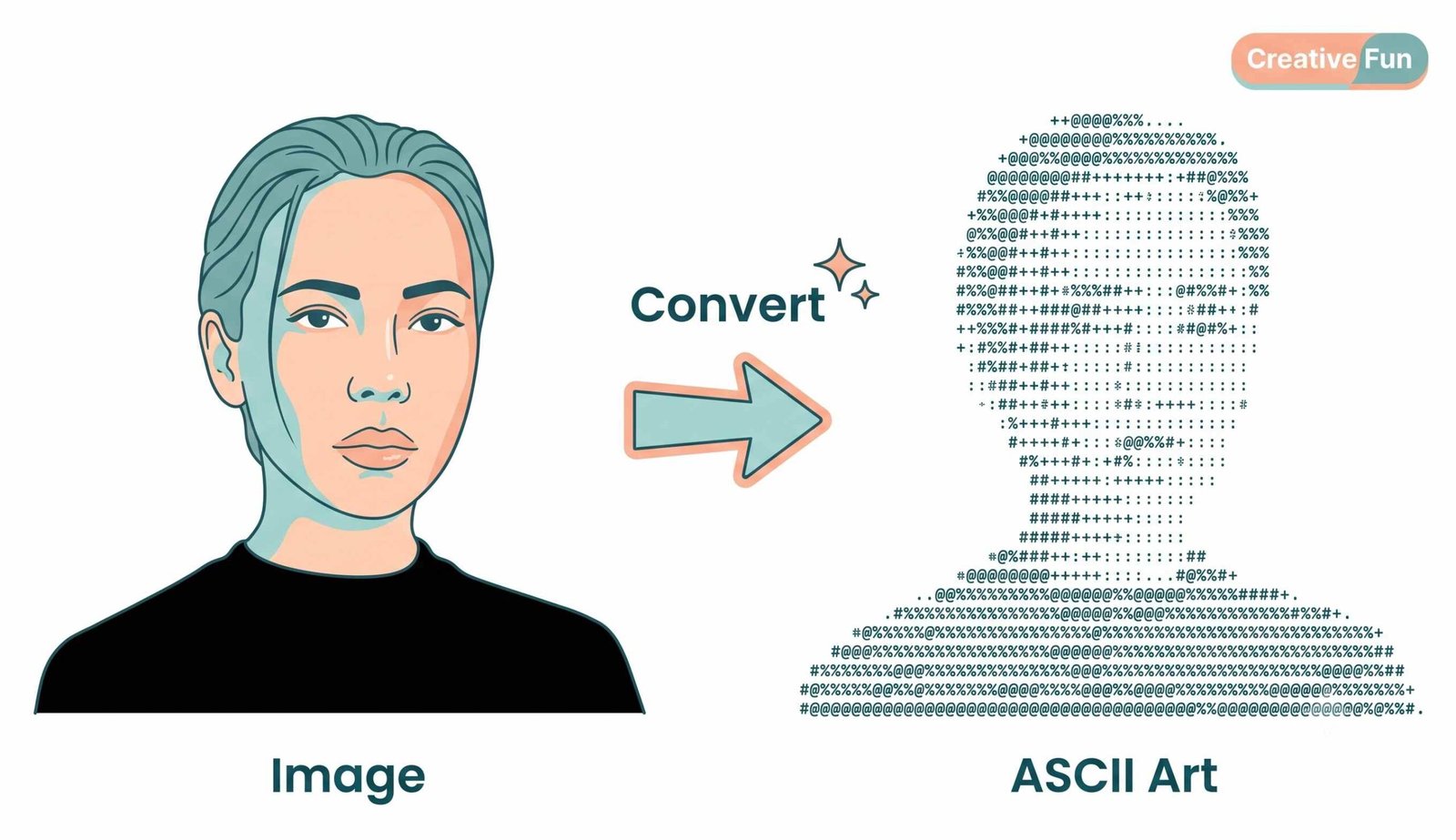
Live interface demo: Multi-canvas batch extraction and edge-preserved ASCII text art.
A Client-Side Security Sandbox with Zero Cloud Data Exposure
Conventional web converters upload your sensitive portraits, corporate logos, or confidential graphics to remote servers, putting your privacy at risk.
Our tool is engineered with a strict Zero-Upload Privacy Policy. When you convert photo to ascii art on this page, every pixel reading, Sobel filter convolution, and text export is calculated entirely inside your web browser's local V8 JavaScript engine.
- Your original photos and generated ASCII texts are never uploaded or retained.
- Fully operational in offline mode after initial browser page cache loading.
- Safe for proprietary company graphics, avatar photos, and family snapshots.
Frequently Asked Questions
Common queries regarding character mapping, color presets, batch exports, and data security.
The absolute fastest way is using our client-side web platform. You can instantly convert photo to ascii art directly in your browser without uploading any files, ensuring instantaneous results, sub-second conversion feedback, and total data privacy.
It is the best image to ascii converter because it integrates custom Sobel edge detection algorithms to preserve the fine outlines of your pictures, offering both classic black-and-white monospace text and advanced colored HTML/CSS, PNG, and SVG exports.
You can easily turn picture into ascii text by dragging and dropping your image into our upload zone. Once processed, you can download it as raw monospace .txt, scalable .svg, or a fully formatted HTML/CSS block ready to embed directly into your web design.
Yes! Once our ascii art generator from image processes your file, you can simply click the "Copy Text" button on any result card for quick and seamless image to ascii text copy paste into Discord, Reddit, or any plain text code editor.
Yes! Our tool features a multi-canvas batch gallery that renders every queued image simultaneously in side-by-side cards. You can toggle between Canvas visual rendering and pure monospace text view anytime without re-processing.
Yes! Click the "Download Separate TXT Files" button at the bottom of the workspace (or on individual cards) to save each converted image as its own standalone text document, or package everything into a single organized ZIP archive.
No, absolutely not. All computations occur locally on your machine using your web browser's HTML5 Canvas and JavaScript engine. Your pictures never leave your device.